


























AI README Generator
Create polished project READMEs in seconds
 AIToosay 2.5 fast
Fast AIToosay 2.5 fast model for everyday writing, with no daily limit.
NEW
Fast
Premium
AIToosay 2.5 fast
Fast AIToosay 2.5 fast model for everyday writing, with no daily limit.
NEW
Fast
Premium






Your prompt will appear here…
Your beautifully formatted article will appear here once you generate.
No history yet
Your generations will appear here. Sign in to save them permanently.
How long does it take a new developer to get your project running on their machine? If the answer involves asking someone, the README is not doing its job. It is the first file anyone opens and usually the last one anybody updates, which is how a project ends up with install instructions for a dependency it dropped a year ago.
Short answer: AI README Generator writes the README for a project, covering what it is, how to install and run it, how to configure it and how to contribute, from a description of the project or its files.
What is AI README Generator?
It is a free page that produces project documentation. You describe the project, or paste the package manifest and the main entry point, and it returns a README with the sections a reader actually needs, in the order they need them.
Order matters more than completeness here. Someone opening a README wants to know what this is within one sentence, whether it solves their problem within one paragraph, and how to run it before they have to scroll. A README that opens with a badge wall and a table of contents fails all three.
Why Use AI README Generator?
Because writing about your own project is unexpectedly hard. You know it too well to see which parts need explaining, and the things a newcomer trips over are invisible to you precisely because you never trip over them.
Generating a first draft flips that. You start from a document that assumes nothing and edit down, which is much easier than starting from a blank file and trying to remember what a stranger would not know.
What works well
- Produces the standard sections in a sensible order without prompting.
- Assumes no prior knowledge, which is exactly what a README needs.
- Turns a package manifest into install and usage instructions quickly.
- Free, so regenerating after a big change is realistic.
What to watch for
- Commands it writes must be verified on a clean machine.
- It can invent a feature that sounds plausible for a project like yours.
- A generic README reads generic, so the description you give matters.
- Badges and links are yours to add, since it cannot know your services.
Who Should Use It?
- Maintainers of open source projects where the README is the whole first impression.
- Teams with internal repositories that new joiners cannot start without help.
- Developers publishing a package and needing usage documentation quickly.
- Anyone inheriting a project with no documentation at all.
- People writing in a second language who want a solid structural draft.
How Does AI README Generator Work?
You supply the project, it writes the document. The most efficient input is your package manifest plus a paragraph about what the project is for. The manifest gives it the dependencies, scripts and entry points; the paragraph gives it the purpose, which no file contains.
- Open AI README Generator. Free, with no account step.
- Paste your package manifest, or list the dependencies and the run commands.
- Write one paragraph on what the project does and who it is for.
- List the configuration values, using placeholder names rather than real ones.
- Set Output Type to README and Length to match the project size.
- Generate, then verify every command on a machine that has never run the project.
| What you supply | What it produces |
|---|---|
| Package manifest | Install steps, scripts, version requirements |
| A paragraph on purpose | The opening section and the audience framing |
| Configuration variable names | A configuration table with descriptions |
| Test and lint commands | A contributing section people can follow |
Key Features
Answers the first question first
What this is and what it does, before any installation detail.
Runnable instructions
Install and run steps written as commands rather than as description.
Configuration documented
Environment variables and options listed with what each one does.
Contribution section
How to run the tests and what a good pull request looks like, for open projects.
Length that fits the project
A small library does not need the same document as a platform, and the setting reflects that.
Which sections earn their place depends on who the project is for.
| Section | Public library | Internal service |
|---|---|---|
| One line description | Essential | Essential |
| Install and quick start | Essential | Essential |
| Configuration reference | Useful | Essential |
| Contributing and tests | Essential | Useful |
| Who to ask when it breaks | Not applicable | Essential and usually missing |
Advanced Options Guide
Ten controls sit behind the accordion, shared with the other git and documentation tools.
| Option | What it controls | When to change it | Suggested starting point |
|---|---|---|---|
| Output Type | Auto, Commit Message, PR Description, README, Changelog or Release Notes. | Set it to README rather than relying on Auto. | README. |
| Convention | Conventional Commits, Plain, Detailed, Concise or Team Standard. | Team Standard when your organisation has a README template. | Detailed for a public project, Concise for an internal one. |
| Tone / Detail | Concise, Standard, Detailed or Professional. | Professional for a package other companies will depend on. | Standard. |
| Length | Short, Normal or Detailed. | Short for a single purpose library, Detailed for an application. | Normal. |
| Follow Convention | Keeps to the structure your chosen convention implies. | When the README must match sibling repositories. | On. |
| Include Sections | Adds the standard headings rather than writing continuous prose. | Almost always. READMEs are scanned, not read. | On. |
| Add Emojis | Adds emoji markers to section headings. | Only where the project's ecosystem expects it. | Off unless it is the house style. |
| Include Examples | Adds usage examples with real looking code. | Any library or API. This is the section people copy from. | On. |
| Detail Level | Slider from 1 to 100 for depth inside each section. | Higher when the project has unusual setup requirements. | Mid. |
| Custom Instructions | Free text up to 1000 characters for specifics. | Licence, support policy, sections to include or leave out. | A concrete line such as "MIT licence, no badges, include a troubleshooting section, we support the two latest Node versions". |
Example Inputs
A manifest plus a paragraph of purpose is the combination that works.
Node library called rate-guard. Purpose: a small rate limiting middleware for
Express that stores counters in Redis and supports per route limits and a
burst allowance. Aimed at teams who want something simpler than a full API
gateway. Peer dependency on express 4 or 5, requires redis 6 or later.
Install with npm. Scripts: npm test runs vitest, npm run lint runs eslint.
Configuration: REDIS_URL, RATE_GUARD_PREFIX, RATE_GUARD_DEFAULT_LIMIT.
MIT licence. Contributions welcome, tests required. No badges please, and
include a section on what happens when Redis is unavailable.
The last sentence is the one that produces a genuinely useful README. Failure behaviour of a dependency is exactly what a reader wants to know before adopting a library, and it is almost never documented.
Example Outputs
With Output Type on README, sections on and examples on, the draft opens with the answer rather than with decoration.
# rate-guard

Rate limiting middleware for Express, backed by Redis. Per route limits,
a burst allowance, and about fifty lines of configuration rather than a
gateway to operate.

## Requirements
  Node 18 or later, Express 4 or 5, Redis 6 or later.

## Install
  npm install rate-guard

## Quick start
  const rateGuard = require('rate-guard')
  app.use('/api', rateGuard({ limit: 100, window: '1m', burst: 20 }))

## Configuration
  REDIS_URL                   Connection string. Required.
  RATE_GUARD_PREFIX           Key prefix. Defaults to rg:
  RATE_GUARD_DEFAULT_LIMIT    Fallback limit when a route sets none.

## When Redis is unavailable
  Requests are allowed through and a warning is logged. The middleware fails
  open by design, on the basis that a cache outage should not take your API
  down. Set failOpen: false if you would rather reject requests instead.

## Contributing
  npm test runs the suite, npm run lint checks style. Pull requests need a
  test for the behaviour they change.

## Licence
  MIT
Two things are worth copying from this. The opening sentence says what it is and what it replaces, so a reader knows in five seconds whether to continue. And the failure section states a default and how to change it, which turns an unknown into a decision.
Before you commit any generated README, run this check.
- ✅ Every command tried on a machine that has never run the project.
- ✅ Version requirements match what the project actually supports.
- ✅ No feature described that does not exist.
- ✅ Configuration values are placeholders, never real credentials.
- ✅ The first sentence says what the project is without jargon.
- ✅ Anything you know trips people up has its own section.
Important Verify the install commands rather than trusting them. A generated README describes a plausible project of your type, and a plausible install step is exactly the kind of thing that works everywhere except on a clean machine.
Tip Ask for a troubleshooting section and list the three problems people report most. That section gets read more than any other part of a README and it is almost always missing.
Pro tip A README is the front door, not the whole house. When a project needs more than one page, AI Documentation Writer handles the deeper documentation and lets the README stay short.
AIToolsay gives each job a page that already knows the shape of the answer, so here the prompt box expects a project description or a manifest rather than an open question. The options include a length control that keeps a small library from getting a platform sized document, an examples toggle for the section people copy from, and a free text field for licence and support details. The model selector lets a second engine write the same README when the first draft reads too generic. It is free with no account step, so regenerating after a significant change is realistic rather than aspirational. Session history keeps each draft under the result while you compare. The rest of the documentation tooling on AIToolsay is arranged the same way, so the changelog and the deeper docs beside this file are each a page away.
Frequently Asked Questions
Is AI README Generator free?
Yes, with no account and no limit on how many projects you document.
What is the minimum I should paste?
Your package manifest and a paragraph explaining what the project is for. The manifest supplies the mechanics, the paragraph supplies the purpose, and no file contains the second one.
Will the install commands be correct?
They will be plausible for your ecosystem, which is not the same thing. Run them on a clean machine before committing, since that is the only way to catch a missing step.
Can it match our house template?
Set Convention to Team Standard and describe the required sections in Custom Instructions, including any you want left out.
Should I include badges?
That is a house style decision. Say so in Custom Instructions either way, since badges cannot be generated accurately without knowing your services.
How often should I regenerate it?
Whenever install steps, configuration or supported versions change. Those three are what make a README actively wrong rather than merely incomplete.
Take the project whose README you would be embarrassed to show, paste the manifest and write one honest paragraph about what it does. The draft that comes back is usually better than what is there, and the parts you have to correct are the parts worth documenting properly. The Telegram community is a good place to compare documentation habits, and the newsletter or push notifications will tell you when new documentation tools arrive.
Let AI Speak.

Sabir Bepari
Founder & AI Enthusiast at AIToolsay Location: India
Founder of AIToolsay and a passionate AI enthusiast dedicated to building practical, user-friendly AI tools that simplify everyday tasks.
Related Content
Hand-picked articles from the AIToolsay blog on the same topic.
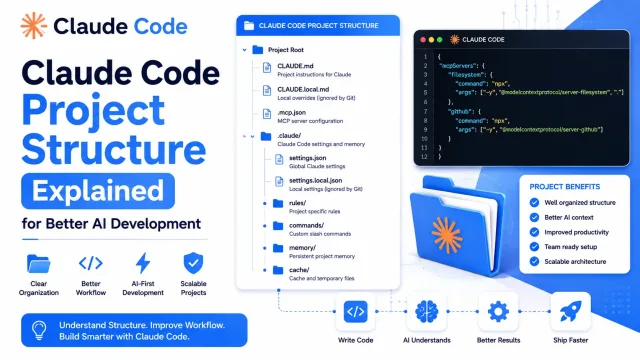
- Claude Code Project Structure Explained for Better AI Development What each file in a Claude Code project does, and why the layout matters more than any single prompt. Overhead when small, essential when large. Read article
- 11 AI Projects for BTech Students to Build in 2026 Fifteen BTech AI projects plus a heavier advanced set, each naming the stack it needs and what it shows someone reading your CV. Read article
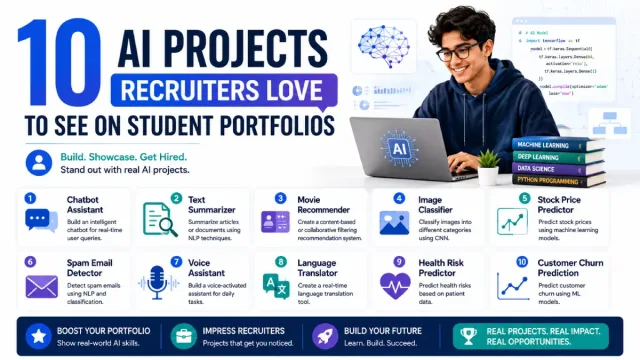
- 10 AI Projects Recruiters Love to See on Student Portfolios Ten builds chosen for what survives a recruiter's glance: obvious purpose, a README that explains what happened, and defensible under questioning. Read article

Want more AIToolsay stories in your Google Search results?




