





“Write a LinkedIn post about personal branding” gives Claude almost nothing, so it returns the average of everything it has ever read on the subject. That is why the output reads like everyone else’s.
A framework fixes that by forcing the missing pieces into the prompt: who is speaking, who is reading, and what the post is supposed to achieve. Eight of them follow, along with a full walkthrough for the profile itself.
A simple instruction such as “Write a LinkedIn post about personal branding” gives Claude very little context. A structured prompt can tell it who you are, what you want to achieve, who you’re speaking to, what tone to use, and what action the reader should take.
That’s where Claude Prompt Frameworks can make your workflow more organized.
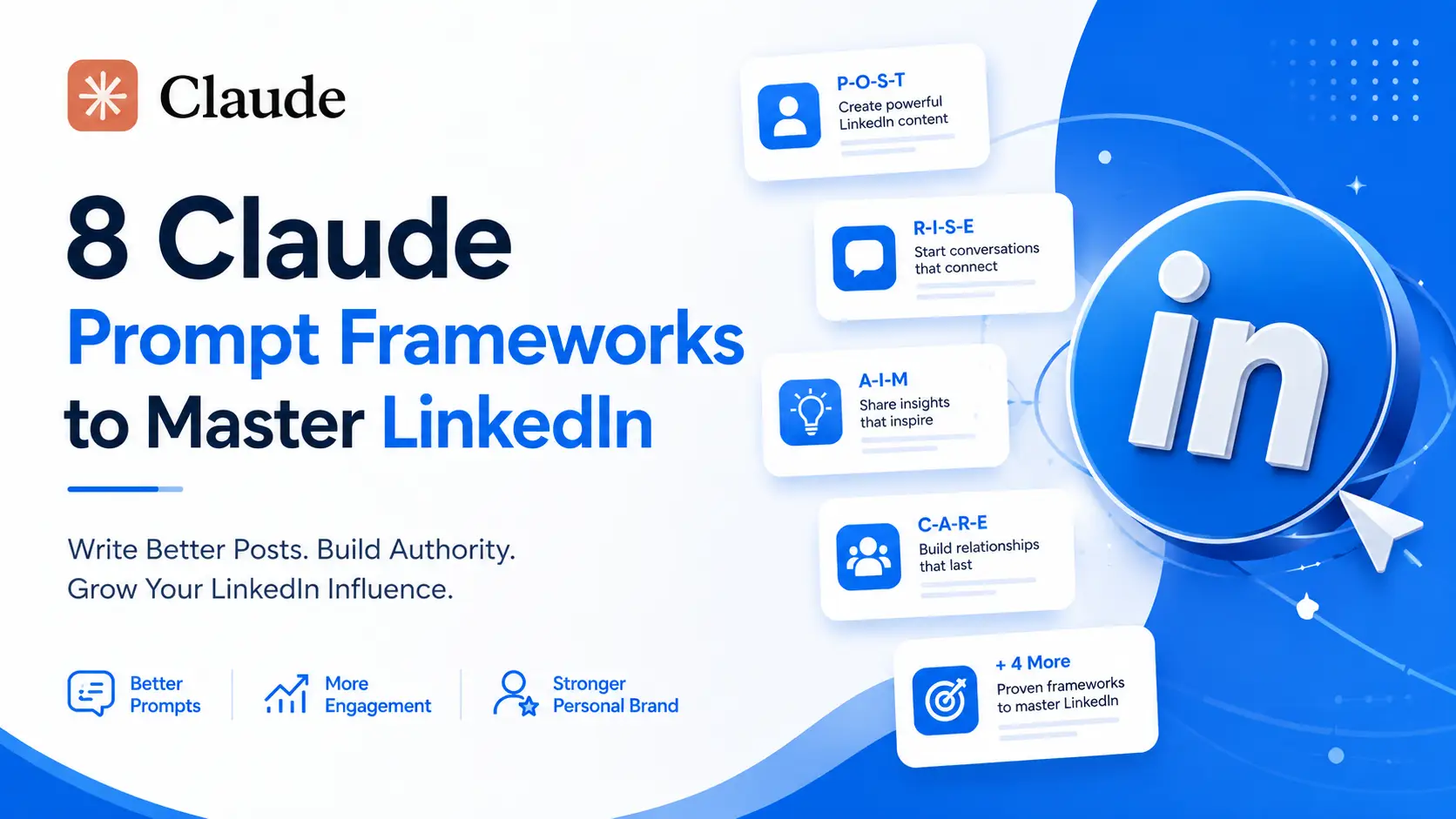
Instead of writing every prompt from scratch, a repeatable framework handles each LinkedIn task. Eight follow, covering content, inbound leads, offers and outreach, content systems, briefs, turning Claude into a specialist, personal storytelling, and rescuing posts that underperformed.
Whether you’re a founder, marketer, creator, freelancer, or professional building a personal brand, these frameworks can give your LinkedIn workflow more structure.
Why Use Claude Prompt Frameworks for LinkedIn?
LinkedIn creators often have several different content requirements.
One day you might need an educational post. The next day you may need a lead magnet post, a sales message, a personal story, or a content calendar.

Using exactly the same prompt for every task isn’t always effective.
Different Claude Prompt Frameworks solve different problems.
They can help you:
- Create more focused LinkedIn posts
- Define your target audience
- Generate inbound lead ideas
- Structure sales and DM outreach
- Build a repeatable content calendar
- Create detailed content briefs
- Give Claude a specific professional role
- Turn experiences into personal stories
- Analyze existing content
- Improve hooks and calls to action
The important thing is to select the framework according to the result you’re trying to achieve.
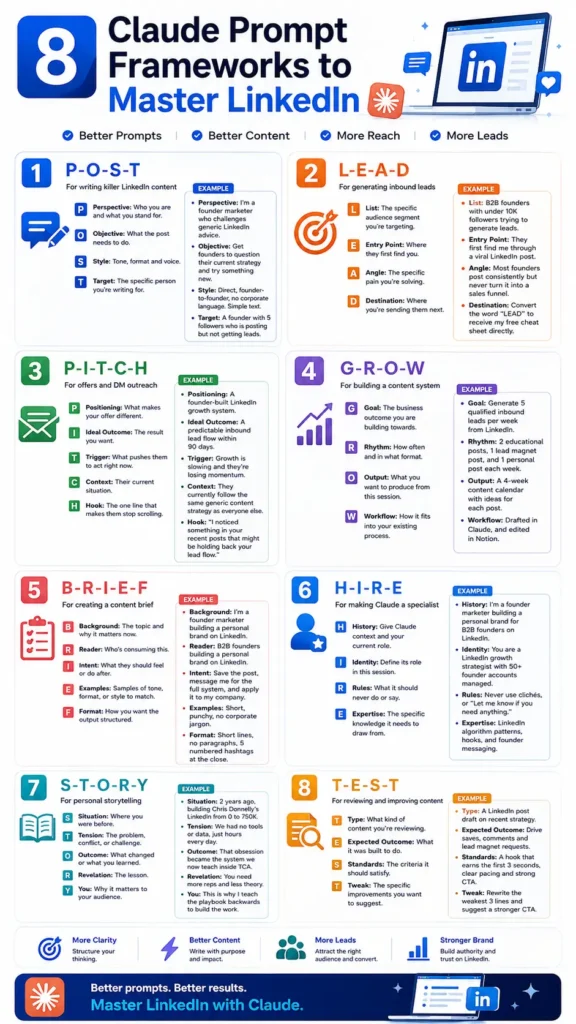
1. P-O-S-T Framework for Writing LinkedIn Content
The P-O-S-T framework is designed for creating focused LinkedIn content.
P — Perspective
Perspective defines who you are and what you stand for.
This gives Claude a point of view to work from instead of producing generic content.
O — Objective
Objective explains what the post needs to accomplish.
The objective could be educating readers, challenging an assumption, starting conversations, building authority, or encouraging an action.
S — Style
Style defines the tone, format, and voice.
You can tell Claude whether you want the writing to be direct, conversational, personal, concise, founder-to-founder, or free from corporate language.
T — Target
Target identifies the specific person you’re writing for.
The more specific the audience, the easier it becomes to create relevant content.
Example
Perspective: I’m a founder marketer who challenges generic LinkedIn advice.
Objective: Get founders to question their current strategy and try something new.
Style: Direct, founder-to-founder, no corporate language. Simple text.
Target: A founder with 5 followers who is posting but not getting leads.
The P-O-S-T framework is a strong starting point when you want Claude to create content with a clear voice and audience.
2. L-E-A-D Framework for Generating Inbound Leads
The L-E-A-D framework is designed to connect LinkedIn content with a lead-generation journey.
L — List
List defines the specific audience segment you’re targeting.
Instead of saying “business owners,” describe the audience as precisely as possible.
E — Entry Point
Entry Point explains where people first discover you.
For example, they might discover you through a LinkedIn post, comment, recommendation, or another piece of content.
A — Angle
Angle identifies the specific problem or pain point you’re addressing.
D — Destination
Destination tells Claude where you want the audience to go next.
Example
List: B2B founders with under 10K followers trying to generate leads.
Entry Point: They first find me through a viral LinkedIn post.
Angle: Most founders post consistently but never turn it into a sales funnel.
Destination: Convert the word “LEAD” to receive my free cheat sheet directly.
This framework is useful when your LinkedIn strategy isn’t only about getting attention but also about creating a path from content to a potential lead.
3. P-I-T-C-H Framework for Offers and DM Outreach
The P-I-T-C-H framework focuses on offers and direct-message outreach.
P — Positioning
Positioning explains what makes your offer different.
I — Ideal Outcome
Ideal Outcome describes the result you want the prospect to achieve.
T — Trigger
Trigger identifies what might motivate the prospect to act now.
C — Context
Context explains the prospect’s current situation.
H — Hook
Hook is the line designed to capture attention.
Example
Positioning: A founder-built LinkedIn growth system.
Ideal Outcome: A predictable inbound lead flow within 90 days.
Trigger: Growth is slowing and they’re losing momentum.
Context: They currently follow the same generic content strategy as everyone else.
Hook: “I noticed something in your recent posts that might be holding back your lead flow.”
The P-I-T-C-H framework gives Claude the strategic context behind an outreach message rather than simply asking it to “write a sales DM.”
4. G-R-O-W Framework for Building a Content System
Creating individual LinkedIn posts is useful, but a repeatable content system can make publishing more organized.
The G-R-O-W framework helps Claude understand how your content should fit into your broader workflow.
G — Goal
Goal defines the business outcome you’re working toward.
R — Rhythm
Rhythm describes how often you publish and what formats you use.
O — Output
Output explains exactly what you want Claude to produce.
W — Workflow
Workflow shows how the output fits into your existing process.
Example
Goal: Generate 5 qualified inbound leads per week from LinkedIn.
Rhythm: 2 educational posts, 1 lead magnet post, and 1 personal post each week.
Output: A 4-week content calendar with ideas for each post.
Workflow: Drafted in Claude, and edited in Notion.
This is one of the most useful Claude Prompt Frameworks for moving from random posting toward a structured content workflow.
5. B-R-I-E-F Framework for Creating a Content Brief
The B-R-I-E-F framework helps you give Claude a detailed content brief before it starts writing.
B — Background
Background explains the topic and why it matters.
R — Reader
Reader identifies who will consume the content.
I — Intent
Intent describes what the reader should feel, understand, or do afterward.
E — Examples
Examples provide samples of tone, format, or style to match.
F — Format
Format tells Claude how the final output should be structured.
Example
Background: I’m a founder marketer building a personal brand on LinkedIn.
Reader: B2B founders building a personal brand on LinkedIn.
Intent: Save the post, message me for the full system, and apply it to my company.
Examples: Short, punchy, no corporate jargon.
Format: Short lines, no paragraphs, 5 numbered hashtags at the close.
The B-R-I-E-F framework is particularly useful when your content has multiple requirements that Claude needs to follow simultaneously.
6. H-I-R-E Framework for Making Claude a Specialist
One of the useful ways to work with Claude is to establish a specific role and set of rules before asking it to complete a task.
The H-I-R-E framework provides four components for doing that.
H — History
History gives Claude relevant context about your role and current situation.
I — Identity
Identity defines the role Claude should take during the session.
R — Rules
Rules explain what Claude should never do or say.
E — Expertise
Expertise identifies the specific knowledge Claude should draw from.
Example
History: I’m a founder marketer building a personal brand for B2B founders on LinkedIn.
Identity: You are a LinkedIn growth strategist with 50+ founder accounts managed.
Rules: Never use clichés, or “Let me know if you need anything.”
Expertise: LinkedIn algorithm patterns, hooks, and founder messaging.
The H-I-R-E framework can also be combined with other Claude Prompt Frameworks. For example, use H-I-R-E to establish Claude’s role and then use P-O-S-T to create a post.
Sabir’s take
Frameworks fix structure and cannot fix voice, which is what most LinkedIn writing actually lacks. Before running any of these I paste in three or four posts I have written myself, and that changes the result more than switching between the frameworks does. If the output still sounds like everyone else, the missing ingredient is you rather than the framework.
Frequently Asked Questions About Claude Prompt Frameworks
What are Claude Prompt Frameworks?
Claude Prompt Frameworks are structured methods for creating prompts with clear context, objectives, audience information, rules, expertise, and output requirements.
Which Claude Prompt Framework is best for LinkedIn posts?
P-O-S-T is the most direct framework for LinkedIn posts because it defines your perspective, objective, style, and target audience.
Can I combine Claude Prompt Frameworks?
Yes. Combining frameworks can be useful when a task has multiple stages. For example, H-I-R-E can establish Claude’s role, P-O-S-T can create the content, and T-E-S-T can review the result.
Which framework is best for LinkedIn lead generation?
L-E-A-D is designed specifically for lead generation. It identifies the target audience, entry point, problem angle, and destination.
Making These Sound Like You
A framework fixes structure, not voice. If the output still reads generic, the missing ingredient is almost always your own material: how you actually talk, the specific thing that happened last week, the opinion you would defend in a comment thread.
Feed Claude three or four of your own past posts before running any framework here. It costs a minute and changes the result more than switching frameworks ever will.
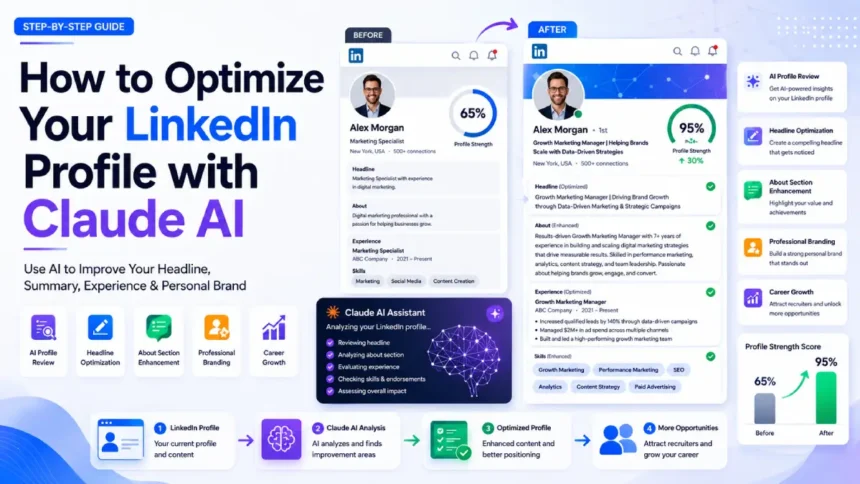
The written side is only half a profile. If the photograph is the weaker part, the LinkedIn headshot prompts deal with that separately.
A profile photo does its own work here, which the headshot prompts deal with, and the broader Claude habits apply to every framework above. Run them in Claude.