






Claude Code will build the wrong thing very quickly if you let it. Without structure it makes architecture decisions on your behalf, edits files you never mentioned, and loses the thread on anything long running.
The fix is process rather than a longer prompt: a written spec, project rules it reads at the start of every session, tests before implementation, and diffs small enough that you genuinely read them. This guide walks through that.
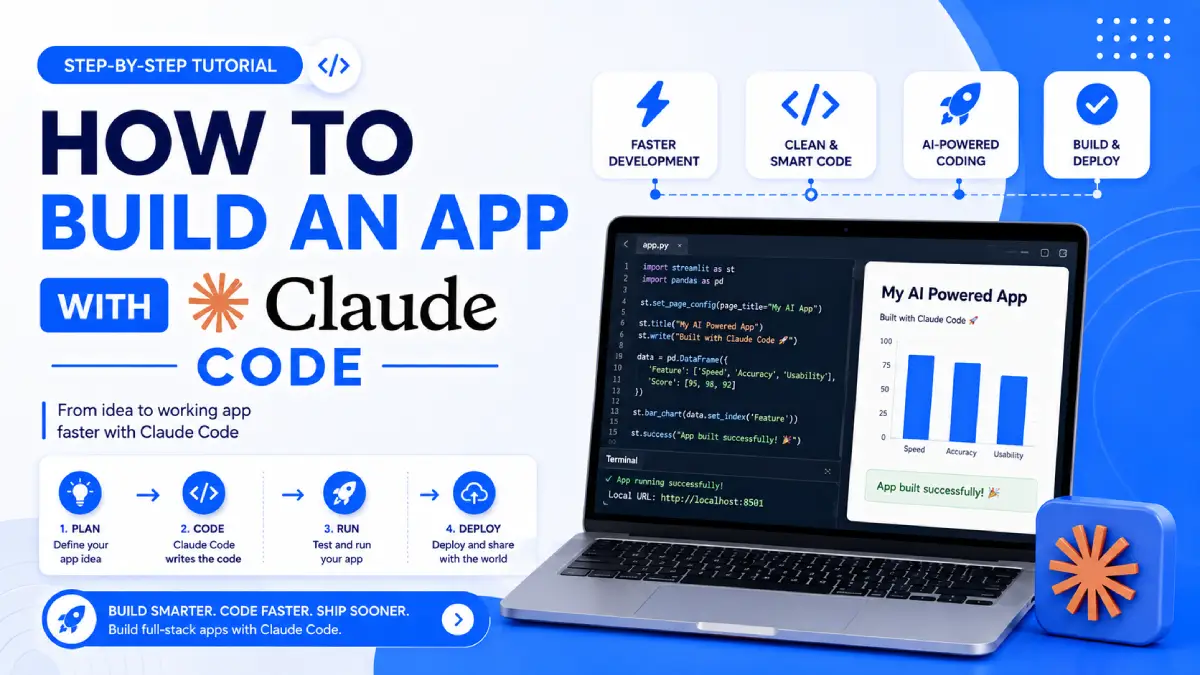
If you want to build an app with Claude Code successfully, you need a development process around it. That means planning the product, defining project rules, testing continuously, isolating parallel work, managing context, and reviewing every meaningful change before it reaches users.
Claude Code is an agentic coding tool that can inspect a codebase, edit files, run commands, and work through development tasks. Anthropic’s current documentation also recommends exploring complex changes before implementation and giving Claude something concrete to verify against, such as tests or expected behavior.
This guide explains an eight-step workflow for going from an app idea to a working, maintainable product.
1. Write a PRD Before You Build an App With Claude Code
A short Product Requirements Document gives Claude a clear target before implementation starts.
You don’t need a 30-page specification. A one-page PRD can be enough for a small application.
Answer these questions:



- What problem does the app solve?
- Who is the primary user?
- What are the core features?
- What is explicitly outside the scope?
- What does a successful first version look like?
- Which technology should be used?
- What integrations are required?
- What security or compliance requirements exist?
Example PRD
Imagine you’re building a simple appointment booking application.
Your PRD could state:
| Area | Requirement |
|---|---|
| Product | Appointment booking app |
| Users | Customers and business owners |
| Core feature | Create and manage appointments |
| Authentication | Email and password |
| Database | PostgreSQL |
| Frontend | React |
| Backend | Node.js |
| Deployment | Docker-based hosting |
| First release | Booking, cancellation, dashboard |
| Out of scope | Payments, advanced analytics, mobile app |
This gives Claude boundaries.
A strong PRD doesn’t tell Claude exactly how to write every function. It defines the problem and constraints while leaving implementation details to the coding agent.
Pro Tip
Ask Claude to review your PRD before coding.
For example:
“Review this PRD. Identify missing requirements, contradictions, security concerns, and assumptions that could cause implementation problems. Do not write code yet.”
That gives you an opportunity to correct the plan before implementation begins.
Common Mistake
Starting with:
“Build me an app.”
That instruction is too broad.
Claude can start making architectural decisions before you’ve agreed on the product structure.
2. Set Up CLAUDE.md Before Your First Coding Prompt
One of the most useful project-level features in Claude Code is CLAUDE.md.
Claude Code reads CLAUDE.md files as persistent project instructions. These files can contain project conventions, commands, architecture information, and other guidance that Claude should use across sessions. Anthropic’s documentation explains that Claude Code can load CLAUDE.md files from the project directory hierarchy and also supports more detailed rules through .claude/rules/.
Create the file in your project root.
A useful CLAUDE.md might include:
# Project Instructions

## Stack
- React
- Node.js
- PostgreSQL
- Docker

## Commands
- npm run dev
- npm run test
- npm run lint
- npm run build

## Conventions
- Use TypeScript
- Use existing components before creating new ones
- Keep business logic outside UI components

## Rules
- Do not modify database schema without approval
- Do not add dependencies without approval
- Do not remove existing tests
- Do not expose secrets
Keep the instructions concise and testable.
You can also use /init in Claude Code to generate an initial CLAUDE.md and then refine it for your project.
Pro Tip
Specify your stack early:
- Framework
- Database
- Authentication
- Testing framework
- Package manager
- Deployment target
Common Mistake
Don’t create a huge document full of vague statements such as:
“Always write perfect, scalable, secure, modern code.”
Give Claude concrete rules instead.
3. Use Plan Mode Before You Build an App With Claude Code
One of the biggest workflow improvements is separating planning from implementation.
Claude Code currently provides a plan permission mode that lets Claude inspect the project and propose changes without editing your source code. You can enter plan mode with /plan, use Shift+Tab, or start Claude Code with --permission-mode plan.
For a complex feature, start with:
“Explore the existing codebase and create the simplest implementation plan for this feature. Do not modify files yet.”
Claude can then inspect the relevant files, understand existing patterns, and propose an approach.
You review the plan before implementation.
Why Plan Mode Matters
Without planning, an AI coding agent may:
- Create unnecessary files
- Duplicate existing functionality
- Choose inconsistent patterns
- Modify unrelated code
- Introduce unnecessary dependencies
- Miss existing abstractions
Plan mode creates a checkpoint between your idea and the implementation.
Pro Tip
Ask Claude to consider the simplest solution first.
Try:
“Explore the existing architecture and propose the smallest change that satisfies this requirement. Reuse existing patterns wherever possible.”
Common Mistake
Don’t treat plan mode as unnecessary overhead.
For larger features, a few minutes spent reviewing the approach can save much more time later.
4. Scaffold the Skeleton Before Building Features
When you build an app with Claude Code, don’t immediately ask it to implement every feature.
Build the skeleton first.
Your initial structure might include:
- Application routes
- Empty components
- Database connection
- Authentication structure
- Basic error handling
- Test setup
- Docker configuration
- CI workflow
- Environment configuration
- Staging deployment
The goal is to confirm that the development pipeline works before the application becomes complicated.
Validate the Pipes First
Before implementing a major feature, confirm:
- The application starts.
- The database connects.
- Tests can run.
- Linting works.
- The build succeeds.
- Docker can build the application.
- The staging environment can deploy.
Once those foundations work, feature development becomes easier to debug.
Common Mistake
Building five features before testing deployment.
If deployment then fails, you don’t know whether the problem is your application, infrastructure, environment variables, database configuration, or build process.
5. Write Tests Before Implementation
One of the strongest ways to give Claude Code an objective feedback loop is through tests.
Instead of saying:
“Build a secure email validator.”
Give Claude expected behavior.
For example:
Implement validateEmail.

Expected behavior:
"user@example.com" → true
"invalid" → false
"user@.com" → false

Write the test first.
Then implement the function.
Run the tests.
Anthropic’s documentation specifically recommends giving Claude something concrete to verify against, such as test cases or expected output.
The workflow becomes:
Requirement → failing test → implementation → test → correction
This is much clearer than asking Claude to decide whether its own implementation is correct.
Why Tests Help
Tests provide:
- Clear expected behavior
- Repeatable verification
- Faster regression detection
- Better edge-case coverage
- A safer refactoring process
Pro Tip
Don’t only test the happy path.
Ask Claude to consider:
- Empty input
- Invalid input
- Boundary values
- Authentication failures
- Permission issues
- Duplicate records
- Network failures
- Database errors
Common Mistake
Don’t wait until the entire application is finished to test it.
Small red-to-green cycles are easier to understand than one giant debugging session.
6. Run Parallel Claude Code Sessions With Worktrees
Large applications often have multiple independent tasks.
Instead of making every task sequential, Claude Code supports Git worktrees for isolated parallel sessions.
A Git worktree gives each session its own working directory and branch while sharing the repository history. Claude Code supports starting an isolated session with claude --worktree.
For example:
claude --worktree authenticationYou could then have separate sessions working on:
| Session | Task |
|---|---|
| Agent 1 | Authentication |
| Agent 2 | Dashboard UI |
| Agent 3 | API tests |
| Agent 4 | Database refactoring |
The important part is isolation.
One agent can modify its branch without directly overwriting another agent’s working files.
Claude Code also supports --tmux together with --worktree for creating a tmux session around a worktree.
Pro Tip
Give each agent one clearly defined responsibility.
For example:
“Implement password reset only. Do not modify the dashboard or database schema beyond what is required.”
Common Mistake
Don’t run multiple agents against the same working directory while they are making overlapping changes.
Claude Code App Development Workflow
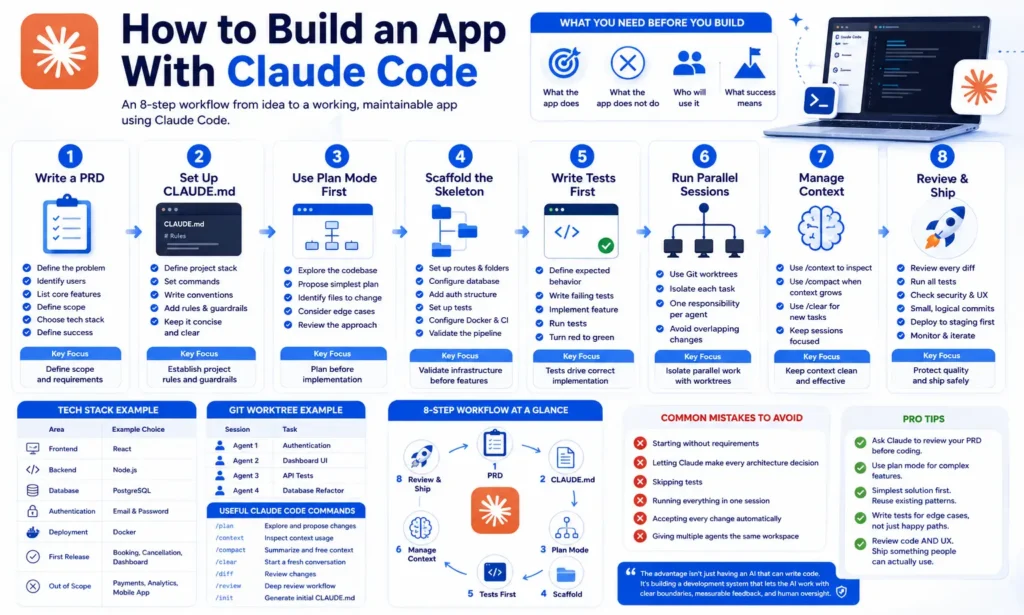
Here is the complete workflow in one view:
| Stage | What to Do | Main Goal |
|---|---|---|
| 1 | Write PRD | Define scope |
| 2 | Create CLAUDE.md | Establish project rules |
| 3 | Enter Plan Mode | Review approach |
| 4 | Scaffold project | Validate infrastructure |
| 5 | Write tests | Define behavior |
| 6 | Use worktrees | Isolate parallel work |
| 7 | Manage context | Keep sessions focused |
| 8 | Review and ship | Protect quality |
Sabir’s take
The part I underestimated was reading the diffs. It is genuinely tempting to approve changes quickly when the code looks right, and that is exactly how an architectural decision you never made ends up three files deep. I now keep changes small enough that reviewing them is boring. Slower per step, and noticeably faster overall, because far less time goes on unpicking things later.
Frequently Asked Questions About Building Apps With Claude Code
Can Claude Code build a complete application?
Yes. Claude Code can work across a project by reading files, editing code, running commands, and helping implement features. However, building a production application still requires human decisions around requirements, architecture, security, testing, deployment, and product quality.
Do I need programming knowledge to build an app with Claude Code?
Basic programming knowledge is strongly useful. Claude Code can handle many implementation tasks, but you still need enough understanding to review requirements, recognize incorrect behavior, inspect changes, and make informed technical decisions.
Should I use Plan Mode for every task?
Plan mode is particularly useful for complex changes where you want Claude to explore the codebase and propose an approach before editing. Small, obvious changes may not require the same planning process.
The habits in the wider Claude list apply throughout, and the free Claude Code course walks the same ground with exercises. Keep the repository on GitHub so each diff is reviewable.