 English
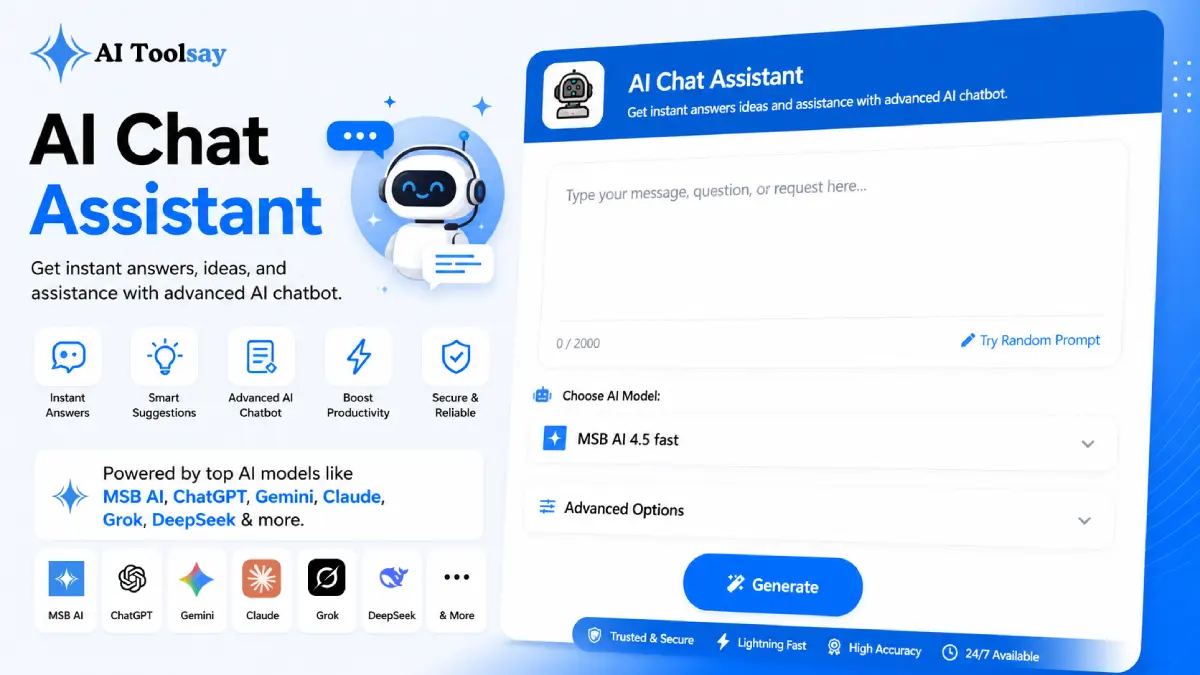
AI Chat Assistant
Get instant answers ideas and assistance with advanced AI chatbot.
 MSB AI 4.5 fast








Your prompt will appear here…
Your beautifully formatted article will appear here once you generate.
No history yet
Your generations will appear here. Sign in to save them permanently.
For years I treated a chatbot like a vending machine. I typed a question, took whatever fell out, and if it was wrong I shrugged and typed the whole thing again. I did this for a long time before it dawned on me that I was throwing away the most useful part. A conversation is not a single request. It is a back and forth where each reply teaches the next one what you actually meant. Once I stopped restarting and started steering, the AI Chat Assistant on AIToolsay went from a novelty I opened now and then to the tool I keep open all day.
I run AIToolsay, and I write, code, and make small business calls every single morning. The mistake I made for years was assuming the first answer was the whole point. It never was. The point is how quickly you can turn a rough first answer into the right one, and a well set up chat window does that better than anything else on my screen.
Why One Window Beats Ten Open Tabs
Before this, my workflow was a mess of tabs. One for a coding reference, one for a writing helper, one for research, one for whatever I was thinking through that afternoon. Each switch cost me a little focus, and by lunch those little costs added up to a scattered head. The AI Chat Assistant folds all of that into a single conversation. I do not leave the window to change tasks. I change how the window behaves. That difference sounds small until you feel a morning go by without a single context switch, and then you notice how much calmer the work is.
The AI Chat Assistant is a free AIToolsay tool that answers questions and helps with real tasks through natural conversation. You pick a mode, personality, response style, tone, length, and language, then talk with capable AI models in one place. It works for coding, writing, research, and everyday decisions without any sign up.
The settings are the reason it feels less like a toy and more like a workspace. You are not stuck with one flavor of reply. You shape the assistant to match the job in front of you, and it holds that shape across the whole conversation until you change it again.
The Settings I Actually Touch Every Day
People assume the modes are decoration. They are not. The mode is the single lever that decides whether an answer helps or wastes your time. General chat is my default for quick questions that do not need a shape. Coding help is where I go when a Laravel error will not clear or I am planning a small feature and want a second pair of eyes. Content writing is for the opening of a blog post or a partner email, the part where a blank page is the enemy. Research mode is for understanding an unfamiliar idea fast, and business advice is where I stress test a pricing thought before it reaches anyone on my team.
On top of mode, the personality, response style, tone, and length settings each change the feel of a reply. Personality moves between friendly, expert, motivational, and formal. Response style swings from concise to step by step to fully detailed to plain bullet points. Length lets you ask for a quick line or a thorough walk through. And because the assistant speaks many languages, including English, Arabic, Bengali, and Chinese, the same window serves a reader who does not think in English at all.
Task Aware Modes
Coding, writing, research, business, and general chat live in one conversation.
Personality Control
Friendly, expert, motivational, or formal, whichever the moment calls for.
Response Styles
Concise, step by step, detailed, or clean bullet points on demand.
Adjustable Length
Ask for a single line or a full walk through of a topic.
Many Languages
English, Arabic, Bengali, Chinese, and plenty more.
No Account Needed
Open it and start talking with capable models straight away.
Steering Instead of Restarting
Here is the habit that took me the longest to build and paid me back the most. When a reply is close but not quite right, do not retype the question. Tell the assistant what to fix. Shorter. Warmer. Add a concrete example. Drop the jargon. Each correction is faster than a fresh start, and after two or three of them the answer sits exactly where you wanted it. The instruction carries more weight than the word count, so when you want depth you ask for an example and a counter example rather than simply asking for more.
How I work: On a hard research question I let one model sketch the breadth, then switch to another to fill in the detail. No single engine is best at both halves of a tricky problem, and the switch usually gets me a fuller, more accurate answer than pushing one model to do everything.
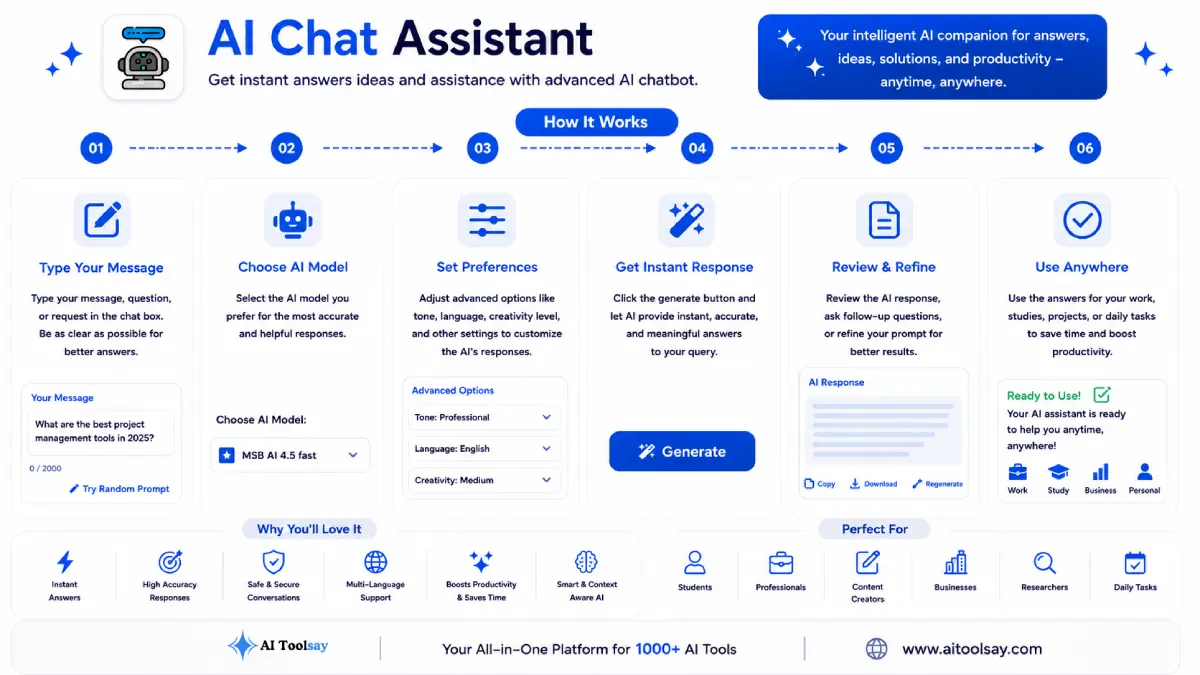
A Simple Way to Set Up Your First Chat
If you have never used it with intent, this is the order I would follow. It takes under a minute and it changes the quality of everything that comes after.
- Open the assistant and choose the mode that matches your very next task, not your whole day.
- Set the personality and tone so the voice fits the reader, whether that is a teammate, a client, or yourself.
- Pick a response style and length. Ask for concise when you are moving fast and detailed when you are learning.
- Send your first message with one clear goal. One question, one job, no bundling three things together.
- Read the reply, then steer it. Name the one change you want instead of rewriting from scratch.
- When the topic shifts, change the mode and keep going in the same window rather than opening a new tool.
Choosing the Right Setting for the Moment
Most questions I get are really about which setting to reach for and when. These are the decisions that come up most, answered the way I would answer a colleague leaning over my desk.
When should I switch modes instead of just rephrasing?
Switch the mode whenever the kind of task changes, not the wording. If you move from drafting an email to debugging code, change to coding help so the whole reply is shaped for that job. Rephrasing only helps when the mode is right but the answer missed your point.
Which personality fits a client message versus my own notes?
For anything a client will read, formal or expert keeps the tone clean and credible. For your own notes or a quick brainstorm, friendly or motivational is looser and faster to work with. Match the personality to the reader, not to your mood.
Should I ask for concise or detailed responses?
Choose concise when you already know the shape of the answer and just need it quickly. Choose detailed or step by step when you are learning something new or need to hand the output to someone else. When you want more depth, ask for an example rather than simply a longer reply.
When is it worth switching models mid conversation?
Switch models on hard research or reasoning questions where one engine gives you the broad map and another fills in the fine detail. For quick everyday tasks, staying with one model is perfectly fine and keeps the flow simple.
Is there a cost once I start using it seriously?
No. The assistant is free to use with capable models and no subscription, so using it heavily across a full working day does not change the price. You can begin without an account or card details.
When should I stop chatting and verify on my own?
Verify the moment an answer will drive a real decision or get published. Prices, legal points, medical claims, and anything with consequences deserve a trusted second source. Use the chat to think fast, then confirm before you commit.
The Line I Keep and the Principle Behind It
As useful as it is, I never hand over the final call. The assistant is fast and often right, but it is not a source of record. For anything that carries weight, a number in a proposal, a fact in a published post, a claim about the law, I check it against a trusted source before I act. I also keep sensitive personal details out of the chat. Think of every answer as a strong first draft of your own thinking, not the last word. That framing keeps the speed without letting the speed make your decisions for you.
If I had to reduce years of daily use to a single idea, it is this. Your advantage is not having the answer first. It is turning your rough first answer into the right one faster than the friction can slow you down. A conversation you steer does that. A question you keep restarting never will. Open the AI Chat Assistant, set the mode for your next task, and practice steering instead of starting over. Give it a week and you will feel the difference in how quickly your work actually moves.
.png)
Join the Newsletter
Get the best new AI tools and tips delivered to your inbox. No spam.
By subscribing you agree to receive emails from AIToolsay. Unsubscribe anytime.