 English

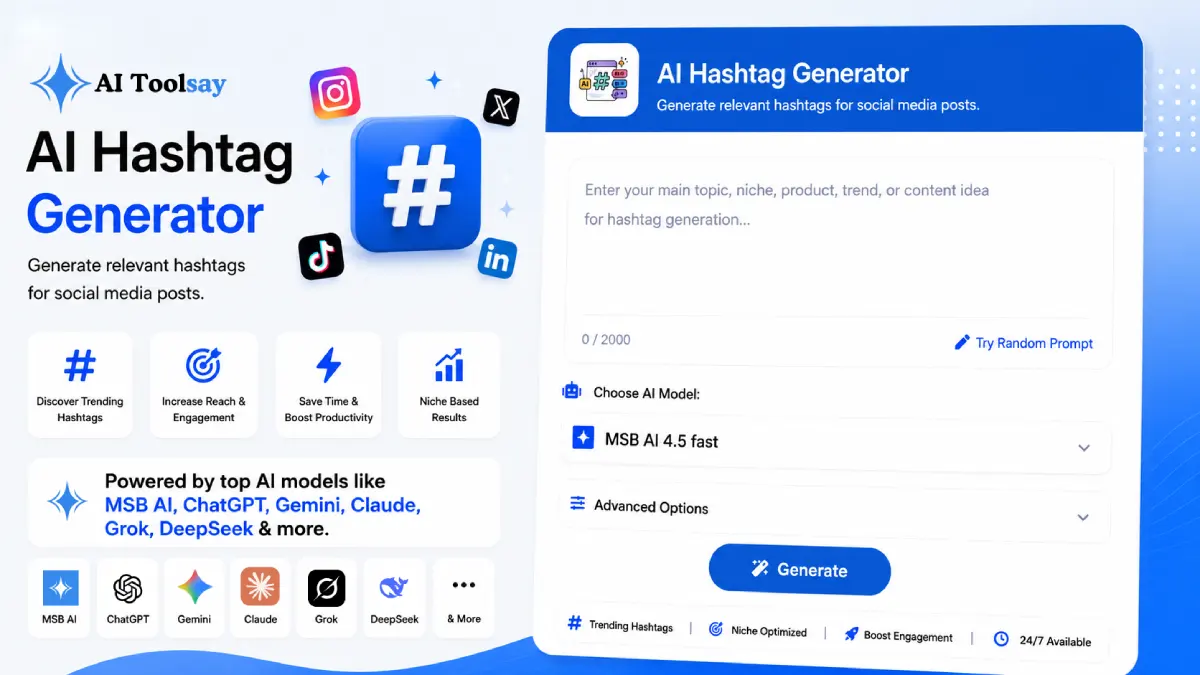
AI Hashtag Generator
Generate relevant hashtags for social media posts.
 MSB AI 4.5 fast








Your prompt will appear here…
Your beautifully formatted article will appear here once you generate.
No history yet
Your generations will appear here. Sign in to save them permanently.






When your last post went live, did it reach anyone new, or did it circle the same followers who already know you?
Quick Answer: The AI Hashtag Generator is a free AIToolsay tool that builds ready to use hashtag sets for whichever platform you post on. You pick the hashtag type, platform, niche, audience, quantity, tag length, popularity level, and tone, and it returns a tailored set in seconds. No account and no signup required.
Why Recycling the Same Tags Quietly Shrinks Your Audience
I have watched creators post good work for months and wonder why the numbers never move. Almost always the caption ends with the exact same block of hashtags copied from a note on their phone. Platforms read those tags as a signal about where your post belongs, and when the signal never changes, your content keeps landing in the same crowded pools next to everyone else fighting for the same eyes. Fresh tags, chosen for the specific post, open doors that a fixed list keeps shut.
This is where the popularity control earns its place. High competition tags carry enormous reach but brutal rivalry, so your post can vanish in minutes. Low competition tags feed a smaller, warmer pool where a single post actually gets seen and saved. A viral leaning mix sits between the two and suits most everyday uploads. The strongest sets blend all three, so one caption reaches for a little scale while still holding a spot where it has a genuine chance to surface.
The Controls That Turn Guessing Into a Plan
The generator is not a random tag spitter. It hands you eight hashtag types, from trending and viral to niche, SEO, and brand tags, so the set matches your intent rather than a mood. Eight platforms are covered, including Instagram, TikTok, YouTube, LinkedIn, X, Facebook, Pinterest, and Threads, each with tag habits the tool respects. You choose how many tags you want, in sets of five, ten, twenty, or thirty, and you set the tone and tag length so the output reads like your account and not a spam bot. It also produces tags in several languages, which matters when your audience does not all speak English.
What I Lean On It For
- Sets tuned to each platform's tagging style
- Popularity dial that maps to any goal
- Up to thirty tags to split into themed groups
- Language options for regional audiences
- Free to run with premium models behind it
Where You Still Do the Thinking
- Confirm trending tags are still active before posting
- Trim anything that drifts from the actual post
- Rotate your sets so uploads never look identical
Match the Mix to What Each Goal Needs
No single set of tags serves every purpose. A launch that needs eyeballs wants a different mix than a niche tip aimed at a loyal few. I keep a rough map in my head, and the table below is close to how I actually decide before I generate anything.
| Your goal | Mix to generate | Reason it works |
|---|---|---|
| Broadest exposure | Trending and viral tags | Largest pools, widest possible reach |
| Getting noticed | Niche and low competition tags | Smaller crowds, warmer engagement |
| Showing up in search | SEO tags | Found through in app search bars |
| Building recognition | Brand tags | Creates a searchable identity over time |
| A normal daily post | Balanced mixed set | Holds reach and relevance together |
Once you know the goal, the settings almost fill themselves in. Pick the platform, set the popularity to suit the mix, and let the generator draw from the right pools. Instagram tends to reward a blend of niche and broad tags, TikTok rides trending and discovery tags, and professional networks respond to focused, industry flavored ones.
Running Your First Set in Under a Minute
Describe the post in the topic field, set the platform and niche, choose your quantity and popularity, then generate. Copy the result straight into your caption or drop it in the first comment. The whole loop takes seconds, so I usually build a few sets at once and keep them ready.
What works for me: Generate thirty tags, then break them into three or four smaller themed groups and rotate them across a couple of weeks of posts. Track which group brings the most saves and reach on your own account. That homegrown data beats any tag list you copy off the internet.
How many hashtags should I actually put on one post?
It depends on the platform, which is why I rarely max out. On Instagram a focused set of ten to fifteen relevant tags usually outperforms a wall of thirty. On TikTok and X a tighter handful reads more naturally. Generate thirty for the options, then post only the ones that truly fit that upload.
Will these tags get me more reach?
Better matched tags give your post a fair shot at new audiences, but hashtags are one lever, not magic. Reach also rides on your hook, timing, and how the post holds attention. Use the popularity dial to balance big pools against ones where you can realistically stand out.
How do I avoid banned or dead hashtags?
Keep tags tightly tied to your real content and skip anything vague or spam adjacent, which is where platforms tend to flag tags. Before you post, glance at any trending tags in your set to confirm they are still live, since a dead tag simply wastes a slot.
Try it on the very next thing you plan to post. Take one caption you were about to send with your usual tags, run it through the AI Hashtag Generator with the platform and goal set, and compare the two sets side by side. Post the fresh one, watch the reach and saves for a few days, and let your own numbers tell you which approach deserves a permanent spot in your routine.
.png)
Join the Newsletter
Get the best new AI tools and tips delivered to your inbox. No spam.
By subscribing you agree to receive emails from AIToolsay. Unsubscribe anytime.