
 English

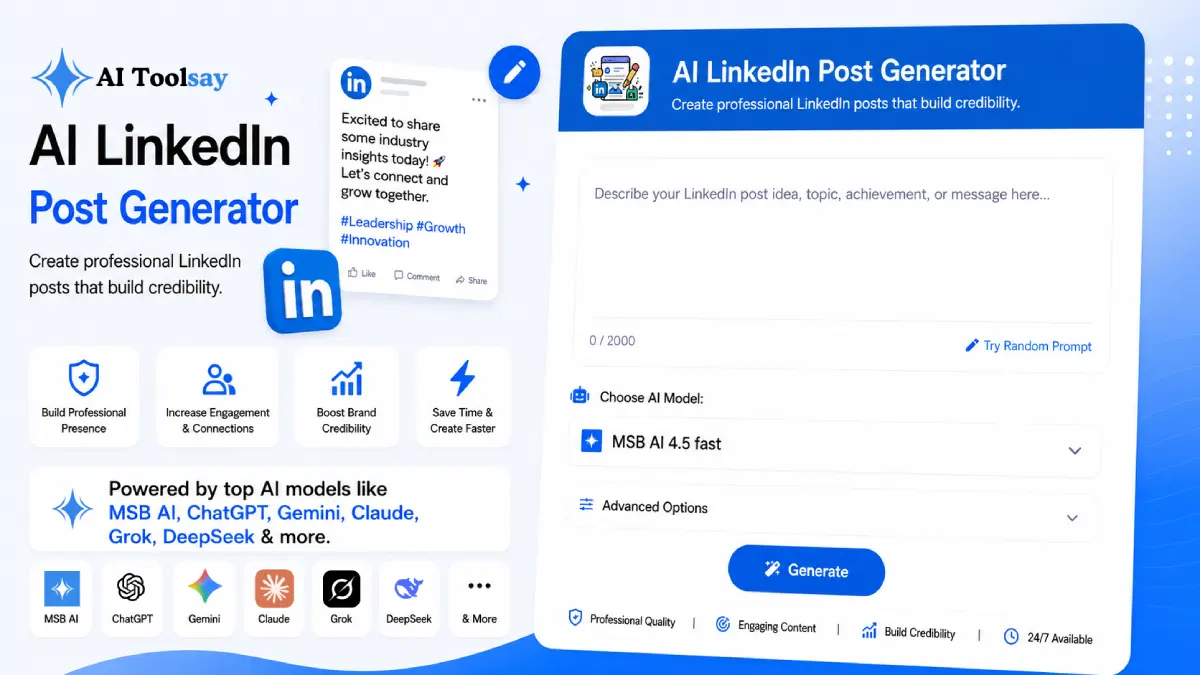
AI LinkedIn Post Generator
Create professional LinkedIn posts that build credibility.
 MSB AI 4.5 fast








Your prompt will appear here…
Your beautifully formatted article will appear here once you generate.
No history yet
Your generations will appear here. Sign in to save them permanently.






The most common mistake I see on LinkedIn is treating a post like a press release. People announce, they broadcast, they polish every edge until the words feel like a brochure, and then they wonder why the post sits at three likes. The feed does not reward announcements. It rewards a real thought shared in a human voice, ideally one that ends on a question worth answering. Once you accept that, the writing gets easier, and the tool below exists to get you there fast.
The AI LinkedIn Post Generator on AIToolsay writes that human voice for you. You describe an idea, choose the post type, industry, tone, style, length, and call to action, and it hands back a finished draft in seconds. It is free, and you can pick from several premium AI models when you generate.
Quick Answer: The AI LinkedIn Post Generator is a free AIToolsay tool that writes professional LinkedIn posts. You set the post type, industry niche, tone, target audience, writing style, length, call to action, and how many drafts you want, then generate polished posts in seconds. It works across several languages and needs no account.
Why Most LinkedIn Posts Never Get Written
Here is the quieter problem behind the flat post. Most people do not post badly. They do not post at all. The blank box is intimidating, the fear of sounding either too salesy or too stiff is real, and the whole thing feels slow enough that it slides down the to do list week after week. I have watched genuinely sharp professionals go silent for a year, not because they had nothing to say, but because saying it in public felt like a performance they were not ready for. The generator removes the hardest step, which is starting. You give it the raw idea and it returns a shape you can react to, and reacting to a draft is far easier than facing an empty screen.
The Settings That Shape Every Post
The quality comes from how much you can steer. Eight controls decide the angle, the language, and the feel before a single word appears.
Eight Post Types
Insight, personal story, career advice, industry news, business update, thought leadership, motivational, and startup journey.
Eight Industries
Tech, business, finance, marketing, AI, startups, education, and healthcare, so the vocabulary fits your field.
Eight Writing Styles
Storytelling, actionable tips, data driven, personal experience, and more, matched to how you want to sound.
Tone and Audience
Dial the tone up or down and name who you are talking to, from peers to hiring managers to clients.
Call to Action
Decide whether the post invites comments, connection requests, or a click, and it closes accordingly.
Up to Five Drafts
Generate one, three, or five at once so you can compare openings and keep the strongest.
Pick the Post Type Before You Pick the Words
The single most useful decision you make is the post type, because it sets the job the post is doing. A personal story and a business update are built for different outcomes, and choosing the right one up front saves you rewriting later. Here is how I think about the main ones.
| Post Type | What It Does | Best For |
|---|---|---|
| Personal Story | Builds trust through lived experience | Growing a personal brand |
| Thought Leadership | Frames a considered point of view | Establishing authority in your niche |
| Career Advice | Passes on something practical | Reaching peers and people earlier in their path |
| Business Update | Shares progress without bragging | Founders and company pages |
| Industry News | Adds your angle to a development | Staying visible and relevant |
From Blank Box to Finished Draft
The flow is short, and most of the value hides in the very first line, since the feed collapses everything after it behind a see more link.
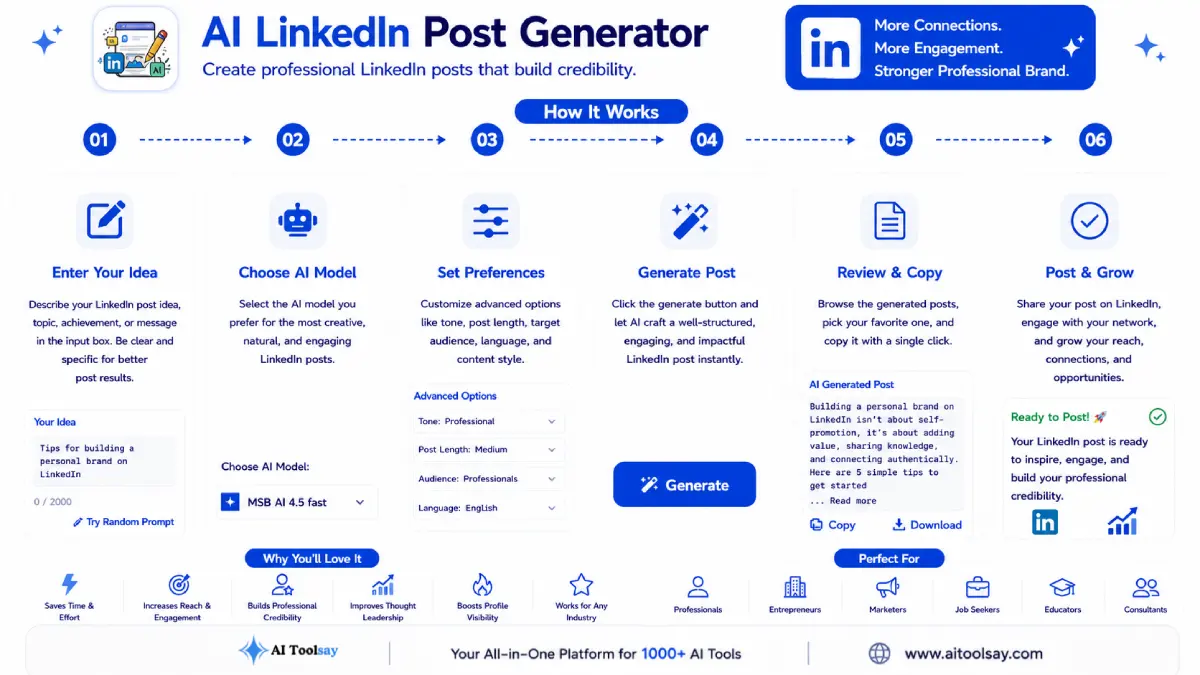
- Describe your idea. A topic, a small win, or a lesson you learned all work well as a seed.
- Set the type and industry. These two together decide the angle and the language.
- Choose tone and style. Nudge it toward the way you actually talk at work.
- Pick a call to action and quantity. Decide what you want back, then generate a few to compare.
Watch out: Do not post the first draft untouched. The generator gives you a strong frame, but the posts that travel carry one specific real detail, a number, a name, or a moment, that only you can add. Skip that step and even a well written post reads as generic, and generic is what the feed scrolls past.
The People This Saves the Most Time
Different professionals reach for it for different reasons, and it holds up across all of them. A founder turns a quiet milestone into a business update that sounds proud rather than boastful. A job seeker shapes a career story that shows growth without sounding rehearsed. A consultant publishes a steady run of actionable tips that slowly build a reputation. The shared thread is consistency, because visibility on this platform comes from showing up often, not from one perfect post, and a solid draft in seconds is what turns good intentions into a real habit.
What Wins People Over
- Finds the balance between salesy and stiff
- Eight post types cover almost any goal
- Industry setting sharpens the vocabulary
- Free access to several premium models
Worth Planning For
- Always add your own specific details
- Read the opening line before anything else
- Let the comments you get guide the next post
Keeping the Words Unmistakably Yours
There is a learning effect I did not expect when I first built this. Reading a run of well shaped posts trains your eye. You start to feel how a strong opening leads into a clear point and lands on a question that pulls replies, and after a while you reach for the tool less for the structure and more as a fast way to get a first version down. Used that way it is a shortcut today and a teacher over time.
People do not engage with the most polished post in their feed. They engage with the most honest one, so let the tool handle the shape and save your energy for the truth only you can add.
Sabir Bepari, Founder of AIToolsay
Handling the Inputs That Trip People Up
What if my idea is just a rough sentence and not a full thought yet?
That is actually the ideal starting point. A single line like a lesson you learned or a result you are proud of gives the tool enough to build around. Set the post type and industry to guide the angle, generate three drafts, and let the strongest opening show you which direction your rough idea really wanted to go.
My draft came back sounding too generic. What went wrong?
Almost always the description was too broad or the details are missing. Feed it something concrete rather than a category, then swap a real number, name, or moment into the finished draft before posting. If it still feels flat, change the writing style from a general one to storytelling or personal experience, which forces a more specific and human shape.
Can I run several drafts while I experiment without it costing me anything?
Yes. Generating one, three, or five posts per run is free, so comparing openings and testing different tones costs you nothing but a little time. Experiment freely, since the fastest way to learn what your audience responds to is to try a few angles and watch which one earns replies.
My honest suggestion is to test it on the very next thing you were going to post, or the thing you have been putting off for weeks. Take that one idea sitting in the back of your mind, drop it into the AI LinkedIn Post Generator, and generate three drafts right now. Read only the first lines, pick the one that makes you want to tap see more, add your real detail, and post it. The hardest part was always starting, and that part is now handled.
.png)
Join the Newsletter
Get the best new AI tools and tips delivered to your inbox. No spam.
By subscribing you agree to receive emails from AIToolsay. Unsubscribe anytime.