 English

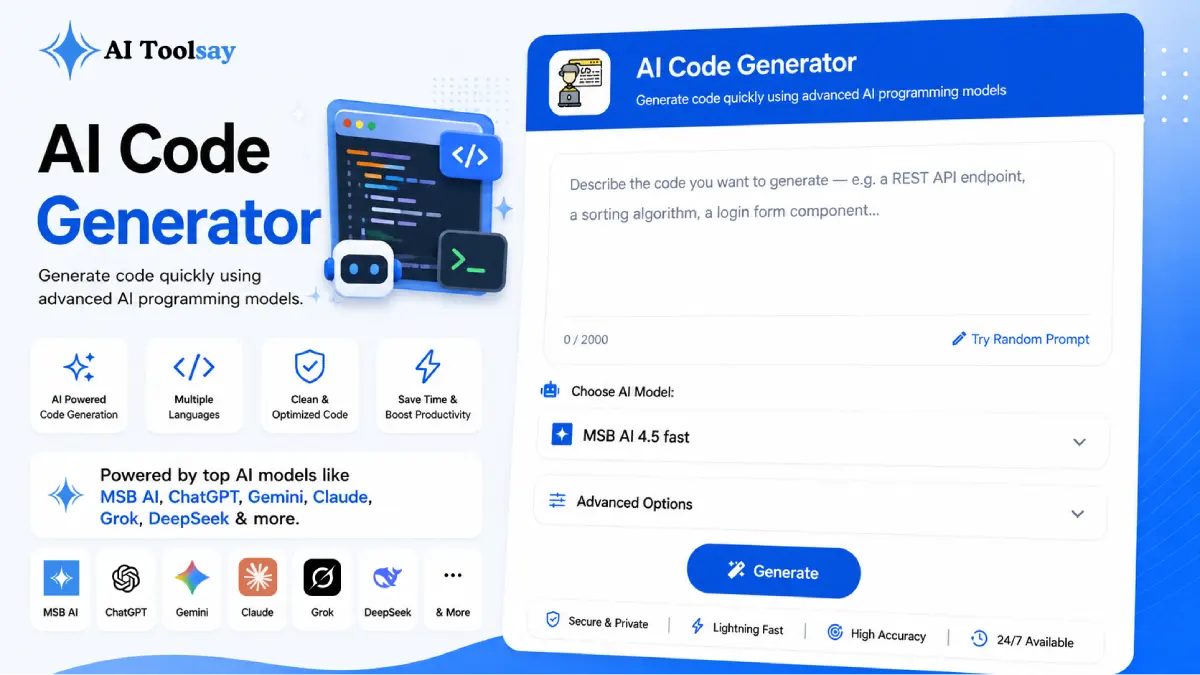
AI Code Generator
Generate code quickly using advanced AI programming models
 MSB AI 4.5 fast








Your prompt will appear here…
Your beautifully formatted article will appear here once you generate.
No history yet
Your generations will appear here. Sign in to save them permanently.

You have probably sat there with the whole solution already worked out in your head. You know the function you need, the arguments it takes, and the value it should hand back. Then you open the editor and the pace drops, because now you have to remember the exact method name, the right loop, the way this framework wants its files arranged. The thinking was fast. The typing is slow. That daily friction is the reason I built the AI Code Generator, and it is the reason so many developers keep it open in a spare tab.
The Real Bottleneck Is Translation, Not Ideas
Most experienced developers are not short on ideas. What eats the hours is translation, the act of converting a clear mental model into syntax that a compiler will accept. You spend minutes recalling how to declare a struct in Go, or how a Vue component wants its props, or the precise shape of a Django query. None of that is the interesting work. It is the tax you pay before the interesting work can begin, and over a full day it adds up to more than most people would guess.
The AI Code Generator removes that tax. You write what you want in ordinary language, choose the settings that describe your context, and read back code that is already shaped the way that language and framework expect. Instead of stalling on recall, you stay in the flow of solving the actual problem. I use it most on the parts of a project I have solved a hundred times before, the parts that are dull to type but still have to be correct.
There is a mental cost to switching between languages too. If you spend a morning in Python and then move to a TypeScript file after lunch, the first few functions come out slowly while your head resets to the new rules. Letting the tool handle that first draft smooths the transition, because you are reading and adjusting rather than fighting to recall syntax you have not touched in days. Small as that sounds, it keeps momentum on the projects where you juggle more than one stack at once.
Quick Answer: The AI Code Generator is a free AIToolsay tool that turns a plain English description into working code. You set the programming language, framework, code type, complexity level, coding style, and output format, then generate clean code in seconds. No account or signup is required, and you can pick from several capable AI models at no cost.
The word free matters here in a way it usually does not. Plenty of coding assistants gate their best output behind a monthly bill. This one asks nothing. You open the page, describe the code, and take the result. That lowers the stakes of trying it, which is exactly what you want from a tool meant to sit inside your daily habits.
Every Kind of Code, Shaped the Way You Expect
The strength of the tool is not that it writes code. Almost anything can write a rough block of text that looks like code. The strength is that it writes the right kind of code for the job you named. Ask for an API endpoint and you get the routing, the request handling, and the response shape that endpoints normally carry. Ask for a UI component and it arrives with props and state wired correctly. Because the framework setting feeds directly into the output, a React component comes back idiomatic, and a Laravel class comes back with the naming and structure your project already uses.
Eight Languages
PHP, JavaScript, Python, Java, C++, C#, TypeScript, and Go, covering most modern work.
Framework Fluent
Idiomatic output for Laravel, React, Vue, Next.js, Node.js, Express, Django, and Flask.
Eight Code Types
Functions, full scripts, API endpoints, UI components, classes, algorithms, queries, and automations.
Four Complexity Levels
From beginner clarity to production ready, so the output matches where the code will live.
Coding Style Control
Steer the tone and structure of the result, plus the output format you prefer.
No Cost, No Account
Capable AI models on tap, with nothing to install and nothing to sign up for.
The code type setting is the part I would encourage you to lean on. When you tell it you want a database query rather than a general answer, it stops guessing and gives you raw SQL, an ORM call, or a migration that fits your stack. When you ask for an automation script, it returns something you can actually schedule and run. Naming the shape you need is the difference between a starting point and a finished piece.
The output format and coding style controls round this out. If your team writes verbose, heavily commented code, you can ask for that. If you prefer terse functions with minimal noise, you can steer it there instead. I find this matters most on shared projects, where consistency is worth more than personal preference. Getting the generated code to match the house style up front saves the small back and forth that otherwise happens at review time, and it means the result reads like it was written by someone already on the team rather than dropped in from outside.
The Setting Most People Skip and Should Not
Working code and good code are not the same thing. A block can run cleanly on your machine and still cause a headache three weeks later because it has no error handling, no validation, and no comments to explain a strange choice. The complexity setting exists precisely to close that gap, and it is the control I see people ignore most often.
Set it to beginner and you get plain, obvious logic with every step spelled out, which is perfect when you are learning a language or sketching a quick prototype. Set it to intermediate and the code follows standard conventions and takes a reusable shape. Move to advanced and you get design patterns and cleaner abstraction, the sort of structure a shared and growing codebase rewards. Choose production ready and the tool adds input validation, error handling, and the small edge case guards that a live application genuinely needs. Matching that dial to where the code will actually run is the single habit that decides whether you paste the result straight in or spend twenty minutes reworking it.
Here is the flow I follow when I want a clean snippet on the first try.
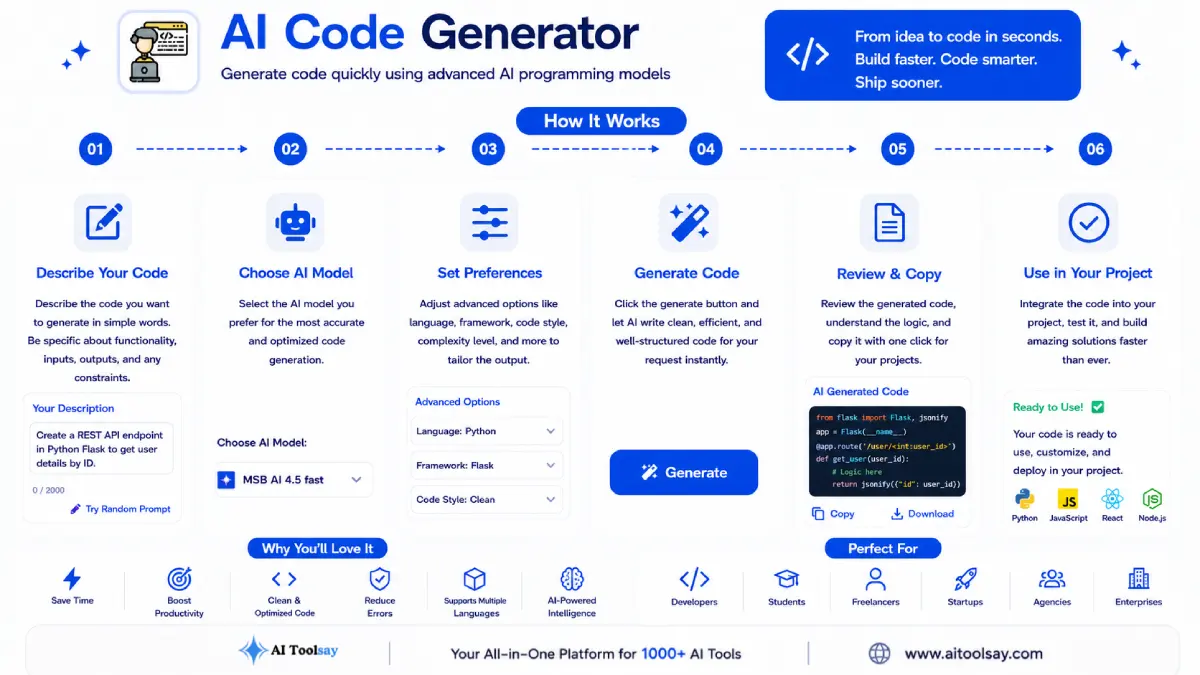
- Describe it like you would to a teammate. Name the inputs, the output, and any rule the code must obey. Vague requests produce vague code.
- Set the language and framework. This is what turns a generic stub into something idiomatic that drops into your project.
- Choose the code type and complexity. Point it at the exact shape you need and the context it will run in.
- Read it, then run it. Understand the logic before you trust it, then test it in your own environment.
One habit worth keeping: spell out the failure cases in your description. Say what should happen when a list is empty, a value is missing, or a request times out. The AI Code Generator will build that handling into the result, so you are not patching surprises after the fact.
Clearing Up What People Get Wrong
A tool like this collects a lot of assumptions, and some of them stop people from getting real value out of it. Let me answer the ones I hear most.
Does an AI code generator just copy snippets from the internet?
No. It does not paste stored blocks from a search result. It builds fresh code from your specific description, your chosen language, and your framework, which is why two similar requests with different settings return genuinely different output tailored to each context.
Will using it stop me from actually learning to code?
It works the other way in my experience. When you generate code in a language you are still learning and then read the result closely, you pick up how a clean controller is structured or how a hook manages state. You absorb conventions while you work, and over time you find yourself reaching for the tool less for things you have now learned to write yourself.
Is generated code safe to push straight to production?
Not without a look first. Even at the production ready setting, the tool cannot know your schema, your dependencies, or your business rules. Treat the output as a strong draft. Read it, run it in a development environment, and review anything security sensitive before it ships.
Do I need to pay or create an account to get the good models?
No. Access to the capable models is free and open, with no subscription and no signup wall. You open the page and start generating. The quality of the result depends far more on how clearly you describe the task than on any paid tier, because there is not one to buy.
The next time you hit a task you have coded a dozen times before, the class skeleton, the same shaped query, the wrapper that catches errors, you will not have to type it out from memory again. You describe it, set your language and complexity, and let the AI Code Generator hand you the plumbing so your attention goes to the logic that actually deserves it. That is the real change: the dull half of the work stops slowing you down, and the interesting half gets all of you.
.png)
Join the Newsletter
Get the best new AI tools and tips delivered to your inbox. No spam.
By subscribing you agree to receive emails from AIToolsay. Unsubscribe anytime.