 English

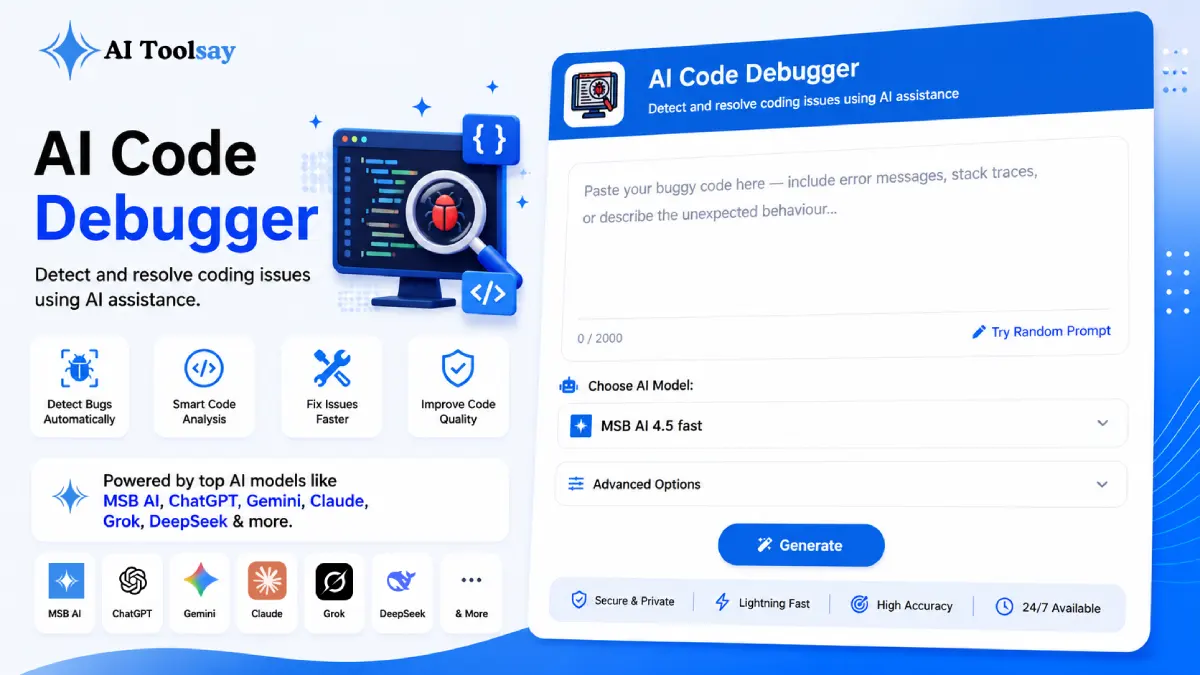
AI Code Debugger
Detect and resolve coding issues using AI assistance
 MSB AI 4.5 fast








Your prompt will appear here…
Your beautifully formatted article will appear here once you generate.
No history yet
Your generations will appear here. Sign in to save them permanently.

Last winter a single failing test kept me at my desk until the streetlights came on. The code looked right. The test looked right. I read the same forty lines maybe thirty times, added print statements everywhere, and eventually started doubting the compiler. The real culprit was a value quietly coerced to a string two functions upstream, in a helper I had written and forgotten. Nothing crashed. Nothing threw. The output was simply wrong in a way no error message would ever announce. That evening is exactly the kind of hole the AI Code Debugger now pulls me out of, and it is why I want to show you how I actually use it.
Why Your Own Bugs Hide in Plain Sight
There is a cruel truth about debugging your own work. You do not read the code on the screen. You read the code you intended to write. Your eyes glide over the buggy line because in your memory that line already does the correct thing. It is the same reason you cannot proofread your own writing after midnight. A fresh reader spots the problem in seconds, while you could stare for an hour. The AI Code Debugger is that fresh reader on demand, ready before a teammate finishes their own work.
The Settings That Aim the Diagnosis at Your Real Problem
The tool is more than a paste box. It gives you controls that shape the answer, and the developers who get the most from it are the ones who use those controls instead of leaving everything on default. You pick the language, the framework, the debugging focus, the explanation style, and the output format. Each choice narrows the analysis so the response speaks to your situation rather than reciting generic advice.
The focus setting is the one I lean on hardest. Suspect a slow query, set the focus to performance and the analysis hunts for N plus one patterns and blocking calls instead of wandering. A value looks wrong but nothing throws, set it to logic and it weighs what the code intends against what it produces. There are focuses for runtime crashes, logic faults, performance drags, security holes, API failures, and database trouble. Pointing the tool before you fire it is half the skill.
Quick Answer: The AI Code Debugger is a free AIToolsay tool that finds, explains, and fixes bugs in your code. You set the language, framework, debugging focus, explanation style, and output format, then paste your snippet and get a plain language diagnosis with a suggested fix, all without an account or a card.
What the Tool Actually Covers
Eight Languages
PHP, JavaScript, Python, Java, C++, C#, TypeScript, and Go, which covers most of what shows up in day to day work.
Framework Aware
Laravel, React, Vue, Next.js, Node.js, Django, Flask, and Express, so conventions are respected, not guessed.
Six Focus Modes
Runtime, logic, performance, security, API, and database, each pointing the analysis at a specific class of fault.
Explanation Styles
Beginner friendly, technical, step by step, detailed, or simplified, matched to whoever is reading the result.
Output Formats
Plain text, Markdown, a step report, or developer notes, ready to drop into a commit or a ticket.
No Cost to Start
Capable AI engines that you reach without a subscription or a signup wall in the way.
The mix of language plus framework plus focus is what separates a real diagnosis from a shrug. A generic checker on a Laravel controller misses the config quirk that a framework aware read catches at once. Telling the tool it is looking at Django, and that you suspect a database issue, is the difference between a paragraph you can act on and one you scroll past.
My one non negotiable habit: paste the stack trace, not only the function. The trace is the single most precise clue you own about where the failure began. Without it the tool reasons across a whole function. With it, the tool can point at a line. I include the error message and the trace every single time, even when I think I already know the answer.
The Workflow I Follow When I Get Stuck
I keep a two minute rule. If a bug does not reveal itself in two minutes of honest reading, I stop grinding and switch to the tool, because grinding past that point is where afternoons vanish. Here is the sequence I run.
- Set the language and the framework first, before I paste anything, so the read is grounded from the start.
- Choose the focus that matches my suspicion, runtime for a crash, logic for wrong output, performance for something slow.
- Paste the failing snippet along with the full error message and the stack trace if I have one.
- Pick an explanation style, technical when it is just me, step by step when I plan to share the answer with a junior on the team.
- Read the diagnosis, apply the suggested fix on a branch, and run the tests before I trust a word of it.
- If the first pass does not land, I add more surrounding context and run it again, because the second attempt with better context almost always closes it.
That loop takes less time than describing it does. More often than not the answer teaches me the why, not just the what, and that is the part that quietly makes me a better developer over a year of small fixes.
Honest Limits Worth Respecting
I trust the tool, and I still verify it. A suggested fix is a strong hypothesis, not a guarantee, so it belongs on a branch behind your test suite before it goes near production. Security findings deserve a second, deliberate review rather than a quick patch. A bug spread across several files sometimes needs a couple of passes as you feed in more surrounding code. None of this is a knock on the tool. It is how any second pair of eyes should be used, human or otherwise.
What exactly should I paste into the tool?
Paste the failing code, the full error message, and the stack trace if you have one. The trace tells the tool where the failure originated, so the more real context you give it, the more precise and useful the suggested fix becomes.
How do I get a useful answer for a bug that throws no error?
Set the focus to logic and describe the behaviour you expected versus what you actually saw. The tool then reasons about intent against output instead of waiting for a crash, which is where the quietest and most stubborn bugs tend to live.
Does telling it my framework really change the result?
Yes, quite a lot. Selecting Laravel, React, Django, or any of the supported frameworks makes the diagnosis respect that framework's conventions, so it catches configuration and convention mistakes a generic pass would sail right past.
Do I need to pay or sign up before I can use it?
No. You can open it and run a diagnosis right away with no account, no card, and no subscription standing between you and the answer.
You are busy, so I will keep this plain. Next time a bug has had you staring past your two minute rule, open the AI Code Debugger, set the language and focus, and paste the snippet and the trace. Let it be the fresh reader you needed an hour ago. The evenings you get back are worth the thirty seconds it takes.
.png)
Join the Newsletter
Get the best new AI tools and tips delivered to your inbox. No spam.
By subscribing you agree to receive emails from AIToolsay. Unsubscribe anytime.