 English
AI Code Explainer
Understand code logic and functionality with AI explanations
 MSB AI 4.5 fast







Your prompt will appear here…
Your beautifully formatted article will appear here once you generate.
No history yet
Your generations will appear here. Sign in to save them permanently.

Not long ago, opening an unfamiliar function meant clearing an hour off my calendar. I would trace variables by hand, jump between files to see where a method came from, and keep a scratch note of what each branch was doing until the whole thing finally clicked. Sometimes it clicked. Sometimes I changed the code anyway and hoped. That was the old way, and it is how most of us learned to read someone else's work.
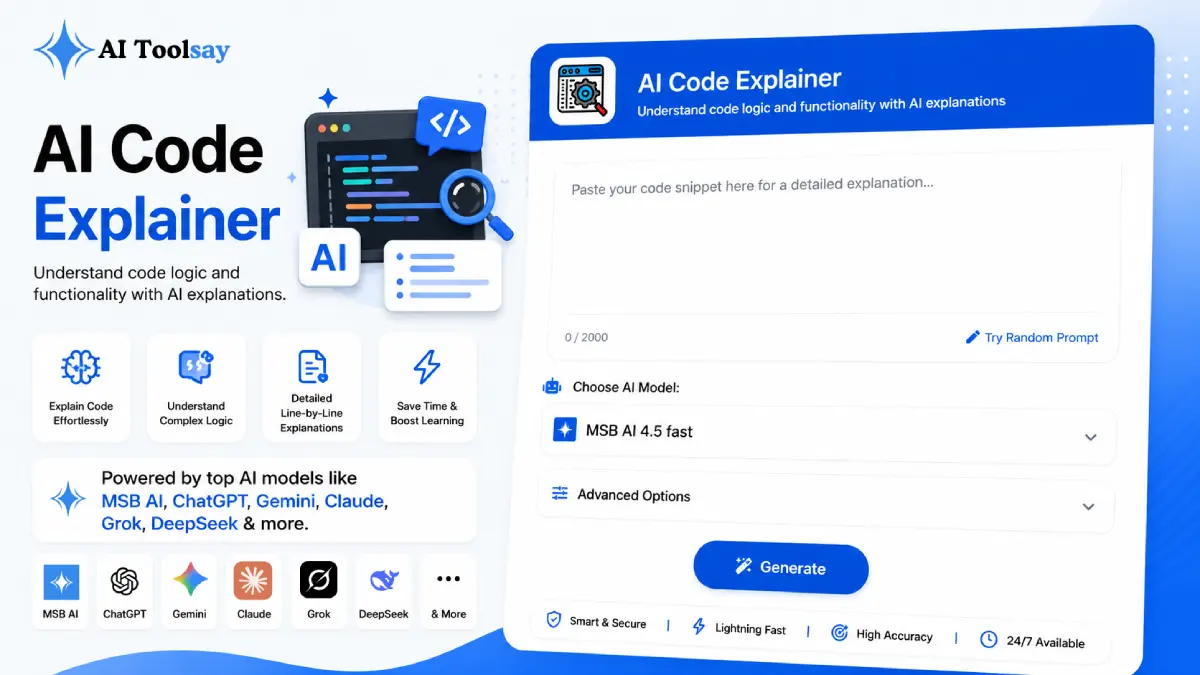
These days I paste the snippet, pick a couple of settings, and read a plain language breakdown before my coffee cools. The AI Code Explainer on AIToolsay does the tedious synthesis for me and hands back what the code actually accomplishes. Same job, a fraction of the time, and far less second guessing.
Why Reading Code Used to Eat the Afternoon
The hard part of code was never the syntax. It was holding the whole shape in your head at once, the data a function expects, the path it takes through conditionals, the quiet assumption three lines up that only matters when a value is null. Reading top to bottom rarely surfaces that. You have to assemble it. When the author left the company months ago and skipped the comments, assembling it by hand is genuinely slow work. That slowness is exactly what this tool removes, because it reads the full passage first and then explains intent, risk, and flow together rather than one line at a time.
Quick Answer: The AI Code Explainer is a free AIToolsay tool that reads a snippet and explains what it does in plain English. You set the programming language, the explanation style, the depth, and a focus area, then receive a structured breakdown in seconds. It supports eight languages, needs no account, and offers a choice of premium models.
The Settings That Shape a Good Explanation
A generic walkthrough helps nobody. What makes the output useful is that you steer it. You tell it the language so the semantics are correct, you pick a style that matches who is reading, and you choose a focus so the analysis answers the question you actually have. The focus area is the dial I touch most, so here is how I match it to the moment.
| Focus Area | What It Surfaces | Reach for It When |
|---|---|---|
| Logic | The purpose the code is chasing | You inherited a function cold |
| Code Flow | How execution moves branch by branch | Nested loops and conditionals tangle |
| Security | Validation gaps and exposure points | The code touches user input |
| Performance | Slow calls and hidden bottlenecks | It works but drags in production |
| Best Practices | What is solid and what drifts | You are reviewing or refactoring |
Alongside those, the depth control decides how much you get back. A short read gives you the purpose in a few sentences, a medium read explains how the moving parts fit, and a detailed read adds the edge cases and assumptions that bite later. Errors, syntax, and code flow round out the seven focuses, and the eight supported languages cover PHP, JavaScript, Python, Java, C++, C#, TypeScript, and Go.
Walking a Snippet Through in Under a Minute
The order barely matters, and the whole thing is fast. Here is the sequence I follow every time.
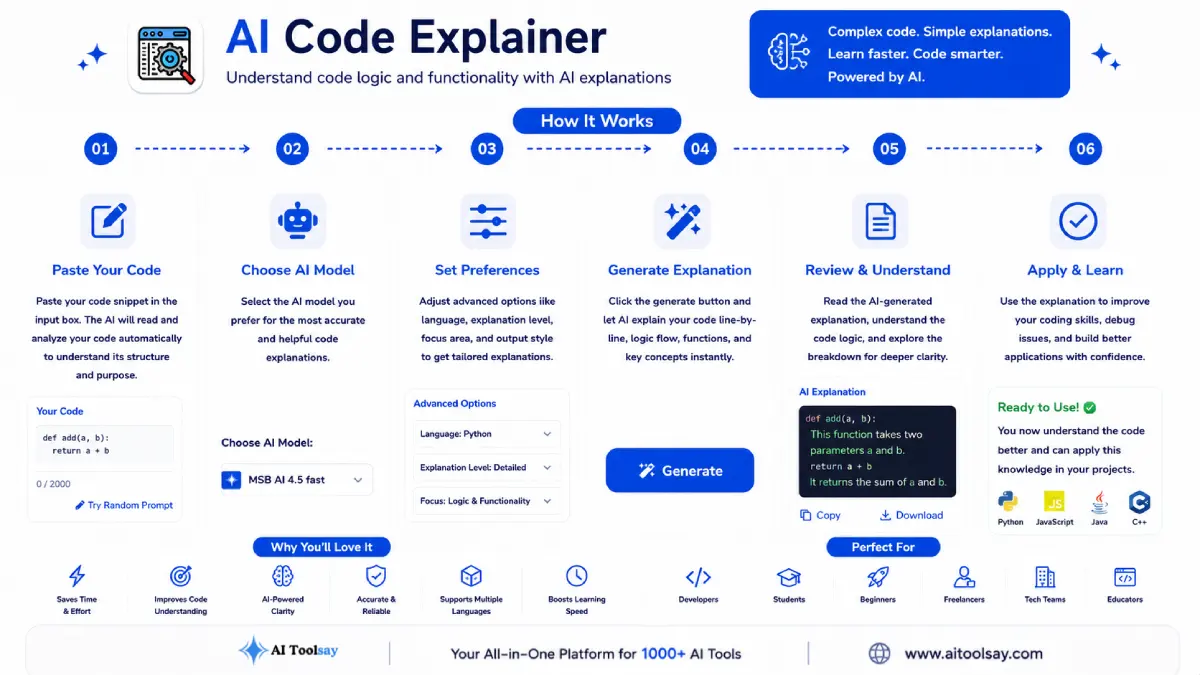
- Paste the full snippet. Bring the surrounding context so references and calls resolve properly.
- Set the language. This locks in the right semantics for the read.
- Choose a style and depth. Plain and short for learning, technical and detailed for a fast working answer.
- Pick a focus. Point the analysis straight at the question in your head.
Heads up: Treat a security focused explanation as a strong first pass, never a final clearance. Code that guards real users still deserves a dedicated human review before it ships.
Where It Earns Its Keep Every Week
Because most development time goes into reading rather than typing, anything that speeds the reading speeds everything that follows. Understanding a function takes less time, so fixing it takes less time, and reviewing a teammate's change takes less time. Those minutes repeat on every ticket and every pull request, and in an established codebase that is nearly all of the work.
It is just as good for learning. Set the style to beginner friendly with a logic focus and it explains why the code is written the way it is, not just what it does. A student meeting recursion for the first time can switch to step by step and watch each call unfold until the idea lands. An unfamiliar pattern becomes one you recognise the next time it shows up.
Code you can explain in a sentence is code you can change with confidence. Code no one can explain is the code I never trust in production.
Sabir Bepari, Founder of AIToolsay
Getting Clean Results From Awkward Input
Most confusing output traces back to what went into the box, so a little care up front saves a lot of squinting after. The questions below are the ones I hear most from people wrestling with tricky snippets.
My explanation is vague because I only pasted the confusing line. What now?
Paste the whole function plus the variables and methods it depends on. An isolated line cannot be read accurately when its meaning lives in code defined elsewhere, so give the tool that surrounding context and the read sharpens immediately.
The output feels off for my snippet, could the language setting be wrong?
Very likely. Syntax that looks similar across languages, like C# versus Java or TypeScript versus JavaScript, is read differently under the hood. Confirm the language selector matches your source and run it again before assuming the code itself is the problem.
My file is huge and the explanation skims over things. How do I handle that?
Break it into logical sections and explain one at a time, a class here, a handler there. A focused read on a coherent chunk beats a shallow pass over a thousand lines, and you can stitch the pieces together yourself.
The code relies on a private framework, so parts are guessed. Is that expected?
Yes, domain specific or in house logic can only be inferred from what you paste. Add a short comment describing what an unfamiliar helper returns, then explain again with a code flow focus so the tool traces the parts it can actually see.
Do the premium models cost anything to switch between?
No. The tool is free and lets you move between the available premium models without a subscription or an account, so you can rerun the same snippet on a different model when one reading is unclear.
Try One Snippet Right Now
Here is a two minute experiment. Find the ugliest function in whatever you are working on, the one you have been avoiding, and copy it in full. Set the language, choose the technical style with a code flow focus, and read what comes back. Then switch the focus to security and read it again. In those two minutes you will know more about that function than you did all week. When you are ready, open the AI Code Explainer and paste that snippet in.
.png)
Join the Newsletter
Get the best new AI tools and tips delivered to your inbox. No spam.
By subscribing you agree to receive emails from AIToolsay. Unsubscribe anytime.