 English
AI Translator
Translate text accurately with advanced AI language models
 MSB AI 4.5 fast








Your prompt will appear here…
Your beautifully formatted article will appear here once you generate.
No history yet
Your generations will appear here. Sign in to save them permanently.
Most people believe a good translation is a matching game. Find the right word in the other language, line the words up in roughly the same order, and you are done. I believed that too, for years, until enough of my messages landed politely wrong to teach me otherwise. Translation is not a word swap. It is a meaning transfer, and the moment you accept that, the whole task changes shape. The AI Translator on AIToolsay is built around that truth, and it is why the output feels like a person wrote it rather than a dictionary assembled it.
Why Matching Words Was Always the Wrong Goal
Here is the belief I want to challenge directly. People assume that if every word is correct, the sentence must be correct. It is not. A sentence carries far more than its words. It carries tone, formality, the relationship between the writer and the reader, and often a bit of culture that never appears in any glossary. When a tool translates one word at a time, all of that quietly falls out the bottom. The individual words survive. The message does not.
I noticed this most in ordinary moments. A warm thank you note that arrived slightly stiff. A casual reply that read as strangely formal in the other language. A polite request that somehow sounded like a demand once translated. Nothing was technically mistranslated, yet the feeling was off, and feeling is what people actually respond to. Over time I stopped blaming my own writing and realised the tool was the limit. It could see the words, but it could not see me behind them, so it had nothing to preserve except the surface. The AI Translator works at the level of meaning first. It reads the whole passage, understands what you are trying to say and how you are trying to say it, then writes the equivalent the way a fluent speaker would have written it from scratch. That single shift is the difference between a translation you hide and one you sign your name to.
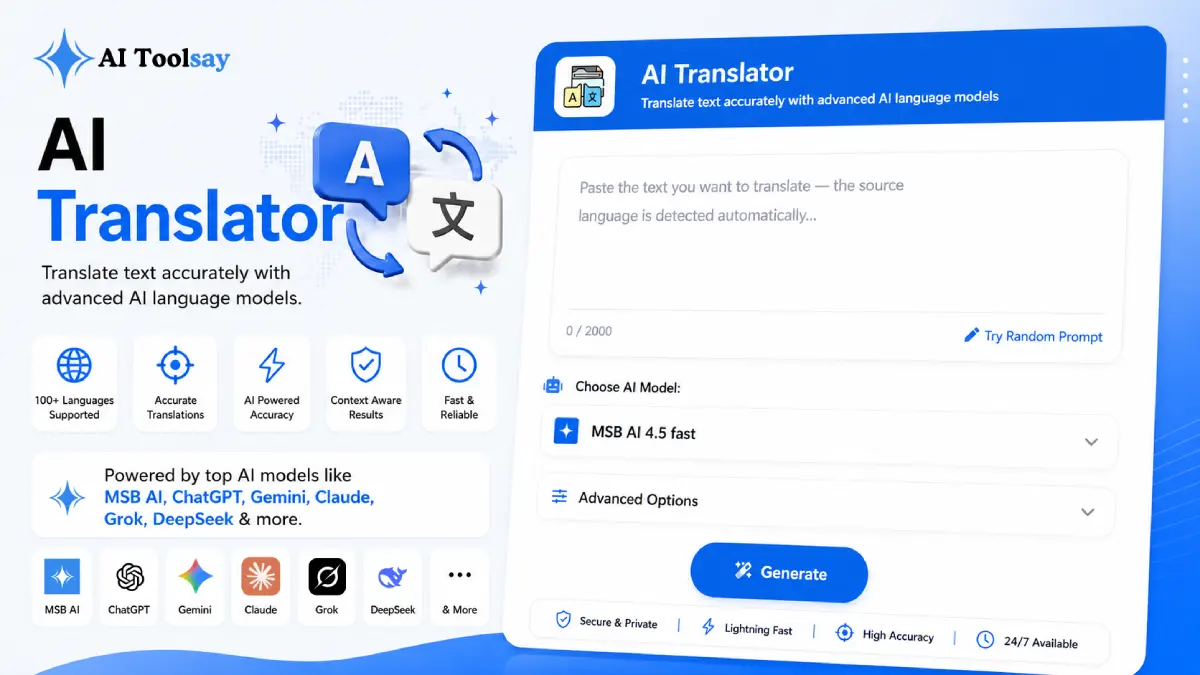
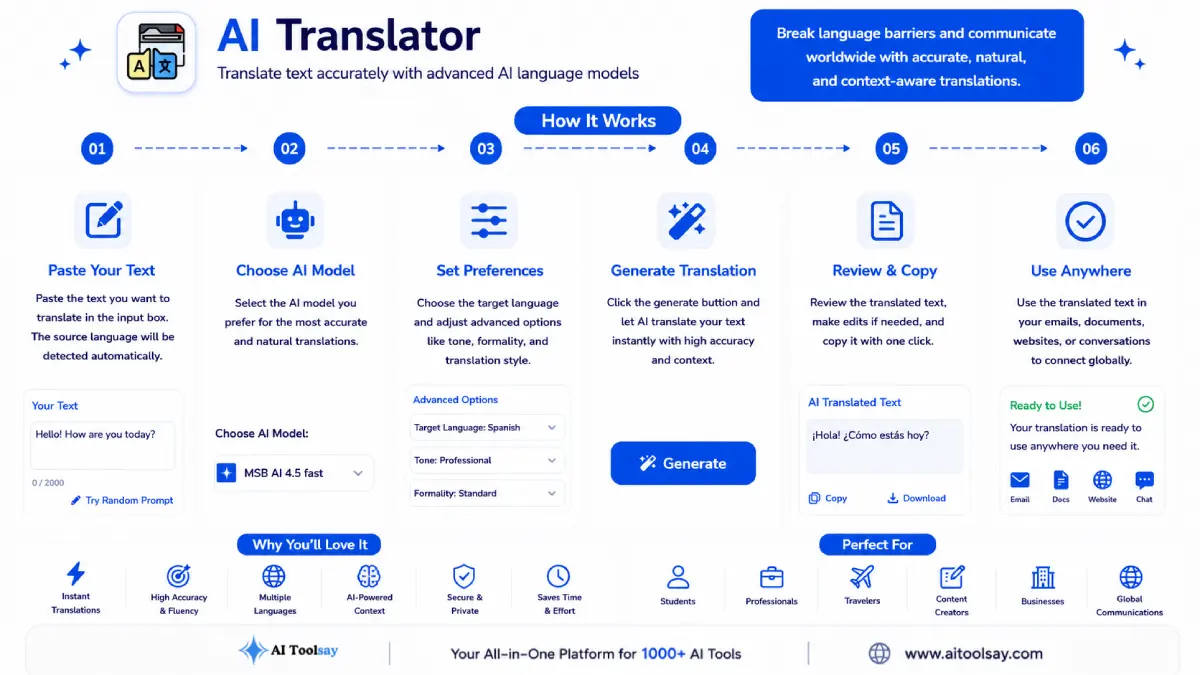
The AI Translator is a free AIToolsay tool that translates text naturally between dozens of languages. You paste your text, pick a target language, and set how long you want the result, then it generates fluent, context aware output. The source language is detected for you automatically, so you never have to label it yourself.
What You Are Actually Asking the Tool to Carry
When you translate something, you are not really asking for words. You are asking for the same effect in a new language. A joke should still feel like a joke. A firm boundary should still feel firm without turning rude. A friendly opener should still open a door. This is where a meaning first engine earns its place, because it treats those qualities as the real cargo and the words as the container. Swap the container, keep the cargo. That is the job.
The tool gives you two controls that matter here. The target language sets where the message is going. The length setting decides how much room the translation gets, which is more useful than it first sounds. Some languages naturally run longer than English, and a caption or a button label has to fit its box. Being able to keep the exact length, tighten it, or let it breathe means the result drops into your real layout instead of breaking it. I have watched a perfectly good translation ruin a design simply because it ran three lines when it needed two, and this setting quietly solves that. The table below shows how the same input behaves when you chase meaning instead of chasing words.
| What You Paste In | The Word Matching Habit | The Meaning First Result |
|---|---|---|
| A friendly thank you | Arrives correct but cold | Keeps its warmth in the new language |
| A firm business reply | Reads blunt or even rude | Stays firm and still courteous |
| A local idiom | Translated word for word into nonsense | Replaced with the equivalent people actually say |
| A long product blurb | Overflows the space it needs to fit | Trimmed to length while the point survives |
The Parts I Reach For Most
After using this daily across a few markets, three capabilities do the heavy lifting for me. I keep coming back to them not because they sound impressive but because they quietly remove the friction that used to make translation a chore I avoided.
Source Auto Detection
Paste text in almost any language and the tool identifies the source itself. One less field to think about, one less mistake to make.
Context Aware Fluency
Tone, politeness, and intent travel with the words. The reader gets a message that sounds native, not processed.
Length Control
Hold the original length, shorten it, or expand it so the output fits the space you are writing into.
Put those together and you get a workflow that fits into a normal working day. Paste, choose the language, set the length, generate. Seconds later you have something you can actually use, and because it is free with no subscription, you reach for it every time instead of only when it feels worth the effort. That change in habit is the real win. A tool you trust becomes a tool you use, and a tool you use starts to change how confidently you communicate across languages.
The best translation is the one nobody notices was translated. When the reader forgets a machine was ever involved, you have carried the meaning safely, and that is the whole point.
Sabir Bepari, Founder of AIToolsay
Good input makes good output, and a few small habits sharpen the result more than most people expect. Below are the questions I hear most often about squeezing quality from the tool, answered the way I would explain them to a friend over coffee. None of them require any technical skill, just a little intention before you press generate.
How do I check a translation is safe before I send it?
Run a round trip. Translate your text into the target language, then paste the result back and translate it into your own language. If the meaning holds in both directions, it is ready. If it drifts, the sentence to fix is usually your original, so rewrite that and try again.
What makes the output more natural?
Give the tool context to work with. A full sentence beats a lone word, and a short passage beats a single line, because meaning first translation needs meaning to read. Write your source cleanly, avoid cramming three ideas into one line, and you will get smoother, more human results.
When should I adjust the length setting?
Adjust it whenever the text has to fit somewhere specific, like a caption, a heading, or a button. Many languages expand or contract compared to English, so setting a shorter length keeps captions tidy, while a longer setting gives formal writing room to stay polite and complete.
Is it dependable enough for important messages?
For everyday and professional writing, yes, and the round trip check makes it dependable enough to sign your name to. For binding legal or medical text, treat the output as a strong first draft and have a qualified human review the final version, since that category needs a different kind of precision.
What Changes the Next Time You Face a Language Gap
The next time a message arrives in a language you do not speak, you will not lose an evening to it. You will not send something stiff and hope it lands. You will paste the text, let the source detect itself, choose where the reply is going, set the length to fit, and read back a version that carries your real meaning across the gap. Then you will run the quick round trip, see it hold, and hit send with the same confidence you would in your own language. Open the AI Translator and try it on the very next message you were dreading, because the belief that translation is a hard, risky word swap is exactly the belief this tool retires for good.
.png)
Join the Newsletter
Get the best new AI tools and tips delivered to your inbox. No spam.
By subscribing you agree to receive emails from AIToolsay. Unsubscribe anytime.