 English

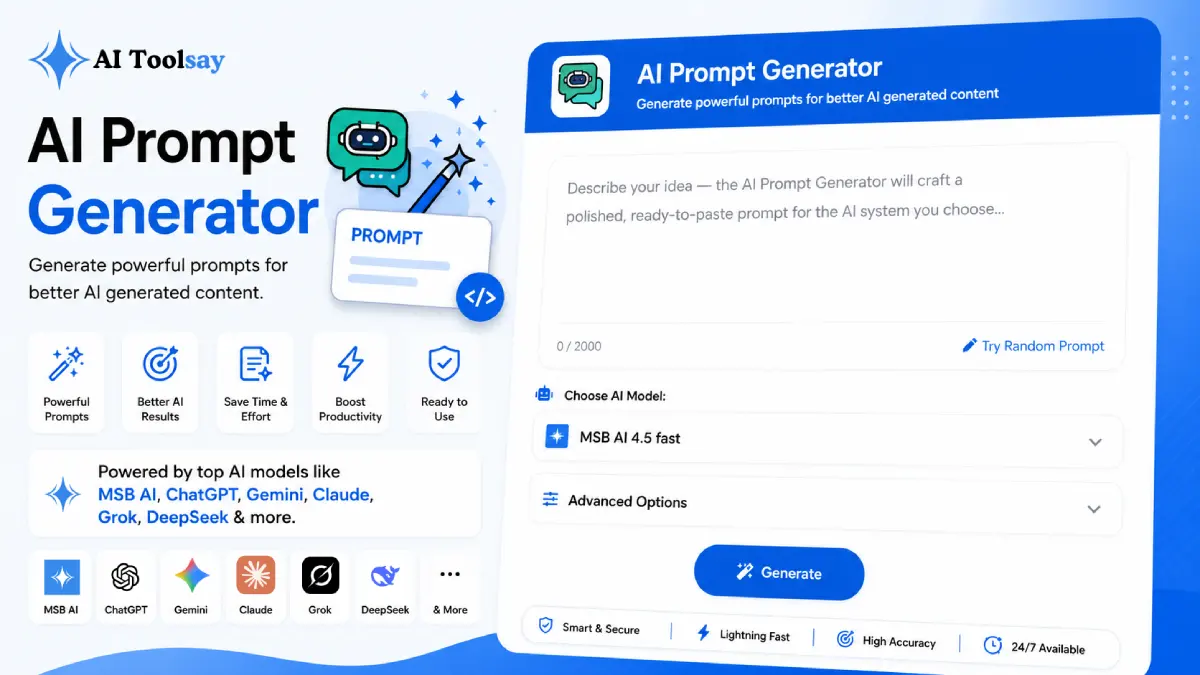
AI Prompt Generator
Generate powerful prompts for better AI generated content
 MSB AI 4.5 fast








Your prompt will appear here…
Your beautifully formatted article will appear here once you generate.
No history yet
Your generations will appear here. Sign in to save them permanently.
A few years ago the person who got the best work out of a computer was usually the one who knew the most keyboard shortcuts or the cleanest spreadsheet formula. That skill has quietly moved. Now the person who gets the best work is the one who can describe what they want with precision, because the machine on the other side is finally good enough to deliver almost anything you frame clearly. Framing is the whole job now, and most of us were never taught it. That is the shift the AI Prompt Generator was built to meet.
Why Describing Beats Doing Now
I noticed this in my own work before I could put words to it. The gap between two people using the same AI was enormous, and it had nothing to do with who paid for a fancier plan. One typed a lazy sentence and got back something flat. The other spent thirty extra seconds naming the role, the audience, the format, and the constraints, and got back something they could actually ship. Same engine, wildly different result. Once you see that, you stop blaming the tool and start respecting the prompt as the real creative act, and this generator hands beginners that respect on day one.
Quick answer: The AI Prompt Generator is a free AIToolsay tool that turns a rough one line idea into a detailed, ready to use prompt. You choose the prompt type, target platform, category, writing style, length, tone, number of variations, and language, add any custom instructions, and it returns a structured prompt you can paste straight into your AI of choice.
The Choices You Actually Get to Make
The tool does not just guess. It gives you real levers, and each one changes the prompt in a way you can feel. You set the prompt type for the output you need, whether that is text, an image, video, or a chat exchange. You pick the target platform so the phrasing suits its strengths, from general assistants to the major image generators like Midjourney, Stable Diffusion, and Leonardo. You choose a category such as writing, business, marketing, education, or coding, then dial in a style like professional, creative, detailed, minimal, cinematic, or realistic. Length, tone, and language are yours to set, and you can request several variations at once so you compare options instead of feeling stuck with one take.
Picking the Right Prompt for the Task in Front of You
Different work asks for different framing. Here is how the main uses break down when you let the generator do the heavy lifting.
| What you are making | What the generator emphasises |
|---|---|
| A blog draft or email | Voice, audience, structure, and a clear length target |
| An image or visual | Composition, lighting, mood, and descriptive detail |
| A block of code | Inputs, outputs, edge cases, and coding conventions |
| A research summary | Depth, sourcing, and the format you want it returned in |
| A brainstorm session | Guardrails that sharpen ideas rather than flatten them |
Your First Run, One Step at a Time
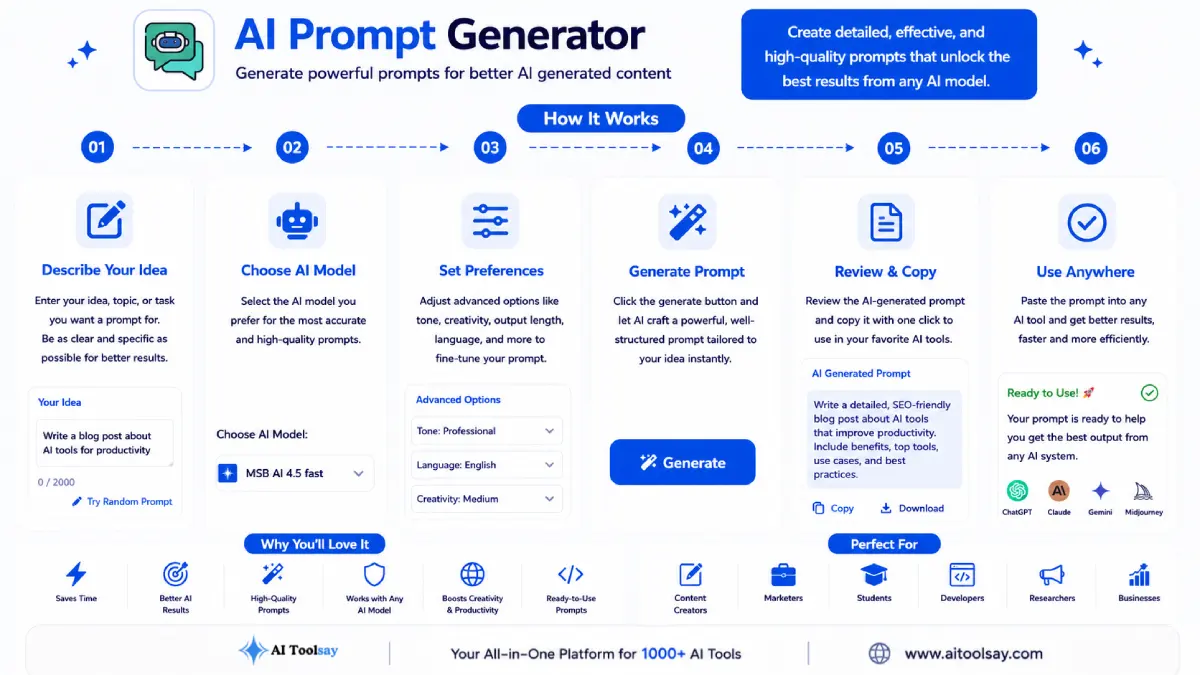
If you have never generated a prompt before, this is the whole flow, and it takes about a minute.
- Open the tool and type your idea in plain language, even if it is just a single messy line.
- Set the prompt type so the tool knows whether you want text, an image, video, or chat.
- Choose the target platform where you plan to use the result.
- Pick your category and a style that matches the mood you are after.
- Set the tone, length, language, and how many variations you would like to see.
- Add custom instructions for anything specific, then generate and copy the version that fits best.
The One Thing to Check Before You Trust the Output
A well built prompt makes the AI confident, and confidence can hide mistakes. The prompt controls structure and tone beautifully, but it cannot verify facts. That job stays human.
Always read the generated result for factual claims before you publish or send it. Polished output is exactly the kind that people forget to double check. Treat the AI as a fast, tireless drafter, and keep yourself as the editor who signs off.
What Using It Slowly Teaches You
Here is the part I did not expect when I first built this. People assume a tool like this makes them dependent, and the opposite happens. Every prompt it generates shows you how role, context, format, and constraints stack together in one block. After a few weeks of reading that structure, you start writing your own prompts the same way. The generator becomes a quiet teacher, and the day you no longer need it for simple tasks is the day your own skill has caught up.
The tool that teaches you to no longer need it is the one worth keeping around.
Sabir Bepari, Founder of AIToolsay
Starting Out Without the Nerves
I have never written a prompt before. Can I still use this?
Yes, and it is honestly the best place to start. You type your idea in normal words, the tool applies the professional structure for you, and you learn what a strong prompt looks like just by reading what comes back. No prior experience is needed at all.
What if my idea is too vague to type in?
That is fine. A vague one line idea is exactly what the generator expects. It fills in the role, format, and constraints that you would not know to add yourself, so a rough thought still becomes a usable prompt. You can always refine and generate again.
Does it cost anything or ask for my card?
No. The AI Prompt Generator is free to use with access to capable models, and there is no subscription or card entry required to start. You can open it and generate your first prompt right away.
The best way to understand any of this is to point it at real work. So take whatever you were about to ask an AI next, that email you keep putting off, the image you need for a post, the snippet of code that is misbehaving, and run it through the AI Prompt Generator first. Write your idea in one line, generate a proper prompt, and use it. Compare that result to what your usual quick sentence would have produced. I think the difference will settle the argument for you far better than I can.
.png)
Join the Newsletter
Get the best new AI tools and tips delivered to your inbox. No spam.
By subscribing you agree to receive emails from AIToolsay. Unsubscribe anytime.