 English

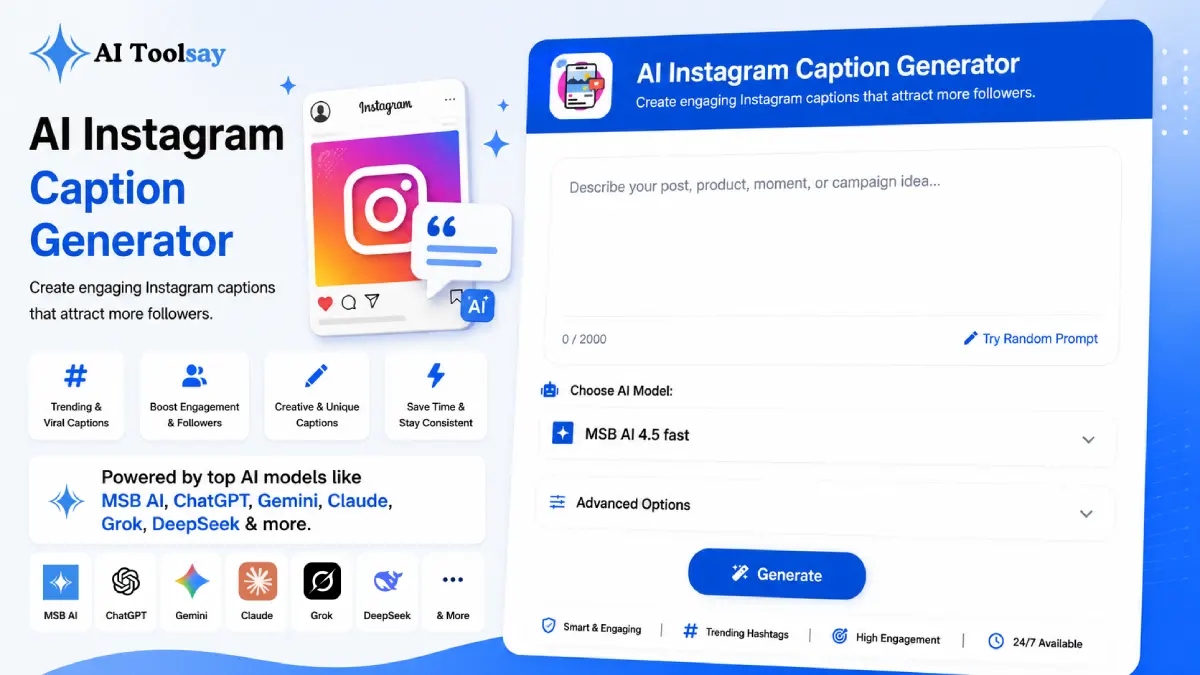
AI Instagram Caption Generator
Create engaging Instagram captions that attract more followers.
 MSB AI 4.5 fast








Your prompt will appear here…
Your beautifully formatted article will appear here once you generate.
No history yet
Your generations will appear here. Sign in to save them permanently.






A few years back I posted a photo I genuinely loved. Good light, honest moment, the kind of shot I was proud of. It sat there with almost nothing to show for it. The next day I reposted the same image with a caption that opened on a small confession instead of a description, and this time it collected saves and a handful of real conversations. The picture had not changed. Only the words under it had. That was the day I stopped treating captions as an afterthought.
Quick Answer: The AI Instagram Caption Generator is a free AIToolsay tool that writes ready to post Instagram captions from a short description of your post. You choose the caption type, niche, tone, audience, length, emoji level, hashtag style, and call to action, then generate up to ten versions at once. It works in many languages and needs no account.
The Story Under Every Post That Actually Lands
Here is what I learned the slow way. Instagram does not read your caption the way a friend does. It reads it as a set of signals. A line that earns a save tells the feed the post is worth keeping. A genuine question that pulls comments tells the feed people want to talk. A first sentence that makes someone stop scrolling and read the whole thing tells the feed the post deserves more reach. Every one of those small wins traces back to the words, not the picture.
The trouble is consistency. Anyone can write one great caption on a good day. Writing a strong one every single day, across a Reel on Monday, a carousel on Wednesday, and a quiet personal shot on Friday, is where most of us burn out. I used to stare at the empty caption box longer than I spent taking the photo. That friction is exactly the gap this tool was built to close. You bring the idea and the context, and it hands you finished options in seconds, so the blank box stops being the reason you skip a post.
The Dials You Get to Turn Before You Generate
What makes this tool useful rather than generic is how much control it gives you before a single word is written. You are not typing a vague prompt and hoping. You are describing your post and then setting a series of choices that steer the result toward the exact shape you want.
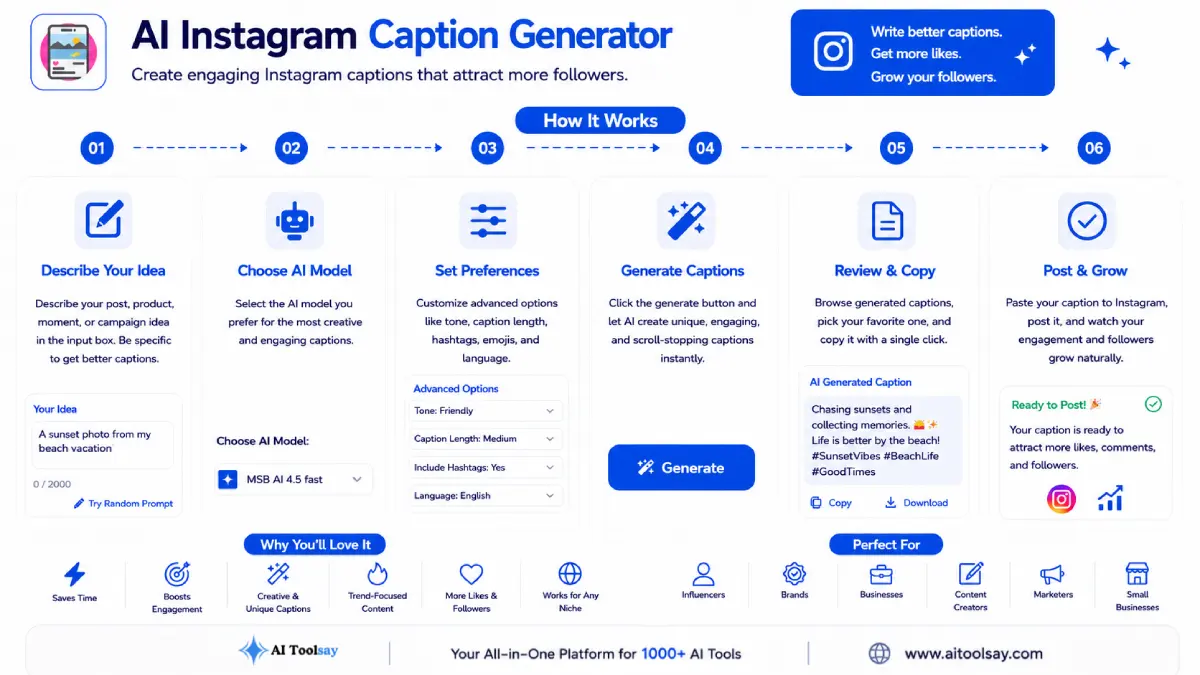
You start with a short description of what the image shows and what you want it to do. From there you pick a caption type, and there are eight to choose from: personal, brand, product launch, storytelling, motivational, funny, educational, and engagement. You set the content niche so the language fits your world, whether that is fitness, food, travel, or a software launch. Then you shape the tone, the length, and the emoji level, which runs from none at all to a lively spread, tuned to how your brand actually sounds.
Two more settings decide what the post is trying to earn. The hashtag style gives you trending, niche, viral, SEO, mixed, or none, so the tags match your goal instead of being an afterthought. The call to action lets you point readers toward a follow, a save, a share, a DM, or your link in bio, or none at all when you want the caption to breathe. Finally, you choose how many versions to produce, anywhere from one up to ten. Generating several at once is the part I use most, because it turns caption writing into a quick pick and choose instead of a staring contest.
Matching the Caption Type to the Moment
If I could get you to obsess over one setting, it would be the caption type. Each type follows a different internal shape and asks the reader for a different action, so pairing it with the right kind of post matters more than any clever wording. A storytelling caption on a plain product shot feels padded. A one line promo on a heartfelt personal photo feels cold. Here is how I tend to match them.
| Caption Type | What It Is Built To Do | Posts It Suits Best |
|---|---|---|
| Storytelling | Holds attention for a longer read | Carousels and behind the scenes |
| Product Launch | Introduces something new with a clear reason to care | Reveal shots and campaign images |
| Educational | Teaches one useful thing quickly | Tip posts, lists, and Reels |
| Engagement | Asks a real question worth answering | Polls and conversation starters |
| Funny | Delivers a shareable laugh that lands fast | Trends and relatable moments |
| Motivational | Offers a quotable line built to be saved | Milestones and reflections |
Personal and brand types round out the eight, and they sit at the two ends of voice. Personal is where you sound like a human being talking to friends. Brand is where you sound like a business people trust. Once you internalize which post wants which type, the generator does the heavy lifting inside that frame, and the output stops feeling like it came from a machine.
Running It Well and the People It Helps Most
The mechanics are simple. Describe your post, set the type and niche, choose tone, length, and emoji level, pick your hashtag style and call to action, then generate. Where people leave value on the table is by requesting a single caption and posting it raw. Ask for more, and read them like a picky editor.
My habit is to generate five and read every one out loud. Speaking them exposes anything stiff or generic that your eyes will happily skim over. One version usually has the best opening hook. Another has the cleanest closing line. I take the hook from the first, the close from the second, and drop in one real detail from my own day. That last step is the difference between a caption that could belong to anyone and one that clearly belongs to you.
Field tested tip: Generate five captions, then build a hybrid. Take the sharpest first line from one and the strongest call to action from another, then add a single specific detail only you would know. The result reads like a real person wrote it in a good mood, which is exactly what the feed rewards.
One more thing worth naming. Rotating between types is quietly powerful. If every post uses the same engagement question, you teach both your followers and the feed a very narrow picture of you. Mixing a story on Monday, a tip on Wednesday, and a question on Friday shows far more range, and in my experience the reach follows the variety.
Beyond the mechanics, it pays to know who tends to benefit most. Small business owners get their mornings back. Instead of losing twenty minutes to the caption box before opening the shop, they describe the post, pick brand or product launch, and move on with a finished option. Daily creators keep a steady voice across Reels, carousels, and stories without rewriting their personality from scratch each time. Founders building a personal brand can hold a confident, consistent tone that matches how they want followers to remember them. And anyone posting for a regional or multi market audience can lean on the language support, since the tool writes in Hindi, Spanish, French, German, Portuguese, Italian, Arabic, and more.
I also reach for it on the days my own words dry up. Everyone who posts regularly hits a stretch where the ideas feel repeated and the phrasing goes flat. On those days I let the generator throw ten angles at me, and even when I do not use any of them straight, one line usually shakes a better idea loose. Treated that way, it is less a shortcut and more a writing partner that never runs out of energy at the wrong moment. That reliability is the quiet reason it stays in my routine long after the novelty wears off.
What I Genuinely Like
- Eight caption types plus fine control over tone and length
- Up to ten variations from a single run
- Hashtag and call to action strategy built into the settings
- Emoji level you can dial from clean to playful
- Works across many languages for wider audiences
- Free to use with premium models, no account required
Where You Still Do the Work
- Add one personal detail so the post sounds like you
- Read options aloud and edit until the voice fits
- Check that any trending tags are still active before posting
Questions Worth Answering Before Your First Run
What should I actually type in the post description box?
Keep it plain and specific. Say what the image shows and what you want the post to do. Something like "a photo of my new candle line on a wooden table, want people to save it for later" gives the generator enough to work with. The more honest context you give, the closer the first draft lands.
How many captions should I generate the first time?
Start with five. One rarely gives you enough to compare, and ten can feel like too much to read carefully. Five is the sweet spot, enough variety to spot the strongest opening and the cleanest ending, without turning selection into a chore.
Which settings matter most if I want more comments?
Pick the engagement caption type and set your call to action to something that invites a reply, then keep the emoji level modest so the question reads as sincere. A clear, single question at the end of the caption does more for comments than any hashtag trick.
Can I use it for Reels captions that will not get cut off?
Yes. Set the length to short or very short and choose a tone that matches the energy of your video. That keeps the caption tight enough to sit cleanly under a Reel without being truncated in the preview.
Does it cost anything to use the premium models?
No. The tool is free, and the premium AI models are available at no cost with no subscription and no account to set up. You can open it and start generating right away.
Before you close the tab, try a quick experiment. Take a photo you have sitting unposted on your phone, the one you keep meaning to share. Open the tool, describe it in one honest sentence, set the caption type to storytelling, and generate five. Read them out loud, pick the best opening line, and add one true detail from the day you took the shot. That whole loop takes about two minutes, and it usually produces something you would happily post. Once you feel how much lighter that is than facing a blank box, the AI Instagram Caption Generator tends to become the first tab you open before every post. Give it your next photo and see what it hands back.
.png)
Join the Newsletter
Get the best new AI tools and tips delivered to your inbox. No spam.
By subscribing you agree to receive emails from AIToolsay. Unsubscribe anytime.