 English
AI Alt Text Generator
Generate descriptive alt text for images using AI
 MSB AI 4.5 fast








Your prompt will appear here…
Your beautifully formatted article will appear here once you generate.
No history yet
Your generations will appear here. Sign in to save them permanently.

One afternoon I was running a routine audit on AIToolsay, clicking through old posts the way you check a house for drafts. Everything looked fine on screen. Then I opened the same pages with a screen reader turned on, closed my eyes, and listened. Headline, clear. First paragraph, clean. Then the reader reached an image and simply said the file name, a string of numbers and a dash, and moved on. My own site had gone silent at exactly the spot where a picture was supposed to help. That single quiet moment is the reason I leaned hard into the AI Alt Text Generator and made it a fixed step in how I publish.
Alt text is the short line of writing almost nobody sees, yet it decides whether your site feels open to every visitor and whether search engines actually understand the pictures you worked to place. Two audiences, one small field, and most people leave it empty.
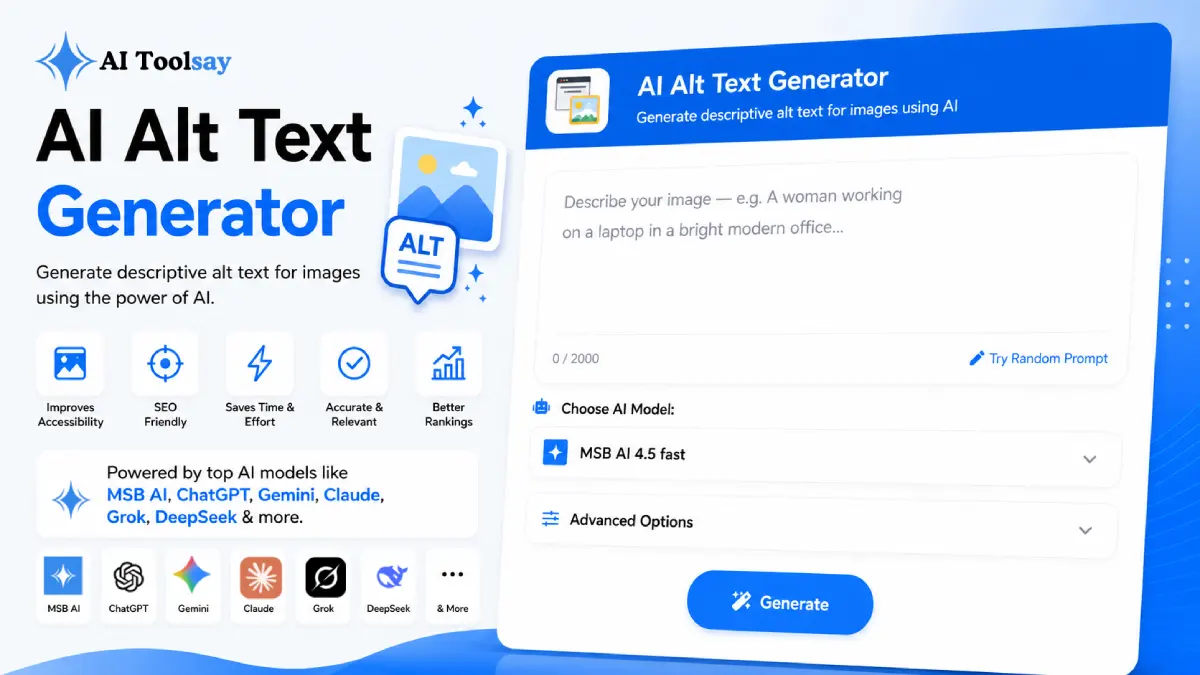
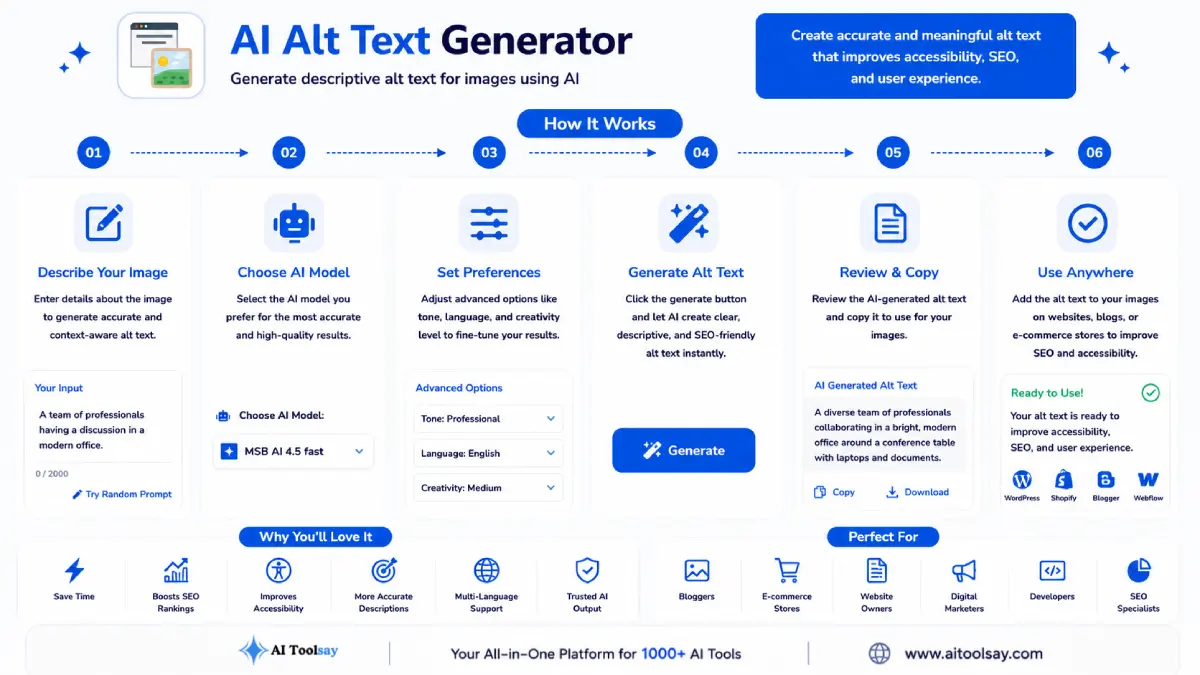
Quick Answer: The AI Alt Text Generator is a free AIToolsay tool that writes clear, accessible image descriptions in seconds. You choose the writing style, the image type, the audience, the length, the language, and an SEO mode, and it returns ready alt text you can paste straight into your image tag.
Writing for the Person Who Cannot See the Picture
The moment you imagine the real reader, the writing changes. Often that person will never see your image at all. The only version of your visual they receive is the sentence you supply, read aloud by their software. When you hold that in mind, you stop stuffing keywords and you start saying what is actually in the frame, why it belongs on the page, and what a visitor needs to take from it. The generator writes in that spirit by default, so the output reads like a genuine description rather than a search trick. The same line quietly rescues sighted visitors too, on slow mobile connections where an image fails to load and the alt text is all that appears in its place. I have watched my own analytics on this. A meaningful slice of traffic sits on patchy networks, and on those visits the words in the alt field are not a fallback, they are the picture. Writing them as if they mattered is simply writing for the reader you actually have.
The Four Jobs One Good Description Carries
A strong alt line is doing several things at the same time without ever feeling crowded. I keep this small table pinned in my head whenever I review a batch.
| What the alt text does | Who it serves |
|---|---|
| Describes the image plainly and accurately | A screen reader user who cannot see it |
| Fits the story on the page around it | Any reader following your argument |
| Stays short and natural to hear aloud | Anyone listening rather than reading |
| Carries the keyword only when it fits | Search engines indexing your images |
Miss any one of those and the description tips over. Too long and the listener is trapped. Too keyword heavy and it reads like spam to both people and crawlers. The settings inside the tool exist to keep all four in balance for you.
The Image Types It Was Built Around
A short set of controls covers nearly every picture you are likely to publish, from a plain product photo to a dense data chart.
Photographs
Descriptive alt text for product shots, portraits, and real scenes without padding.
Illustrations
Lines that capture the style, mood, and point of an illustration, not just its shapes.
Charts and Graphs
Descriptions that summarise the trend or data point so the meaning survives.
Stock Imagery
Concise, factual text that respects accessibility standards for generic visuals.
Multilingual Pages
Eight languages, so your accessibility travels with your content into new markets.
Tone and Length Control
Set audience, length, and SEO mode to match the page the image lives on.
Why This Tiny Field Refuses to Stay Optional
There are two hard reasons I no longer treat alt text as a nice extra. The first is one people forget until it costs them. Accessibility rules have tightened across many countries, and a site with empty alt attributes quietly shuts out a real audience while creating genuine legal exposure for a business. The second reason is search. Google reads alt text to understand what an image shows, which feeds image search, rich results, and the overall relevance of the whole page. This is one of the rare SEO chores that lines up perfectly with simply doing right by human readers. You get the ranking signal and the welcome at the same time, from the same sentence, which almost never happens elsewhere in this work.
There is a softer benefit too. Writing alt text well forces you to describe your own pages more honestly. You notice what a picture really contains, why it earned its spot, and whether it adds anything at all. Some images fail that quiet test and come out entirely. The pages left behind are leaner, faster, and easier for everyone, not only people using assistive technology. That editing instinct, once it takes hold, spreads to headings, captions, and the length of your paragraphs, and the whole site tightens up as a result.
A trap I have watched people fall into: never let the generated alt text simply repeat the caption sitting right beside the image. A screen reader user then hears the same sentence twice in a row, which is worse than silence. Read the surrounding text first, then let the description add something new.
The Honest Trade, Strengths and My Manual Touch
What It Does Well
- Puts accessibility ahead of keyword games
- Handles photos, illustrations, charts, and stock alike
- Stays SEO aware without stuffing terms
- Writes across eight languages at no cost
Where I Still Look Myself
- Confirm the description truly matches the picture
- Add a brand or product name when the visual calls for it
- Trim anything that echoes the caption or heading
Accessibility is not a task you tick off at the finish line. It is a small standing promise that every reader is welcome to the work, made one sentence at a time.
Sabir Bepari, Founder of AIToolsay
Before Your First Run, the Questions I Hear Most
How do I actually get my first alt line out of it?
Open the tool, tell it what the image shows in a few plain words, pick the image type and your language, then generate. Copy the result straight into the alt attribute of your image tag. The whole loop takes a few seconds per picture.
How long should a description be?
For most images, one short sentence of roughly twelve to twenty words is the sweet spot. Charts, infographics, and complex scenes earn a little more room so the data or the point survives being read aloud.
Can it really handle a chart or an infographic?
Yes. Set it to the chart type and it summarises the trend or the key figure rather than listing colours and axes, so a listener understands what the graphic means instead of only what it looks like.
Give Your Next Image a Voice
You do not need a background in accessibility law, you do not need to memorise the rules for good alt text, and you certainly do not need to write it perfectly on the first try. You just need one image and a sentence describing it. The next time you upload a picture, open the AI Alt Text Generator, describe what you see, and let it hand back the accessible, search friendly line that goes into your tag. Do that across a month of publishing and your site turns into a quietly more welcoming place, with a steady lift in image search as the bonus you barely had to work for. Come in and try it on the image sitting in your drafts right now.
.png)
Join the Newsletter
Get the best new AI tools and tips delivered to your inbox. No spam.
By subscribing you agree to receive emails from AIToolsay. Unsubscribe anytime.