
 English

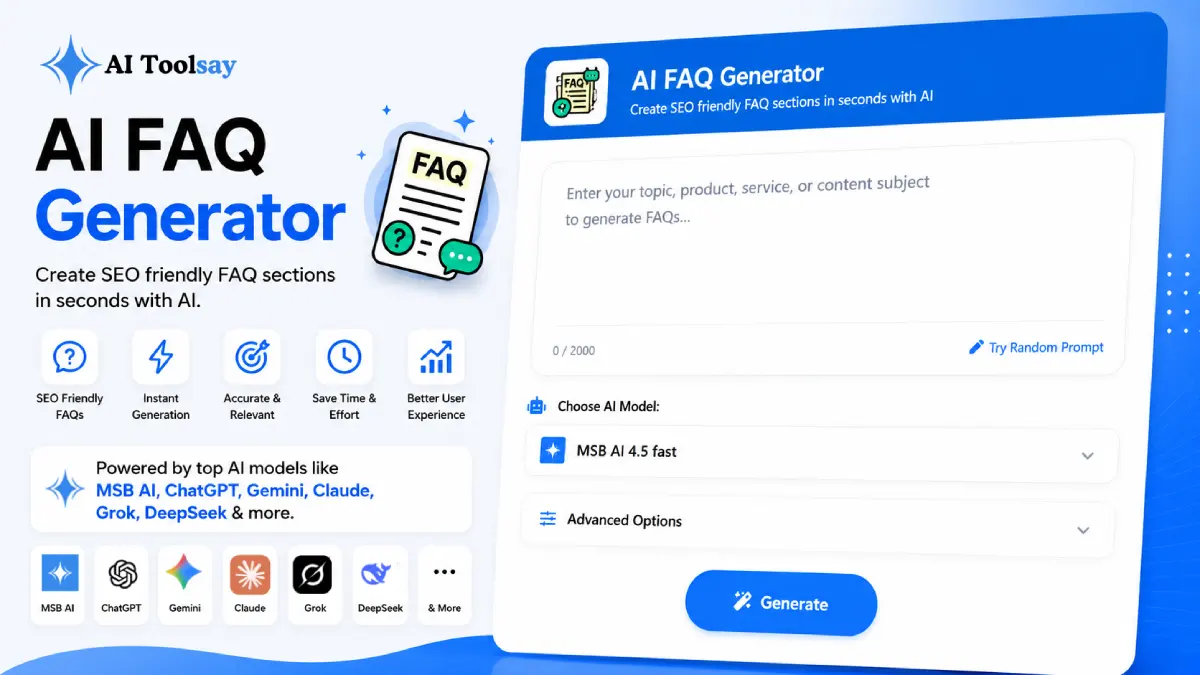
AI FAQ Generator
Create SEO friendly FAQ sections in seconds with AI
 MSB AI 4.5 fast








Your prompt will appear here…
Your beautifully formatted article will appear here once you generate.
No history yet
Your generations will appear here. Sign in to save them permanently.





Picture the last hour before you publish a new landing page. The copy reads well, the images are placed, the buttons work. Then you scroll to the bottom and hit the empty FAQ block, the one part you have been quietly avoiding all week. You know a handful of real questions belong there, but pulling them out of your head and drafting clean answers feels like a whole separate job. So the page ships without it, and the same five questions keep landing in your inbox. That gap is exactly the moment the AI FAQ Generator was built for.
Quick Answer: The AI FAQ Generator is a free AIToolsay tool that writes complete question and answer sets for any topic, product, or service. You set the purpose, audience, style, tone, number of questions, answer length, schema type, language, and region, then generate publishable Q and A, including JSON LD structured data when you want rich results in search.
The Empty FAQ Block Is Costing You More Than You Think
An FAQ section looks like a minor footer detail, but it does real work. It answers the questions a visitor is holding right before they decide, and it does that on the page instead of in a reply you have to type again next week. A well built block also earns its keep in search. When you add proper schema markup, the questions can surface as rich results, which gives your listing more room and more reasons to click. So the payoff is double. The visitor feels understood, and the algorithm gives you a nudge for making the page easier to read.
The catch is that this piece is the one almost everyone skips. Finding the right questions takes thought, and drafting honest answers takes patience. The AI FAQ Generator removes the blank page part. You describe the page, choose how many questions you want, and it returns a full set shaped around how real readers phrase their concerns rather than how a brand wishes it were addressed.
The Settings That Decide the Quality of the Output
The tool gives you a set of controls, and the first two you touch shape everything that follows. Purpose comes first. Point it at a product, a service, a support page, or an educational topic, and the whole tone of the questions shifts to match. Next is the number of questions, because six or seven is right for a product page while a help centre can carry twelve or more without feeling padded.
From there the finer dials come into play. Style moves the answers along a line from friendly and conversational to formal and technical. Tone and audience let you write for a first time buyer or a seasoned professional. Answer length keeps the responses tight or lets them breathe. Schema type is the one I never skip when the page needs to rank, because JSON LD gives you structured data you can paste straight in. Language and region round it out, with eight languages and regional tuning so the questions read as native to your market.
Buyer Questions
The doubts a shopper carries in the last minute before they commit to a purchase.
Support Answers
Clear, repeatable responses that quietly lift weight off your support inbox.
Schema Output
JSON LD you can paste in place to give your page a shot at rich results.
Native Languages
Eight languages with regional tuning so each set sounds local, not translated.
Once you have a set, the last step is yours, and it is quick. The structure I keep is simple. Open each answer with one sentence that gives the visitor exactly what they came for. Add a sentence or two of support underneath. Close with a small reassurance or a pointer toward a deeper page. The tool already leans into this rhythm, so the answers arrive useful rather than wordy, and my editing pass is light.
When I edit, I do one thing above all. I drop in a specific number or fact that only my business knows. A shipping window, a real refund figure, the exact time a setup takes. That single detail is what separates a generic answer from one a reader believes, because it proves a human who actually runs the business stood behind the words. A clean structure plus one real fact is the whole recipe.
The shortcut that never fails me: Spend one hour in your support inbox and write down every question that appeared twice. Feed that list into the tool as your topic. You will publish the FAQ your real audience needs instead of the polished one you imagined they wanted.
Where It Shines and Where You Stay in the Loop
No tool is all upside, and I would rather tell you the honest shape of it. The generator is strong at the part most people find hardest, which is producing real questions and a solid first draft in seconds. What it cannot do is know the private facts of your business, so a short review always stays on your plate.
Where It Pulls Its Weight
- Real, searchable questions arrive ready out of the box
- Clean JSON LD schema for a shot at rich results
- Answers matched to your chosen tone and audience
- Eight languages with regional tuning, all free
Where Your Judgment Comes In
- Add the specific numbers only your business knows
- Confirm any policy answer with whoever owns it
- Cut a question if it does not match how customers really speak
Choosing the Right Setup for Your Page
When should I turn on the JSON LD schema type instead of plain text?
Switch on JSON LD whenever the page is meant to rank in search and you want the questions eligible for rich results. If the FAQ is purely internal, say a private help doc, plain text is simpler and there is no need for the markup.
How do I decide how many questions to generate?
Match the count to the page. A product or service page reads best with six or seven, enough to cover the real doubts without overwhelming. A help centre or documentation hub can carry twelve or more, because visitors arrive there to dig rather than skim.
Should I pick a conversational style or a formal one?
Follow your audience, not your taste. A consumer product or a beginner topic wants the conversational style so the answers feel human. A technical, professional, or compliance heavy page reads more credibly in the formal style. When in doubt, lean slightly warmer than you think you should.
When is the language and region setting worth adjusting?
Change it any time your readers sit outside your default market. The regional tuning shifts phrasing and assumptions so the questions sound native rather than translated, which matters most for money pages where trust decides the sale.
The next time you reach that empty block an hour before launch, the job looks different. Instead of stalling, you open the AI FAQ Generator, describe the page, choose your settings, and read back a full set of real questions with clean answers. You spend the time left on the part only you can do, adding the one true fact per answer that makes a stranger trust you. The FAQ stops being the reason the page slips, and starts being the quiet thing that keeps your inbox calm and your conversions climbing.
.png)
Join the Newsletter
Get the best new AI tools and tips delivered to your inbox. No spam.
By subscribing you agree to receive emails from AIToolsay. Unsubscribe anytime.