
 English

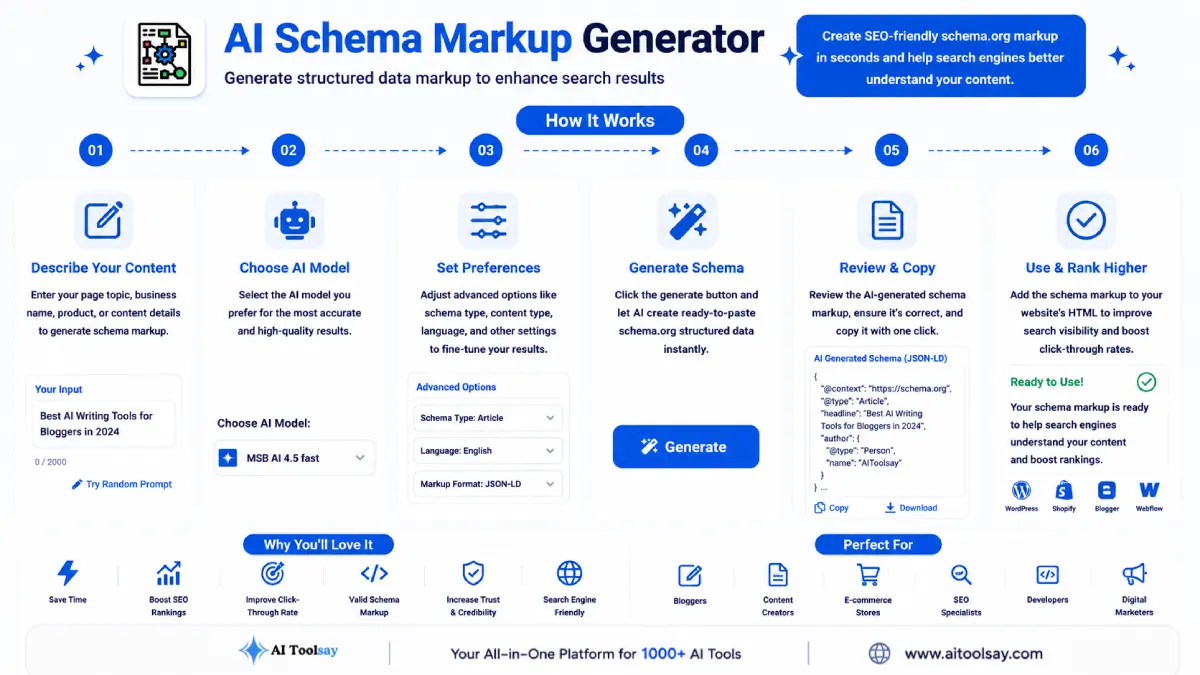
AI Schema Markup Generator
Generate structured data markup to enhance search results
 MSB AI 4.5 fast








Your prompt will appear here…
Your beautifully formatted article will appear here once you generate.
No history yet
Your generations will appear here. Sign in to save them permanently.





Years ago, adding structured data to a page meant opening the documentation in one tab, a code editor in another, and a validator in a third. I would type the JSON by hand, miss a comma, watch the whole block fail, and hunt for the broken bracket line by line. A single Product schema could eat half an hour before it passed. These days that same job takes under a minute. I describe the page, pick a few settings, and the AI Schema Markup Generator hands me clean code I can paste and move on. The gap between those two experiences is why I built it.
Quick Answer: The AI Schema Markup Generator is a free AIToolsay tool that writes structured data for any web page. You choose a schema type, the page type, the target audience, the output format, and an optimisation level, and it returns valid markup you can drop straight into your page so search engines understand exactly what the content is.

Why Hand Written Markup Wore Me Down
Schema is unforgiving in a quiet way. The syntax looks simple, but one stray quote or a property nested at the wrong level and the entire block goes invisible to the crawler. Nothing warns you on the page itself. You only learn it failed when the rich result never shows up weeks later. I lost a lot of small hours to that silence. Writing markup by hand also meant memorising which properties each type expected, keeping up with changes to those requirements, and repeating the whole ritual for every page shape on the site. A homepage needed one structure, a blog post another, a product page a third. The tool folds all of that knowledge into a short set of choices, so you spend your attention on the content and let the code assemble itself correctly.
The Settings That Shape Your Output
Everything the generator produces is steered by a handful of decisions you make before you click. Understanding them is the difference between markup that fits your page and markup you have to rework.
- Pick your schema type. Article and BlogPosting suit written content, FAQ suits question and answer blocks, HowTo suits step by step guides, Product suits listings with prices, and Review suits rated assessments.
- Set the page type so the structure matches a homepage, a blog, a product page, or a category page rather than a generic template.
- Name the target audience you are writing for, which nudges the descriptive fields toward language that fits your readers.
- Choose the output format. JSON LD is the clean modern default, while Microdata and RDFa exist for stacks that need markup woven into the HTML itself.
- Select an optimisation level to decide how thorough the generated properties should be, from a lean core to a fuller set.
- Generate, read the result, and paste it into the head of your page.
How I Fit It Into a Real Publishing Day
I do not treat schema as a chore I circle back to. I build it in the same sitting as the page. By the time the draft is finished I already know the author, the publish date, the price if there is one, and the questions any FAQ block answers. Those are exactly the details the generator wants, so feeding them in produces accurate markup on the first pass. Then I paste the block before the URL goes live. That small habit compounds. A site built this way slowly accumulates pages that are all eligible for enrichment, and when a search engine later introduces a new rich result tied to a property you already declared, your archive qualifies with no going back over old work.
Watch this closely: your markup has to describe what a visitor can actually see on the page. Declaring a price that is not displayed, or a rating for reviews that do not exist, breaks search engine guidelines and can trigger a manual action against the whole site. The generator is built to describe real content, so give it honest inputs and never dress up a page with claims the visible copy does not back up.
Where It Shines and Where I Stay Hands On
What It Handles Well
- Produces valid markup that clears the standard validators
- Covers the schema types most sites actually need
- Adapts the structure to the page shape you select
- Offers JSON LD, Microdata, and RDFa for different stacks
- Free to run with capable AI models behind it
What I Still Do Myself
- Run the output through a rich results validator before publishing
- Check every value against the live page word for word
- Refresh the markup when a price or detail changes
- Confirm the chosen type genuinely matches the content
Structured data is the quietest work in SEO and often the most repaid. You spend a minute telling the crawler the truth about a page, and it spends months rewarding you with visibility you did not have to outrank anyone to earn.
Sabir Bepari, Founder of AIToolsay
Sorting Out the Tricky Inputs
My page covers a product and a how to guide at once, so which schema type do I pick?
Run the generator twice, once for each type, and place both blocks on the page. A single page can carry more than one schema, and search engines read them independently. Just make sure each block describes only the part of the page it belongs to.
The markup validated fine but the rich result still never appeared. What went wrong?
Valid markup makes a page eligible, it does not force the enhancement. Search engines decide when to show rich results based on quality and relevance. Confirm the markup passes, confirm the visible content genuinely matches it, then give it time, because eligibility is the requirement you control and display is the part you wait on.
My content management system strips the code when I paste it into the body. How do I keep it intact?
Structured data belongs in the head of the document or in a raw HTML block, not in the visual editor where formatting tools can mangle it. Use a header injection field, a raw code widget, or your theme settings so the block lands untouched.
I picked Microdata but the output looks nothing like the JSON I expected. Is that a fault?
No, that is the format doing its job. Microdata and RDFa weave attributes into your existing HTML tags rather than sitting in a separate script block like JSON LD. If you want the tidy standalone block, switch the output format back to JSON LD and generate again.
Does it cost anything to generate markup for a large batch of pages?
The tool is free to use with no subscription, so you can generate for as many pages as you need. Work through them one page at a time with accurate details for each, since the value comes from every block matching its own page rather than from speed.
Here is the honest starting move. Do not attempt the whole site tonight. Pick the single page that already earns you the most, open the AI Schema Markup Generator, and add one clean block of structured data to it. Validate it, publish it, and let it sit. Once you see how little effort that one page took, the rest of the site stops feeling like a mountain and starts feeling like a short list you work through a page at a time.
.png)
Join the Newsletter
Get the best new AI tools and tips delivered to your inbox. No spam.
By subscribing you agree to receive emails from AIToolsay. Unsubscribe anytime.