 English

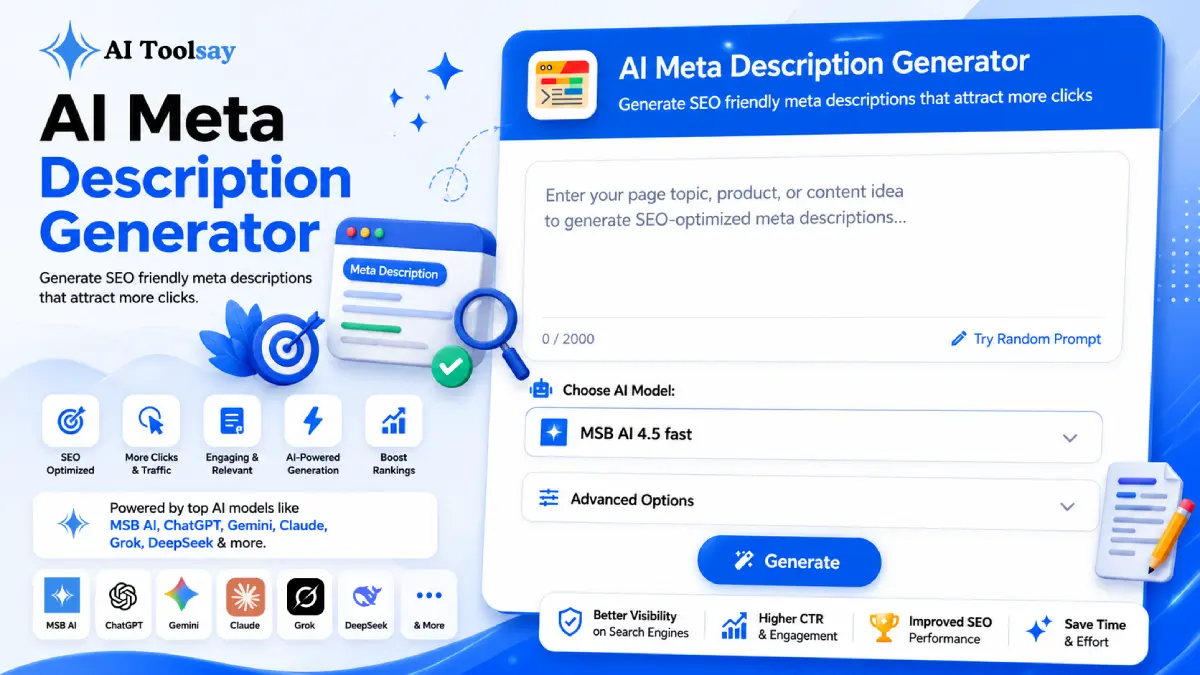
AI Meta Description Generator
Generate SEO friendly meta descriptions that attract more clicks
 MSB AI 4.5 fast








Your prompt will appear here…
Your beautifully formatted article will appear here once you generate.
No history yet
Your generations will appear here. Sign in to save them permanently.



The most common meta description mistake I see is treating that little box as an afterthought, a place to dump the first sentence of the page and move on. Fix that single habit and your click rate starts to climb, because the description is the one line of sales copy standing between a ranking and a real visit.
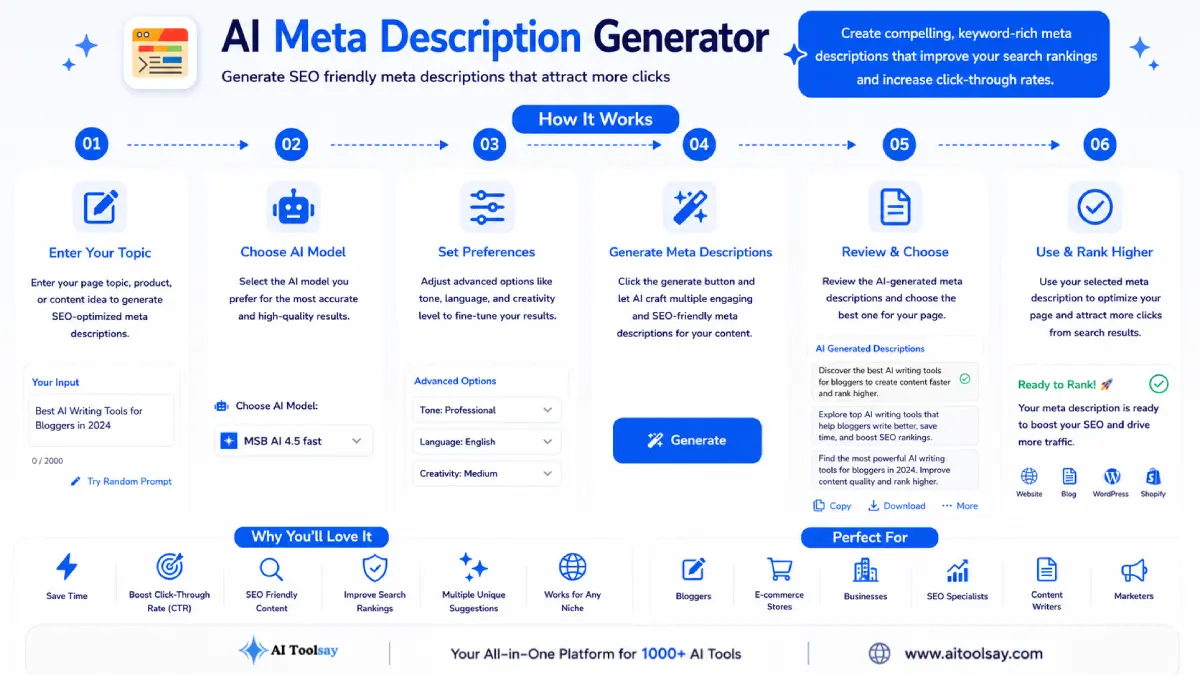
The AI Meta Description Generator is a free AIToolsay tool that writes search ready meta descriptions in seconds. You set the primary keyword, search intent, goal, style, tone, length, language, and region, then generate up to ten variations and keep the sharpest one. It is built to earn the click without stretching the truth.
Why That Short Line Earns or Loses the Visit
You can rank third for a keyword you fought hard to win and still watch the visitor click the result above you. That gap between ranking and traffic almost always lives in the meta description. It is roughly 150 characters, it sits under your title in the results, and it does one job. It convinces a person that your page answers the thing they just typed.
Here is the part people forget. When you leave the description blank, or when you let a plugin grab the opening sentence of your article, you hand that decision to a search engine. Sometimes it stitches together a snippet from the middle of your page, and the result reads like a fragment torn out of context. I have seen strong articles bleed clicks for months because the snippet underneath them said nothing worth acting on. The generator exists to take that quiet leak out of your workflow, one page at a time.
Intent Is the Setting Almost Everyone Skips
If I could get you to change only one thing about how you write descriptions, it would be this. Match the snippet to the reason behind the search. The AI Meta Description Generator gives you four intent settings, and each one reshapes the whole sentence.
Set intent to informational and the snippet leads with the answer, because a person asking a question wants to see that the answer lives here. Set it to commercial and the snippet leads with the comparison or the recommendation, because that reader is weighing options. Transactional intent pushes the snippet toward the action, the buy, the sign up, the download. Navigational intent keeps it plain and direct, because that visitor already knows who they are looking for. Pick the wrong intent and even a beautifully written line feels off, like an answer to a question nobody asked.
Shaping Keyword, Goal, Tone, and Region
Once intent is set, the rest of the controls fine tune the voice. Your primary keyword anchors the snippet, and the tool weaves it in once, naturally, without the stuffing that made old descriptions read cheap. Search engines bold the matching words in the snippet, so a single well placed keyword actually catches the eye more than three forced ones ever did.
The goal setting is where you tell the tool what a click is worth to you. There are six choices, covering clicks, conversion, education, branding, leads, and trust. A snippet built for conversion reads differently from one built for education, and choosing on purpose beats hoping the default happens to fit. Then the eight tone options and the style control keep the voice consistent, so a corporate product page never comes out sounding like a personal blog post.
Region matters more than most writers expect. A line written for an American reader can land slightly wrong for a British one, and the small words that build trust shift quietly from market to market. For sites that serve more than one country, I run the same page through with a different region and language setting, then keep both versions on hand. The tool supports eight languages, each tuned to the spellings and habits of its market rather than translated word for word.
There is a quieter benefit to setting the voice deliberately. When the snippet sounds like the page it points to, the visitor never feels a jolt on arrival. A formal snippet followed by a formal page reads as one continuous experience, and that consistency is part of what keeps a reader on the page long enough to matter. Mismatch the two and the click feels like walking into the wrong shop, which is exactly the kind of bounce that erodes the trust you worked to earn.
Getting the Length Right for the Page
Length is a budget, not a suggestion. Go too long and the snippet gets clipped mid sentence, leaving your best word floating off the visible edge. Go too short and the line looks thin next to a competitor who filled the space with something useful. The generator lets you choose a length band up front, so the writing fits the slot instead of fighting it.
| Length band | Character range | Best fit |
|---|---|---|
| Short | 120 to 140 | Mobile heavy traffic and simple product pages |
| Standard | 150 to 160 | Most blog posts and category pages |
| Extended | 160 to 170 | Detailed guides and comparison pieces |
My rule of thumb is simple. If the page mostly gets read on a phone, lean short so nothing gets cut on a narrow screen. If it is a deep guide competing with other deep guides, reach for the extended band and use the extra room to prove there is real substance behind the link.
A habit worth keeping: once a quarter, open your top twenty pages in search, and rewrite their snippets in the AI Meta Description Generator. Small gains in click rate compound across a whole site, and the time cost is tiny next to the traffic you claw back.
Working Through Ten Variations
The feature I lean on most is the ability to generate up to ten variations in a single run. One snippet is a guess. Ten snippets side by side is a decision. I read them as a batch and look for the one that says the most in the fewest words, then I trim or swap a single phrase if the brand voice needs it.
This is also where you learn what actually persuades your audience. After a few runs you start noticing which openings pull you in and which feel generic, and that instinct sharpens every description you write afterward, even the ones you draft by hand. Because the tool is free and runs on premium models, there is no reason to settle for the first line that lands. Generate, compare, keep the strongest, and move to the next page.
When two variations feel equally strong, I look for the one that carries a single concrete detail. A specific benefit, a clear number, a useful word that signals the depth behind the link. Vague confidence reads the same across a thousand pages, but one honest specific tells the reader this page was written by someone who knows the subject. That small difference is often what tips a close call in your favour, and running ten options at once makes those specifics easy to spot.
Where It Shines and Where You Still Steer
I would rather be honest about the edges than sell you something flawless. This tool removes the hard part of writing snippets, but it does not remove your judgment, and it should not.
What It Does Well
- Matches the snippet to search intent, the setting most people ignore
- Keeps the writing inside your chosen length band automatically
- Produces up to ten variations so you compare instead of guess
- Adapts voice and spelling to eight languages and specific regions
What You Still Own
- Search engines sometimes rewrite the snippet, so treat yours as the strong first offer
- Any number, price, or claim in the line needs a quick factual check against the page
- Brand voice may call for one small edit before you publish
None of that is a knock on the tool. It is just the reality of SEO copy. The generator gets you a polished, intent matched draft in seconds, and you spend your attention on the two or three words that only you can decide.
Handling the Snags With Tricky Inputs
Most questions I get are not about whether the tool works. They are about the awkward inputs, the pages that do not fit a tidy template. Here are the three that come up most.
My keyword phrase is really long. Will it eat the whole snippet?
It can, if you paste the entire long tail phrase as the primary keyword. My fix is to enter the core two or three word version as the keyword and let the intent and goal settings carry the rest of the meaning. The tool then works the short anchor in naturally and spends the remaining characters on persuasion rather than on repeating a mouthful of words.
One page targets two different searches. Which intent do I choose?
Pick the intent that matches the traffic you most want, then run the generator a second time with the other intent selected. You end up with two clean snippets built for two different readers. Keep the one that fits the query you actually rank for, and hold the second version in case your rankings shift toward the other search over time.
The generated line reads well but includes a detail that is not on my page. What now?
Cut it, and regenerate with a tighter goal setting. A snippet has to promise only what the page delivers, because a click earned by a stretch is a visitor lost the moment they land. When a variation invents a specific claim, that is your signal to lean on the honest, provable detail instead, and the tool will happily produce a batch built around it.
The best way to feel the difference is to try it on the very next thing you publish. Before you hit save on your current draft, open the AI Meta Description Generator, drop in the keyword, set the intent, and generate a handful of options for that exact page. Read them out loud, pick the one that would make you click, and paste it in.
Do that once and you will notice how much sharper the line is than whatever your plugin would have grabbed on its own. Then take your single most visited page, the one already earning rankings, and rewrite its snippet the same way. That is the smallest SEO edit on my list and one of the most visible, and you usually see the change in your clicks within a week or two.
.png)
Join the Newsletter
Get the best new AI tools and tips delivered to your inbox. No spam.
By subscribing you agree to receive emails from AIToolsay. Unsubscribe anytime.