 English

AI Blog Writer
Generate high quality blog content using free premium AI models
 MSB AI 4.5 fast








Your article title will appear here…
Your beautifully formatted article will appear here once you generate.
No history yet
Your generations will appear here. Sign in to save them permanently.





A few years back I sat down one Sunday evening to write a post I had promised readers all week. I typed an opening line, hated it, and deleted it. Typed another, hated that one too. By the time my tea went cold I had a blank document and a bruised ego. The topic was clear in my head. The problem was never the idea. It was the terrifying first paragraph that had to exist before any of the good stuff could follow.
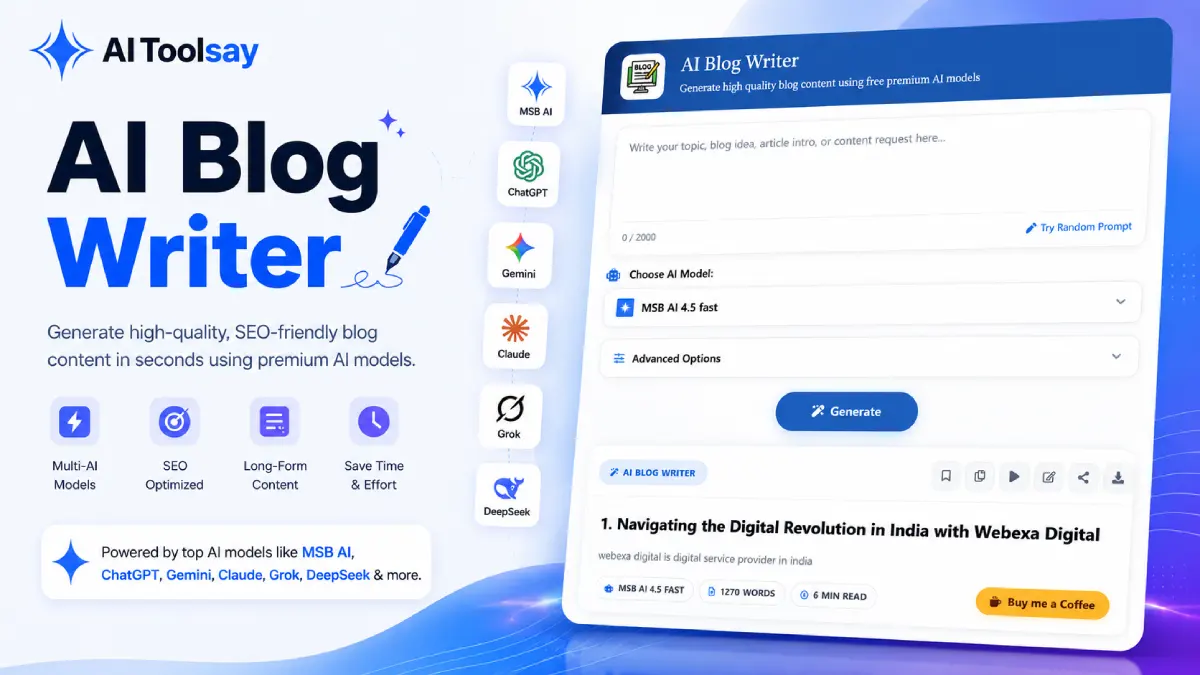
That night stuck with me, and it shaped how I think about the AI Blog Writer here on AIToolsay. The tool does not try to be smarter than you about your subject. It just refuses to let the empty page win. You hand it a topic and a few preferences, and it gives you a complete structured draft in under a minute, so the hard, momentum killing part is already behind you before you start editing.
What This Free Drafting Partner Actually Puts on the Page
When people hear "AI writer" they often picture a box that spits out a wall of gray text. This is not that. When you generate a post, you get a shape you can work with: an introduction, logical headings, body sections underneath them, and a proper conclusion. It reads like an article someone planned, not a paragraph that ran on until the model ran out of things to say.
The reason I keep coming back to it is simple. Blogging rewards consistency, and consistency is exactly what exhausts writers. Research, outline, draft, edit, publish, repeat. The AI Blog Writer takes the slowest link in that chain, the blank draft, off your plate. What is left is the work only you can do well: judgment, voice, and the lived experience that makes a post worth reading. You stay the editor and the final word. The tool just gets you moving.
The AI Blog Writer is a free AIToolsay tool that turns a topic and a handful of preferences into a full, structured blog draft with an intro, headings, body, and conclusion. You control the audience, goal, writing style, length, and heading format, then generate the draft in seconds with no subscription or sign up wall. It hands you a first version to shape into a finished, published post in your own voice.
There is a quiet compounding effect here too. When drafting stops feeling like a wall, you publish more often, and frequency is what builds an audience and search authority over months. I have watched writers go from one nervous post a month to a steady weekly rhythm, not because they suddenly had more hours, but because the scary part got shorter.
Walking Through the Controls That Shape Every Draft
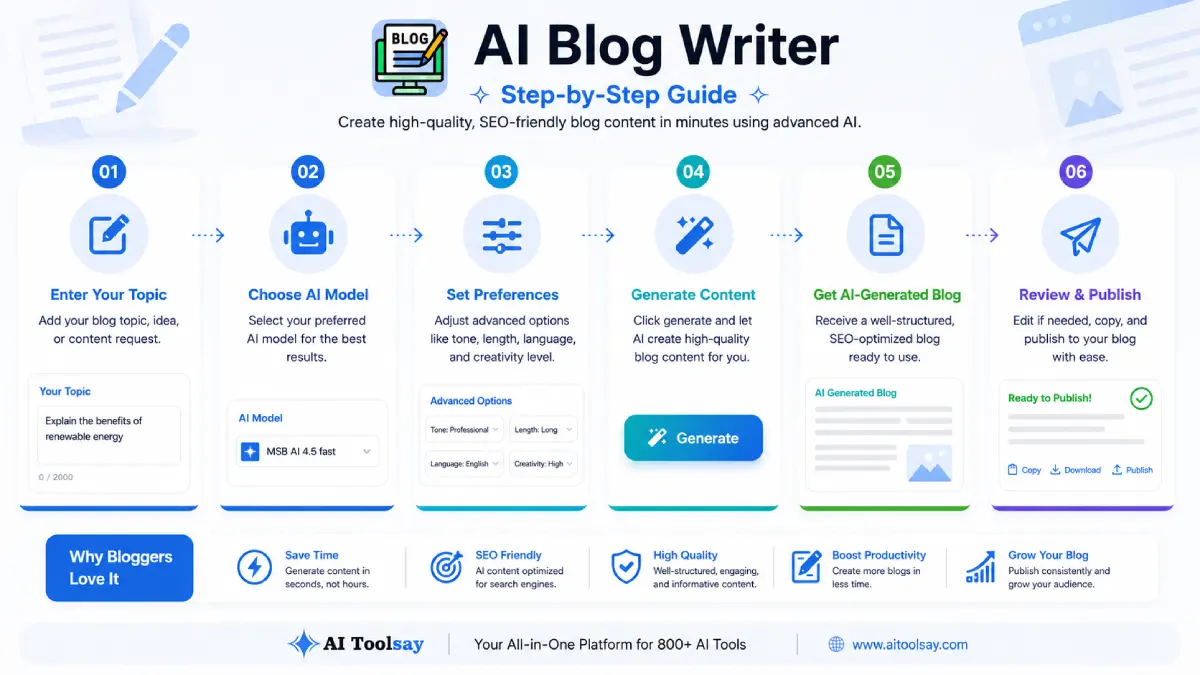
The screen is deliberately plain. There is a topic box, a model selector, and an advanced options panel that folds open when you want more command over the result. Let me walk you through what each part does, because the difference between a draft you rewrite heavily and one you barely touch usually lives in these settings.
Start with the topic box. This is where you describe the post in plain language, something like "a beginner guide to composting in a small apartment." The more specific your sentence, the sharper the draft. A vague keyword gives you a vague article, so a full thought earns its keep here.
Next is the model selector. The tool is not tied to a single engine, and the one you pick changes the character of the writing more than almost any other control. Some engines lean warm and descriptive, which suits storytelling and opinion posts. Others write tighter, more factual prose that fits tutorials and comparisons. Trying the same brief on two engines is the fastest way to find the voice that matches your blog, and every option is free to use.
Then open the advanced options, where the draft really becomes yours. Inside you can set a Main Topic or Focus Keyword plus Secondary Keywords to anchor what you want to rank for. You pick a Target Audience from choices like beginners, professionals, students, developers, marketers, business owners, or a general reader. You choose a Content Goal such as informational, educational, conversion, affiliate, product review, comparison, tutorial, or news. There is a Writing Style menu covering storytelling, analytical, technical, simplified, journalistic, SEO optimized, and creative. You also set the heading style, the article length, an intro and conclusion style, a toggle for bullet points, and a Custom Instructions box for anything the menus do not cover.
Once you generate, the output section fills with a formatted draft, and an activity history panel keeps your recent runs on hand. That history is more useful than it sounds. It lets you generate two angles on one topic and compare them side by side before you commit to a direction.
Reading the Key Settings at a Glance
Small setting changes lead to very different drafts, and the first few times through it helps to know what each dial actually moves. Here is the quick reference I wish I had when I started.
| Setting | What It Changes | When to Reach for It |
|---|---|---|
| Target Audience | Vocabulary and how much it explains | Beginners for how to posts, professionals for deeper dives |
| Content Goal | The structure and intent of the piece | Comparison or product review for affiliate style articles |
| Writing Style | Tone and rhythm of the sentences | Storytelling for engagement, SEO optimized for search |
| Article Length | Word count and number of sections | Long for pillar guides, short for quick updates |
| Focus Keyword | The term the draft is built around | Any post you want to rank for a clear search phrase |
On length specifically, the tool offers a short piece around 600 words, a medium one in the 600 to 1,500 range, and a long guide that stretches from 1,500 to 2,500 words. Match the format to where the post will live. A quick news update does not need pillar page depth, and a cornerstone guide should not be squeezed into 600 words.
Please read this before you publish. Treat every draft as a first version, never a finished post. The AI Blog Writer gives you structure and momentum, but your edits, your fact checking, and your own experience are what make an article trustworthy and original in Google's eyes. Verify every statistic, name, and date before it goes live. Accuracy is your responsibility, not the model's.
Your First Run, One Move at a Time
If this is your very first draft, do not overthink it. The whole point is to remove friction, so keep the sequence simple and let the tool carry the weight.
- Write one focused topic sentence. "Email marketing for small bakeries" beats a bare "email marketing" every single time.
- Set the audience and the goal first. These two choices shape the entire draft, so lock them in before anything else.
- Pick a length and writing style. Choose the format that fits where the post will actually be published.
- Add a focus keyword and a note. Drop your main phrase in, and use the Custom Instructions box to ask for a specific angle or example.
- Generate, then read like an editor. Keep the strong sections, mark the thin ones, add your first hand detail, fact check the claims, and publish.
That last step is where the real value gets added. The draft gives you a spine. Your examples, your screenshots, your honest opinion, and the small stories only you can tell are what turn a competent article into one people remember and link to.
The fastest bloggers I know are not the ones who type quickest. They are the ones who never sit and stare at an empty page, because they always have a draft to react to.
Sabir Bepari, Founder of AIToolsay
One more habit worth building early: generate twice. Run the same brief on two different engines and stitch together the strongest sections from each. It costs a few extra seconds and often saves you a heavy rewrite. Because every engine in the tool is free, this kind of experimenting never shows up on a bill.
Questions Writers Ask Before Their First Draft
These are the practical things people message me about before they hit generate for the first time. Here are the straight answers.
How specific should my topic sentence be?
As specific as you can make it in one clean sentence. Name the subject, the angle, and ideally the reader. "A beginner guide to composting in a small apartment" gives the tool far more to work with than "composting," and you will get a tighter, more usable draft as a result.
Which advanced settings should I fill in first?
Start with Target Audience and Content Goal, because those two decisions ripple through the whole draft. After that, set your Article Length and Writing Style. If you have a focus keyword in mind, add it along with a couple of secondary keywords so the draft is anchored around what you want to rank for.
How long can the articles be?
You choose from three ranges using the Article Length control: short at roughly 600 words, medium between 600 and 1,500, and long from 1,500 to 2,500. Pick short for quick updates and long for pillar guides you want to keep ranking for a while.
What if the first draft does not sound right?
Do not rush to rewrite your prompt. Nine times out of ten the quickest fix is to regenerate the same brief on a different model, since each engine has its own tone. You can also nudge the result with the Writing Style menu or a line in the Custom Instructions box asking for the exact angle you want.
Does using it cost anything or need an account?
No. The AI Blog Writer is free to use, including access to the premium engines, with no subscription required. The content you generate and refine is yours to publish on your own blog, a business site, or client projects.
Pick One Post and Try It Once
You do not need a content strategy to start. Choose the single post you have been putting off, the one idea sitting in your notes that never quite makes it to the page. Write it as one clear sentence, set the audience and the goal, and let the AI Blog Writer hand you a draft to react to. Edit it into your own voice, fact check what matters, and publish. One post is all it takes to feel how much lighter the blank page becomes, and that is usually enough to start a habit.
.png)
Join the Newsletter
Get the best new AI tools and tips delivered to your inbox. No spam.
By subscribing you agree to receive emails from AIToolsay. Unsubscribe anytime.