 English
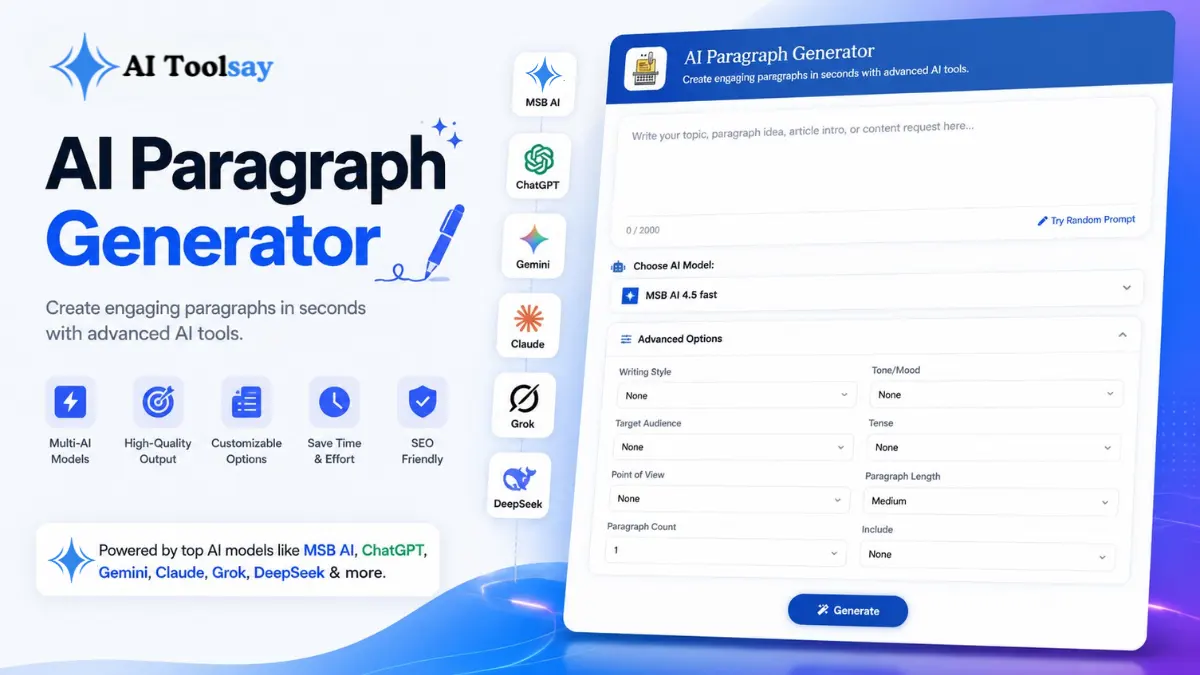
AI Paragraph Generator
Create engaging paragraphs in seconds with advanced AI tools.
 MSB AI 4.5 fast








Your prompt will appear here…
Your beautifully formatted article will appear here once you generate.
No history yet
Your generations will appear here. Sign in to save them permanently.



Most people believe the hard part of writing is finishing. Get past the blank page, they say, and the rest takes care of itself. After years of writing for AIToolsay and watching readers wrestle with the same wall, I have come to think the opposite is true. The hard part is almost never the whole piece. It is one paragraph. The opener that has to earn a reader's next thirty seconds. The product description that has to answer a buyer's first silent question. The middle of an email that has to carry you from a friendly hello to an actual ask without sounding cold. Those small blocks are where real work stalls, and they rarely get the attention they deserve.
That belief is exactly why I built the AI Paragraph Generator. Not to hand you a five page draft you will spend an hour trimming, but to solve the tiny, stubborn writing moment that quietly eats up your day. You give it a topic or even a half formed thought, tell it how it should sound, and it hands back one focused paragraph in seconds. It is free, it runs on premium AI models, and it exists for the exact spot where most writing actually gets stuck.
The Small Wall That Slows Everyone Down
Think about the last thing you wrote that felt hard. I would bet it was not the length that defeated you. It was a single stretch of a few sentences that refused to sit right. A blog opener that felt flat every time you tried it. A description for a landing page that kept reading like a spec sheet. A thank you note that needed a warmer middle and instead came out stiff. These are not writing projects. They are speed bumps. But a day full of speed bumps feels heavier than a day of real work, and most of us underestimate how much of our writing time disappears into them.
The reason a paragraph gives us trouble is also the reason it is worth solving well. A paragraph is small enough to feel achievable, which means when it fights back, the frustration lands harder. You cannot tell yourself it is a big job. It is three or four sentences, and they still will not cooperate. The AI Paragraph Generator meets you right there. It does not try to plan a whole document for you. It writes the one piece you need, shaped for the exact place you intend to drop it.
Quick Answer: The AI Paragraph Generator is a free tool on AIToolsay that turns a topic, idea, or rough note into one polished, ready to paste paragraph. You control the writing style, tone of voice, paragraph length, target audience, point of view, and output language, so the result fits the page it is headed for instead of sounding generic.
What makes it genuinely useful is control. A paragraph is only good if it matches its surroundings. An opener for a casual blog and a description for a technical product need completely different voices, and a tool that ignores that hands you homework. This one asks you to set the voice before it writes, which is why the output arrives closer to done.
Where One Good Paragraph Earns Its Keep
A single well written paragraph carries more weight than people expect. Placed in the right spot, it can open an article, lift a flat product page, or rescue a message that was not landing. Below are the situations where I reach for the tool most, and each one is a place where getting a few sentences right changes how the whole page reads.
Blog Openers
A first paragraph that gives the reader an honest reason to keep scrolling instead of bouncing.
Product Copy
A clear description that answers a buyer's first question before they even think to ask it.
Email Bridges
A warmer middle section that connects your greeting to your request without feeling abrupt.
Search Answers
An SEO ready block built around a topic and reader question so it earns its spot in results.
Academic Setup
A formal paragraph that introduces a concept or frames an argument before you develop it.
Social Captions
A short, tidy paragraph with enough shape to earn a save or a comment rather than a scroll.
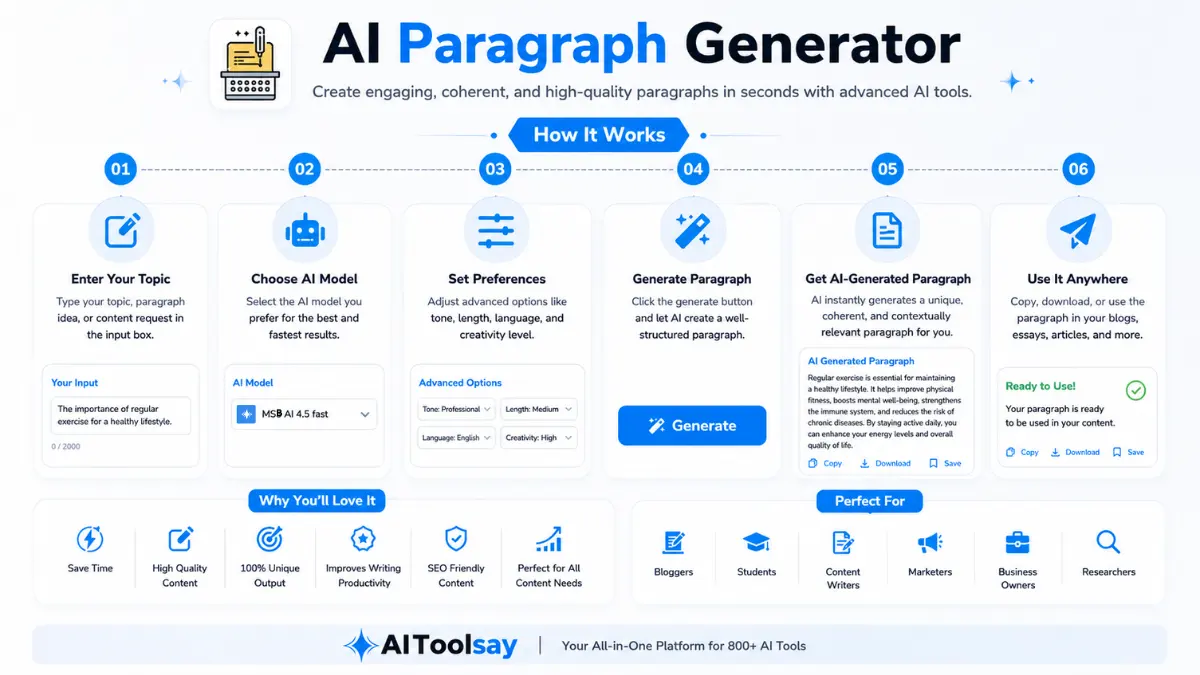
The settings are what let one tool cover all of these. Writing style moves you between professional, academic, creative, persuasive, technical, casual, and SEO ready prose. Tone of voice adds the warmth, confidence, or formality that makes a paragraph sound like it belongs to the rest of your page. Length runs from a tight three lines to a fuller developed block, and target audience quietly adjusts the vocabulary so a paragraph for engineers reads differently than one for first time shoppers. Point of view lets you switch between first, second, and third person, and the language setting means you are not limited to English. Two choices do most of the work, style and tone, but the rest are there when a paragraph needs to fit somewhere specific.
The single biggest lever on quality is the specificity of your topic. A vague brief like "write about coffee" returns a vague paragraph. A sharp brief like "explain why a burr grinder changes the taste of a home espresso" returns something you can actually keep. Precision in, precision out.
How I Get a Keeper on the First Try
I use this tool several times on a normal working day, and over time I have settled into a rhythm that gets me a usable paragraph fast. It is nothing clever. It is just the order of steps that wastes the least time. Here is the exact sequence I follow when I need an opener or a bridge and I do not want to fuss with it.
- Write your topic as one specific sentence, not a keyword. The more real detail you give, the more the paragraph has to work with.
- Set the writing style first, since it does the heaviest lifting. Match it to the page, professional for a product, casual for a personal blog.
- Pick the tone of voice to match the surrounding text. This is where a paragraph stops sounding like a robot and starts sounding like you.
- Choose a length that fits the slot. Short for captions and product pages, medium for openers, longer for academic or in depth sections.
- Set the audience, point of view, and language, then generate. Read the result out loud once before you decide anything.
- If it feels stiff, regenerate with a slightly different tone rather than editing by hand. A fresh pass is usually faster than a rewrite.
The habit that helps me most is that last one. I often generate the same paragraph twice, once warm and once confident, then read both aloud and keep the one that sounds more like a real person talking. It takes twenty extra seconds and it is the difference between a paragraph I paste and a paragraph I quietly delete. The other thing I always do is add one detail only I know. A real number, a small observation, a specific example. That single touch is what stops any AI paragraph from sounding like everyone else's.
Getting Stronger Results, Answered
Readers ask me the same practical questions about squeezing better output from a paragraph, so here are the honest answers I give.
How do I get a paragraph that actually sounds like me?
Generate it twice with different tone settings, read both aloud, and keep the closer one. Then swap in one real detail only you would know. That small edit does more for authenticity than any setting on its own.
What length should I choose for the best result?
Match the length to the slot, not the topic. A short block suits product pages and captions, a medium one fits article openers, and a longer paragraph works for academic or in depth writing where you need room to develop an idea.
Can I use it to write for search rankings?
Yes. Set the writing style to SEO ready and phrase your topic as the exact question a reader might type. The paragraph then answers that question directly, which is what search engines and impatient readers both reward.
Is the output ready to publish as is, or should I edit?
Treat it as a strong first draft rather than a final one. A light pass is usually enough. Trim anything stiff, confirm any facts, and add a personal line. The tool handles the shape so you can spend your energy on the part only you can write.
You are busy, and I will not keep you. The next time a single stretch of writing is holding up something bigger, open the AI Paragraph Generator, write your topic in one clear sentence, and let it hand you a starting point before you can switch tabs. You do not have to keep what it gives you. You just have to stop staring at an empty space. That small shift, from nothing to something you can shape, is usually all it takes to get moving again.
.png)
Join the Newsletter
Get the best new AI tools and tips delivered to your inbox. No spam.
By subscribing you agree to receive emails from AIToolsay. Unsubscribe anytime.