 English

AI Writer
Generate quality content quickly using advanced AI writing models
 MSB AI 4.5 fast








Your prompt will appear here…
Your beautifully formatted article will appear here once you generate.
No history yet
Your generations will appear here. Sign in to save them permanently.






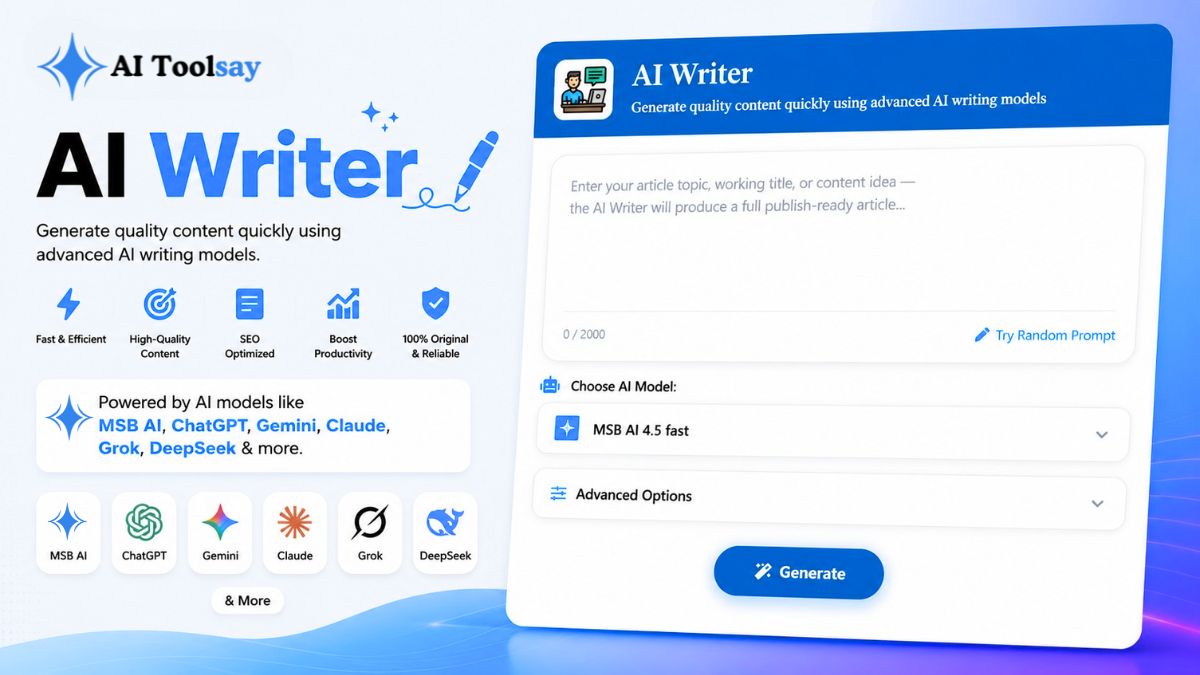
The AI Writer is a free tool that takes a single topic and returns a complete, structured article you can edit and publish. That is the whole idea in one line. Why it matters is simpler still: the hardest part of writing was never the thinking, it was the hours spent shaping thoughts into paragraphs, headings, and a clean conclusion. This tool removes that grind and hands the time back to you.
I have built and used writing tools for years, and most of them do one narrow job well and everything else poorly. The AI Writer sits at the other end of the spectrum. It is deliberately general, so the same box that drafts a how to guide this morning can draft a product explainer this afternoon and an opinion piece tonight. Below I will walk through what it actually does, how each control shapes the output, and the small habits that turn a good draft into a piece worth publishing.
The AI Writer is a free AIToolsay tool that turns a topic or working title into a full, publish ready article, complete with an intro, headings, body, and conclusion. You control the audience, content goal, writing style, tone, length, structure, and language, then generate the draft in moments. It is built to produce organized output you can refine, not a shapeless block of text.
What the AI Writer Actually Puts on the Page
When people hear "AI writing tool," they often picture a chatbot that spits out a few loose sentences you then have to assemble yourself. This is not that. The AI Writer is built to deliver a finished shape: a hook to open, clearly labeled sections to carry the middle, and a purposeful close that ties the piece together. Structure is the quiet feature that matters most, because a draft with good bones takes minutes to polish, while a wall of text takes an hour to untangle.
You start with a topic and, if you want, nothing else. Type in something like "how morning sunlight affects sleep quality," press generate, and you get a coherent article back. But the real power shows up when you open the settings and tell the tool who the reader is, what the piece is meant to achieve, and how it should sound. Those choices are what let one interface behave like a whole shelf of specialized tools.
It also writes in more than one language. English, Spanish, French, German, and several others are available from the language selector, which makes the tool genuinely useful if you publish for an international audience or if English is not your first language and you want a fluent, well organized starting point.
The Controls That Do the Heavy Lifting
A handful of features are the reason I keep this tool close. Here are the four that carry the most weight.
Whole Articles, Not Fragments
From one topic or title, you get a full draft with intro, headings, body, and conclusion already in place.
Deep Advanced Options
Set audience, content goal, style, tone, point of view, heading style, length, and intro and conclusion style.
Free Premium Models
Switch between several high quality engines at no cost to find the voice that fits your subject.
Multiple Languages
Draft in English, Spanish, French, German, and more, straight from the language selector.
The advanced options panel is where the tool stops being generic and starts being yours. You can name a main topic or focus keyword, pick a target audience from beginners to professionals, students, developers, marketers, or business owners, and set a content goal such as informational, educational, conversion, affiliate, product review, or comparison. On top of that you choose the writing style and tone, the point of view, the heading style, the length, and even how the intro and conclusion should read. A bullet point toggle adds scannable formatting when you want it.
Walking Through Your First Draft
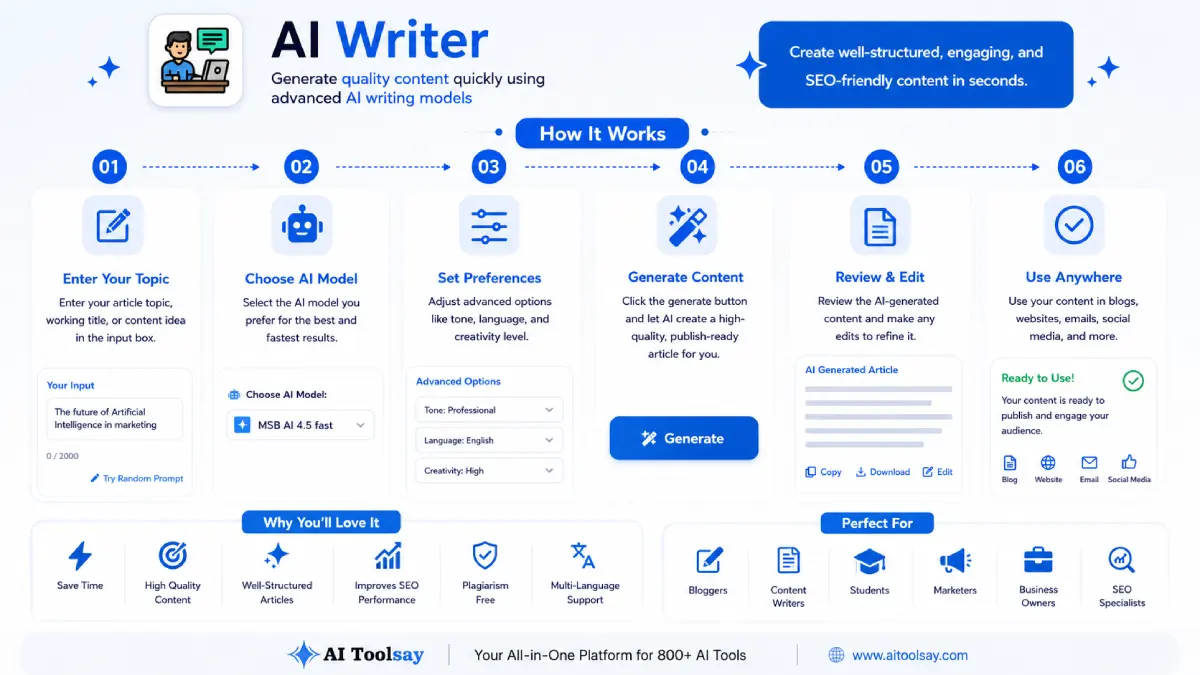
The flow is short, and your first article is genuinely a minute or two away. Here is how I move through it.
First, I write the topic. This is the single most important input, so I keep it focused. "Content marketing" is too broad and gives a forgettable draft. "A content marketing plan for a two person coffee brand" gives the tool a real angle to build on. A tight topic in equals a tight article out.
Next, I pick a model. Each engine has its own rhythm and personality, and because they are all free, running the same topic on two of them is the fastest way to discover which one suits the subject. I will come back to this, because it is one of the most useful tricks the tool offers.
Then I open advanced options and set the audience and goal before anything else. Those two choices reshape the entire draft more than any other setting. After that I dial in style, tone, length, and heading structure to match wherever the piece is going to live. Finally I press generate, and the output section fills with a complete draft I can copy or export straight into my editor or CMS. The activity history keeps recent drafts, so comparing two versions is easy.
Matching the Settings to the Job
The settings are what let a single tool wear many hats. Rather than guess, it helps to know exactly what each major control changes and when to reach for it. This table is the cheat sheet I wish I had when I started.
| Control | What It Shapes | Reach For It When |
|---|---|---|
| Content Goal | The purpose and overall structure of the piece | You need a comparison post, a buying guide, or a teaching article |
| Target Audience | Vocabulary, depth, and assumed knowledge | Writing for beginners versus seasoned professionals |
| Writing Style and Tone | The character and mood of the prose | You want storytelling warmth or crisp technical precision |
| Content Length | Word count and level of detail | A quick explainer versus a long pillar page |
The pattern I follow is to lock the goal and audience first, then treat style, tone, and length as the fine tuning. Get the first two right and the draft comes back close to what you pictured. Get them vague and no amount of style tweaking will save it.
How I Squeeze the Best Results Out of It
A tool this flexible rewards a little strategy. The single biggest lever is specificity. The narrower and clearer your topic, the sharper the draft, every single time. I have never once regretted spending an extra ten seconds sharpening the topic line.
My second habit is generate then combine. Because switching models costs nothing, I will often run the same topic on two engines, then merge the strongest sections from each into one draft. One model might open beautifully while the other explains a tricky point more clearly, so I take the best of both. It sounds like extra work, but it usually produces a stronger article in less total time than editing a single so so draft.
The third habit is the one that actually protects your reputation: read the draft as a critical editor, not a passive reader. Cut anything generic, strengthen the weak arguments, and add the examples, data, and first hand experience that only you can bring. The AI Writer is fast and tireless and good at structure, but it has no real experiences and cannot vouch for a fact. That part is your job, and it is where the genuine value of a published piece comes from.
Pair the focus keyword field with a clear content goal before you generate. When the tool knows both the exact subject and the purpose behind it, the draft lands far closer to finished, which means much less editing on your side and a piece that reads on target from the first pass.
One more thing worth saying plainly: always fact check before you publish. The draft is a strong starting point, not a verified final. Confirm any names, numbers, dates, and claims yourself, and read the piece aloud once to smooth any lines that sound mechanical. That short human pass is the difference between content that ranks and lasts and content that quietly gets ignored.
Who Gets the Most From This Tool
Over the years I have watched very different people lean on the AI Writer for very different reasons, and it fits all of them because the settings do the adapting. A freelancer juggling five client briefs feeds each one in, gets structured drafts in minutes, and spends the saved hours on the high value polish clients actually pay for. A small business owner with no writing background sets a friendly tone and an informational goal and produces helpful articles that build trust with customers.
Students turn messy notes into an analytical first draft they can then refine and cite. Marketers spin up a long pillar page plus a handful of supporting posts in a single afternoon. Writers who publish in a second language get a fluent, well organized base to work from instead of fighting the blank page in a tongue that is not their first. The tool never changes; the dials do, and that is the whole point. The bottleneck shifts from producing words to refining ideas, which is exactly where human expertise shines.
Getting More From the Output: Questions I Hear Often
How do I make the draft sound less generic and more like me?
Set a specific tone and point of view, then edit with intent. Add your own examples, opinions, and first hand stories, cut any sentence that could appear in a thousand other articles, and read it aloud to catch robotic rhythm. The presets get you a solid base; your edits give it a voice.
What length should I pick for the best results?
Match the length to the depth the topic truly needs, not to a target you feel you should hit. Short works for quick explainers and updates, medium suits most blog posts, and long form fits comprehensive guides and pillar pages. Padding a thin topic to long form dilutes it, so choose honestly.
Should I switch models, and how does that change the output?
Yes, switching is one of the best moves available. Each engine has its own pacing and character, so some produce rich descriptive prose while others stay crisp and structured. When a draft is close but the tone feels slightly off, regenerate on a different model before you rewrite your whole prompt.
What is the fastest way to get an on target draft?
Set the target audience and content goal first, then write a narrow, specific topic and add a focus keyword. Those inputs shape the structure and vocabulary more than anything else, so nailing them up front means far less rework after the draft appears.
How do I turn one topic into a whole cluster of content?
Generate a long form piece on the broad subject, then run several short or medium drafts on the subtopics it raises, each with its own focus keyword. You end up with a pillar article and supporting posts that link naturally, all built from one afternoon of work.
Is there any cost to using it heavily?
No, the AI Writer is free, and access to the premium models is included, so you can generate, compare, and regenerate as much as your work needs without a subscription. The only real cost is the few seconds each draft takes.
Give the AI Writer a focused topic, tell it who the reader is and what the piece should do, and it hands you a structured draft you can shape into something genuinely yours in a fraction of the usual time. Try it here: AI Writer.
.png)
Join the Newsletter
Get the best new AI tools and tips delivered to your inbox. No spam.
By subscribing you agree to receive emails from AIToolsay. Unsubscribe anytime.