 English
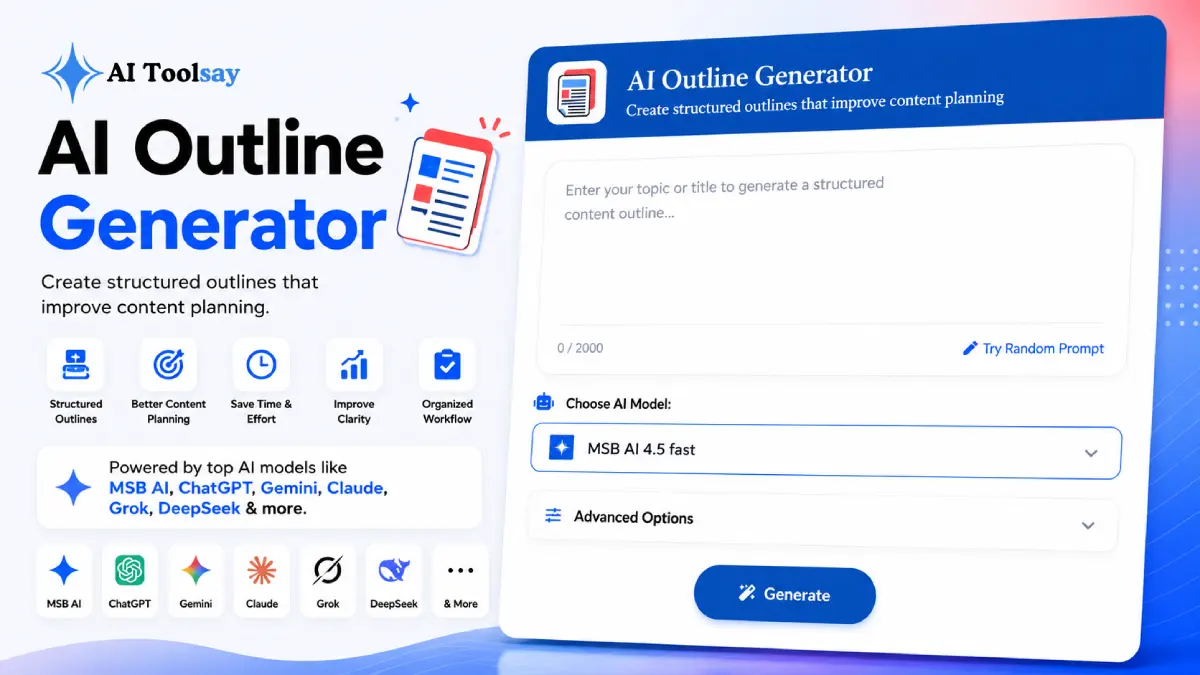
AI Outline Generator
Create structured outlines that improve content planning
 MSB AI 4.5 fast








Your prompt will appear here…
Your beautifully formatted article will appear here once you generate.
No history yet
Your generations will appear here. Sign in to save them permanently.



A few years ago the blank page was the hardest part of writing. That is no longer where the struggle sits. The bottleneck has quietly moved from producing sentences to deciding what those sentences should cover and in what order, and that shift changes how smart writers spend their first ten minutes.
Quick Answer: The AI Outline Generator is a free AIToolsay tool that turns any topic or title into a detailed, logically ordered content outline. You set the content type, search intent, audience, outline style, tone, heading depth, and language, then it maps the full section structure for you in seconds. It is free to use, with several premium AI models available to switch between.
Where the Real Writing Work Moved
I have written and edited enough long pieces to notice a pattern. The drafts that came out clean were never the ones I typed fastest. They were the ones I had already mapped in my head before I sat down. The typing was almost mechanical because the thinking was done. The drafts that fell apart were the opposite. I started with energy, a topic, and no plan, and somewhere around the third paragraph the whole thing lost its spine.
That is the shift I keep coming back to. Getting words onto the screen is easier now than it has ever been. What still separates a piece that reads well from one that reads like a struggle is the shape underneath it. A reader can feel structure even when they cannot name it. They feel it when every section arrives at the right moment and answers the question that was forming in their mind. They feel its absence when a piece circles, repeats, and saves its best point for a paragraph most people never reach.
The AI Outline Generator exists to handle that first, decisive stage. You hand it a topic, tell it a little about the piece you want, and it returns an ordered structure you can write straight into. It does not replace your judgment. It gives your judgment something to react to, which is far easier than building from nothing.
The Settings That Shape Your Plan
An outline is only useful when it fits the exact piece you are making. A tutorial and a product comparison are not the same animal, and a plan that ignores the difference is worse than no plan. That is why the tool asks you a handful of short questions before it builds anything. Each answer bends the structure toward the piece you actually have in mind.
You choose a content type first, and there are eight to pick from: a blog post, a long form article, a tutorial, a guide, a review, a comparison, a case study, or a research piece. Each one carries its own natural shape, and the generator applies that shape instead of forcing every topic into one generic template.
From there you set the search intent. Informational, commercial, transactional, and educational pieces ask different questions of the reader, so the outline leans in the right direction rather than staying neutral and vague. You describe your audience so the plan pitches at the correct depth, since an outline for beginners and one for specialists should not look alike. You pick an outline style and a tone, which decide how formal, how detailed, and how conversational the finished structure feels.
Then comes the setting I lean on most: heading depth. You can ask for a clean structure of top level headings only, or a full multi level hierarchy with subsections nested under each main point. Shallow works for a quick post. The deeper structure suits a thorough guide meant to cover a subject completely. Finally you set the language, so the outline arrives ready for the audience you are actually writing for.
Why Sequence Matters More Than You Think
Most people judge an outline by its contents. They scan the headings, confirm the important topics are present, and move on. That is only half the job. The order those headings arrive in decides whether a reader stays or leaves, and it is the part beginners overlook most often.
Think about how you read something new. Each section either answers a question you were already holding or it lands too early, before you had a reason to care. A brilliant point in the wrong slot feels like a detour. The same point three paragraphs later, once the reader has the context to want it, feels like a payoff. Nothing about the words changed. Only their position did.
A good outline solves the what and the when together. It confirms the right ideas are present, and it arranges them so each one builds on the last. That is genuinely hard to do in your head while also worrying about phrasing, which is why so many first drafts stall. When the sequence is settled before you write, the draft has somewhere to go. You are never stuck asking what comes next, because the plan already answered it.
One Blueprint for Each Kind of Piece
Because the tool knows your content type, it reaches for the structure that format has earned over years of use. A comparison is built differently from a case study, and readers expect those differences even if they never think about them. Here is how a few of the common formats tend to take shape.
| Content Type | Underlying Shape | What the Sections Cover |
|---|---|---|
| Blog Post | Hook, core points, close | Four to eight focused sections |
| In Depth Guide | Complete coverage of every angle | Many sections with nested subsections |
| Tutorial | Setup, ordered steps, result | Step by step sections in sequence |
| Comparison | Overview, point by point, verdict | Side by side sections plus a recommendation |
| Case Study | Context, problem, solution, outcome | A clear narrative arc across sections |
You do not have to memorize any of this. That is the point. Pick the format, and the appropriate skeleton comes with it. You get to spend your attention on the ideas that make your piece yours, not on rediscovering how a tutorial should be laid out.
Building Your First Outline Step by Step
If you have never used a tool like this, the whole thing can look like it must be complicated. It is not. The first run takes well under a minute, and once you have done it once the process becomes second nature.
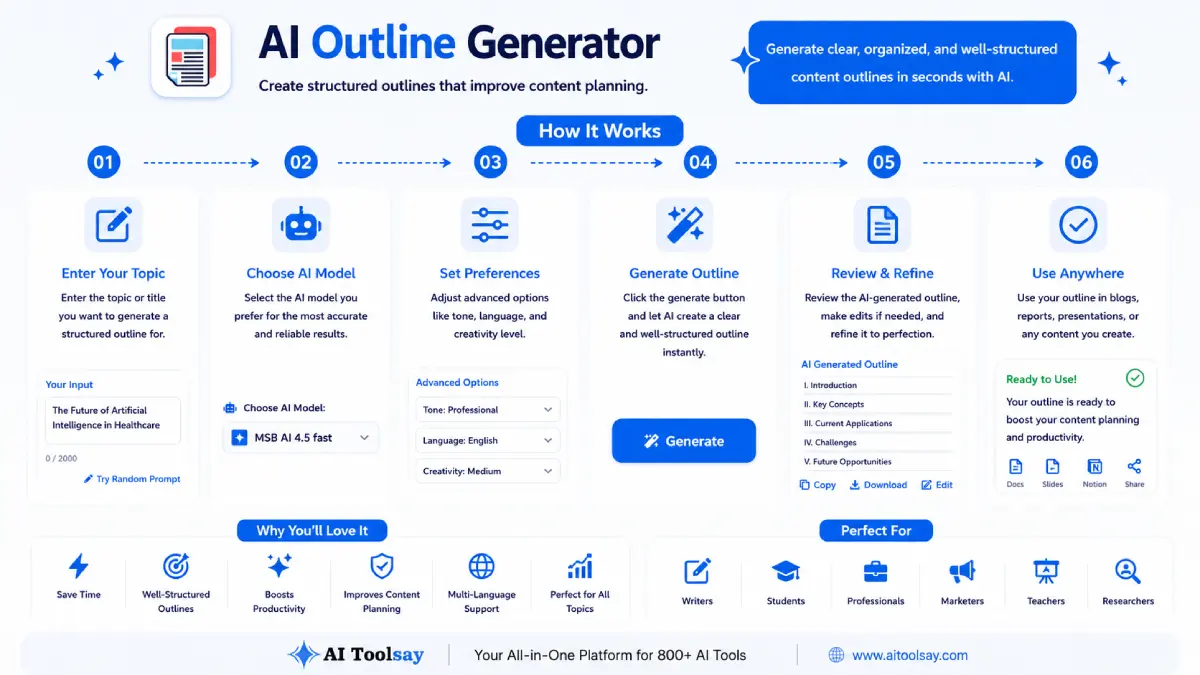
- Enter your topic or title. Be specific. A precise topic gives you a precise plan, while a vague one gives you a vague one.
- Set the content type and intent. These two answers do the heavy lifting, telling the tool what kind of piece to shape and what the reader is really after.
- Choose your audience, style, and tone. These set the depth and the voice so the plan matches the people who will read it.
- Pick the heading depth and language, then generate. Match the depth to how thorough the piece needs to be, and the structure appears ready to write into.
A habit worth keeping: when the outline appears, read each heading as a question your reader would ask at that exact moment. If a heading is not answering a real question, reword it or fold it into a nearby section. Headings that resolve genuine questions carry a reader forward. Headings that only name a topic let them drift.
What It Does Well and Where You Steer
I would rather tell you plainly what to expect than oversell it. Used the right way, the generator removes the single most stubborn obstacle in the writing process. But it is a starting structure, not a finished article, and knowing the difference is what turns it into a real advantage.
What Makes It Worth Opening
- Structure matched to your exact format, not a generic template
- Intent and audience shaping baked into every section
- Heading depth that flexes from a quick post to a full guide
- Free to use with premium AI models to switch between
- A complete, ordered plan in under a minute
Where Your Judgment Still Leads
- Read it through and add any angle only you would know to include
- On narrow topics, merge sections that overlap
- Add your own keyword targeting when you are writing for search
- Reorder freely when a different flow suits your reader better
None of those are flaws. They are the ordinary work of a writer, and they are much lighter when you start from a solid draft of the plan rather than a blank one. The tool gets you to a strong starting point fast. You take it the rest of the way, which is exactly the division of labor that should exist between a tool and the person using it.
Every new tool raises a few small worries before the first use. Here are the ones I hear most from people opening the outline generator for the first time.
I only have a rough topic. Is that enough to start?
Yes. A single line describing what you want to write about is enough to generate a full outline. The more specific your topic, the sharper the result, but you do not need a polished title or any prepared notes to begin. Start with what you have and refine from there.
What if I do not know which content type to choose?
Go with the format closest to what you picture, and do not overthink it. If you are teaching a process, that is a tutorial. If you are covering a subject fully, that is a guide. If nothing fits neatly, a blog post is a safe, flexible default, and you can always run it again with a different type to compare.
Do I have to use the outline exactly as it appears?
Not at all. Treat it as a first draft of your plan. Adding a section you know belongs, cutting one that does not fit, and reordering to suit your reader are all normal and encouraged. The outline gives you a complete structure to react to, and your edits are what make it yours.
Start Before You Feel Ready
Here is the barrier I want to take away. You do not need a finished plan in your head before you begin. You do not need to be an experienced outliner, and you do not need to know the perfect structure for your format in advance. That was the old way, and it kept a lot of good pieces from ever getting written.
Bring a topic and a little curiosity. Let the AI Outline Generator lay down the first version of the structure, then shape it with the judgment that is already yours. The hardest part of writing was never the words. It was knowing where they should go, and now you have something to help you decide. Open it, type your topic, and let the plan meet you halfway.
.png)
Join the Newsletter
Get the best new AI tools and tips delivered to your inbox. No spam.
By subscribing you agree to receive emails from AIToolsay. Unsubscribe anytime.